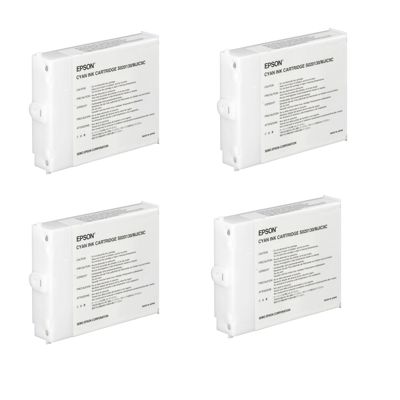
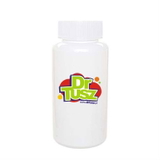
Bring Your Epson Printhead Back to Life with Epson TS020118–TS020130 Cleaning Solutions When prints start to look “tired” — with missing lines, faded colors, banding, or sudden streaks — the culprit is often not the printer itself, but clogged or partially dried ink inside the system. In this category we focus on practical support for users of the Epson TS020118–TS020130 cartridge range: professional cleaning fluids designed to restore smooth ink flow and protect what matters most — your print quality and your time. If you rely on an Epson Stylus Color Pro series device (for example Epson Stylus Color Pro 5000, 5000 XL or 3000), the right cleaning approach can often save you from costly downtime and unnecessary part replacements. What You’ll Find Here: Cleaning Fluid for Epson Systems (Refill Components) This subpage is dedicated to Cartridges Inkjet in the class of Refill components — specifically Fluids for Cleaning. These are not standard “ink cartridges” for printing documents; they are specialist products used for maintenance and troubleshooting. The featured item in this category is: - Specialistic Fluid for Cleaning Heads Epson 250 ml (Universal)
Think of it as a targeted tool for restoring performance when normal printer cleaning cycles are no longer enough. It’s a smart choice when you want to keep your Epson setup running reliably — especially in environments where printers stand idle for periods of time, or where high-detail printing requires perfect nozzle condition. Common Problems This Cleaning Fluid Helps Solve Many users searching for “ink for Epson Stylus Color Pro 5000” or “ink for Epson Stylus Color Pro 3000” actually discover that the real issue isn’t the ink at all — it’s a blocked ink path. A high-quality cleaning fluid can help address typical symptoms such as: - Nozzle clogging after long breaks in printing
- Banding or uneven fills on graphics and photos
- Missing lines or incomplete text
- Color inconsistency even after a cartridge change
- Ink drying in the printhead/ink channels (especially in warm, dry rooms)
Used correctly, a cleaning solution supports smoother ink delivery and can extend the service life of your components. It’s the kind of maintenance step that feels small — but can make your printer perform like it should again. How to Choose Between Original OEM vs Compatible — and Why Maintenance Still Matters In the Epson TS020118–TS020130 ecosystem you may encounter both original OEM cartridges and compatible alternatives. Original OEM products are manufacturer-branded and designed to match factory specifications. Compatible products are made to meet the same functional purpose — and in our DrTusz.pl offer, our compatible options are as good as the originals, giving you a dependable way to manage printing costs without sacrificing results. However, no matter whether you print with original OEM ink or a high-quality compatible solution, every inkjet user faces the same reality: ink can dry and nozzles can clog. That’s exactly why a professional cleaning fluid for Epson printheads is such a valuable companion in your toolkit — it supports consistent output and reduces the risk of frustrating print defects. Practical Tips: When to Use Cleaning Fluid (and When Not To) We encourage you to treat cleaning fluid as an intentional, problem-solving product — not something to use randomly. It’s most useful when you see clear symptoms or you’re preparing a device for reliable work after downtime. - Use it when: nozzle checks show missing segments, prints are streaky, or the printer was unused for a long time.
- Be cautious when: the issue is clearly mechanical (paper feed problems, encoder strip contamination, error codes unrelated to ink flow).
- Best practice: print small test pages regularly to prevent drying, especially if you use “ink for Epson Stylus Color Pro 5000” only occasionally.
If you’re unsure whether your issue is ink-related or maintenance-related, it’s often worth starting with a nozzle check and a careful cleaning plan — because replacing cartridges alone doesn’t always restore perfect printing. Why Buy From Us: Confidence, Compatibility, and Real-World Support We select products that solve real printing problems — not just items that look good on a spec sheet. This category is designed for customers who want more than a quick fix: you want consistent quality, predictable results, and printing that doesn’t break your workflow. Whether you’re maintaining an Epson Stylus Color Pro printer or troubleshooting a device compatible with the Epson TS020118–TS020130 range, our goal is to help you get clean, sharp prints again — without unnecessary expense. Restore Crisp Output Today — Quick CTA Choose the Epson TS020118–TS020130 cleaning solution and bring back smooth ink flow, sharp lines, and dependable color. Add the specialist cleaning fluid to your toolkit now and keep your Epson printer performing at its best. |