Professional colour that you can trust – Epson T6531–T6539 ink cartridges When every shade matters and every print must look exactly as you imagined, choosing the right ink becomes more than a routine purchase—it becomes part of your workflow. In this category we focus on the Epson T6531–T6539 ink cartridge series: a reliable solution for demanding photo and proofing prints, created for printers such as the Epson Stylus Pro 4900. Whether you choose Original OEM Epson ink or a high-quality compatible ink cartridge from our DrTusz.pl offer, you’ll find everything here to keep your printer consistent, clean, and ready for the next job. What’s included in the Epson T6531–T6539 range? This subpage is built around the full ecosystem needed for smooth, predictable printing—so you don’t have to search in multiple places. You’ll find Inkjet cartridges as well as key service items that protect print quality and reduce downtime. - Original OEM ink cartridges Epson T6531–T6539, including:
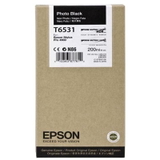
- Epson T6531 (C13T653100) – Photo Black
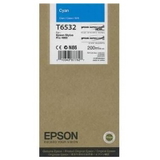
- Epson T6532 (C13T653200) – Cyan
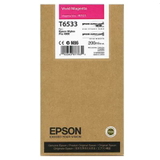
- Epson T6533 (C13T653300) – Magenta
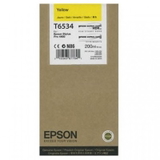
- Epson T6534 (C13T653400) – Yellow
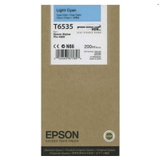
- Epson T6535 (C13T653500) – Light Cyan
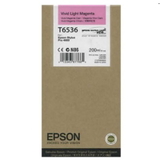
- Epson T6536 (C13T653600) – Light Magenta
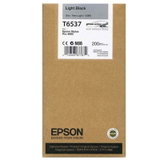
- Epson T6537 (C13T653700) – Light Black
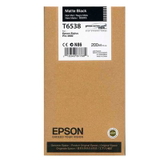
- Epson T6538 (C13T653800) – Matte Black
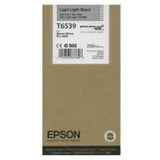
- Epson T6539 (C13T653900) – Light Light Black
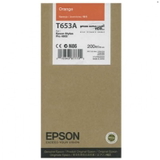
- Epson T653A (C13T653A00) – Orange
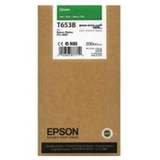
- Epson T653B (C13T653B00) – Green
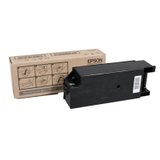
- Original OEM Maintenance Kit Epson T6190 (C13T619000)
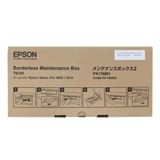
- Original OEM Waste Ink Tank Epson T6191 (C13T619100)
- Specialistic Fluid for Cleaning Heads Epson 250 ml (universal)
Why these colours matter – smoother gradients, deeper blacks, richer greens The Epson T6531–T6539 family is designed for nuanced colour reproduction. In real-life use, that means skies without banding, skin tones without sudden shifts, and monochrome prints with elegant, detailed transitions. The additional tones like Light Light Black, Light Black and the expanded gamut colours Orange and Green help produce prints that feel vivid and “alive”, not flat. If you need dependable ink for Epson Stylus Pro 4900 for photography, fine art, or proofing work, this series is a natural fit. Original OEM vs compatible – how to choose the right Epson T653 ink We know the most common question: “Should we choose Original OEM, or a compatible cartridge?” Both options can be a smart decision—depending on your priorities. - Original OEM Epson T6531–T6539 is ideal when you want to stay strictly within the manufacturer’s specification, keep a unified OEM workflow, or match established colour profiles created for OEM ink.
- Compatible Epson T6531–T6539 ink cartridges from DrTusz.pl are a cost-effective choice without sacrificing results—our compatible options are designed to deliver print quality and reliability that are as good as the originals, making them perfect for everyday production, frequent printing, and budget-controlled studios.
Our advice: if you print critical client work and want to keep everything identical to an established OEM standard, choose Original OEM ink cartridge Epson T653. If you print a lot, want to control costs, and still expect professional-looking output, choose a compatible ink cartridge Epson T653 from our offer. Common user issues with Epson T653-series printing—and how we help prevent them Professional printers reward good maintenance, but they can also be sensitive to neglect. The issues we see most often around printers using the T653 series (including the Epson Stylus Pro 4900) are: - Nozzle clogging after longer breaks between prints
- Fading lines or missing colours caused by drying ink in the head
- Unexpected interruptions when the waste ink tank becomes full
- Quality drop over time when maintenance parts are overdue
That’s why this category includes not only Epson T653 ink cartridges, but also the essential service products: the Epson T6190 Maintenance Kit and the Epson T6191 Waste Ink Tank. If you’re troubleshooting print quality, the specialistic cleaning fluid can support careful cleaning routines and help restore clean ink flow—especially when the printer has been idle. Smart buying tips – avoid downtime and keep colours consistent To make sure your “ink for printer Epson Stylus Pro 4900” purchase truly supports your work, we encourage you to: - Match the code, not only the colour name (e.g., C13T653800 for Matte Black), especially when ordering remotely.
- Keep key colours in reserve—Photo Black/Matte Black and the most-used C/M/Y often decide whether you can finish a job today.
- Plan maintenance items ahead: a full waste ink tank or overdue maintenance kit can stop printing at the worst moment.
- Print regularly when possible—consistent use reduces the risk of drying and clogging.
Why shop Epson T6531–T6539 inks and maintenance supplies with us? We built this category to be a complete, practical toolkit for your printer—whether you’re replacing a single Original OEM Ink Cartridge Epson T6534 Yellow or preparing for a busy production week with multiple colours and a new waste ink tank Epson T6191. We help you choose confidently, reduce the risk of compatibility mistakes, and keep your printer running with fewer surprises. Ready to print with confidence? Choose your Epson T653 cartridge now Dear Customer, if you want colour that stays consistent, blacks that look truly deep, and a workflow that doesn’t get interrupted by avoidable maintenance issues, choose the right Epson T6531–T6539 ink cartridge today—Original OEM or our high-quality compatible alternative. Add the cartridges and maintenance essentials to your cart and keep your Epson Stylus Pro 4900 ready for every print. |