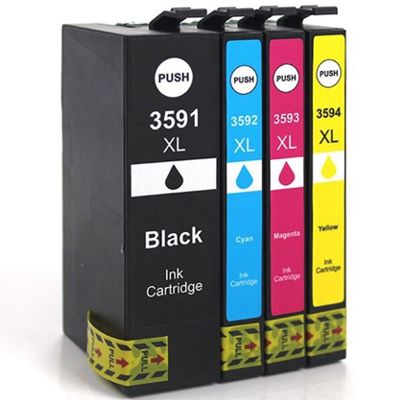
Print with confidence: Epson T3591–T3594 ink cartridges for everyday work and standout color Dear Customer, when your printer is the quiet engine behind your home office or busy workplace, there’s nothing more frustrating than streaks, faded text, or a last-minute “ink empty” message. In this category we bring together everything you need for reliable printing with the Epson T3591–T3594 series—both for crisp documents and vivid graphics. You’ll find compatible ink cartridges (XL capacity) and a specialistic fluid for cleaning heads that helps restore print quality when clogs or banding appear. These cartridges are designed for selected Epson WorkForce Pro devices—commonly used models include the Epson WorkForce Pro WF-4720DWF, WF-4730DTWF and WF-4740DTWF—so you can choose the right ink for Epson WorkForce Pro and keep your workflow smooth, page after page. What’s inside the series: Black + color set and head-cleaning support The Epson T3591–T3594 family is a four-color set, so you can replace only what you use. In this category you can buy each color separately as a high-yield alternative: - Compatible Ink Cartridge 35 XL for Epson (T3591) (Black) – for sharp, professional-looking text and clean lines.
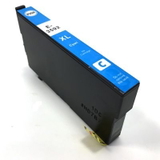
- Compatible Ink Cartridge 35 XL for Epson (T3592) (Cyan) – for cool tones, blue accents, charts, and photos.
- Compatible Ink Cartridge 35 XL for Epson (T3593) (Magenta) – for rich reds and balanced skin tones in color output.
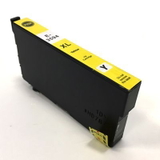
- Compatible Ink Cartridge 35 XL for Epson (T3594) (Yellow) – for bright highlights and lively, warm color blends.
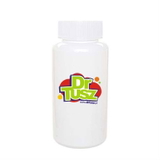
- Specialistic Fluid for Cleaning Heads Epson 250 ml (Universal) – for maintenance when the printer starts showing gaps, missing lines, or uneven color.
In other words: you’re not just buying ink cartridges Epson T3591 or ink for Epson T3592—you’re building a dependable printing setup that also includes prevention and recovery tools when print quality drops. Why customers choose Epson T3591–T3594: clean text, vivid color, fewer interruptions If you print invoices, contracts, school materials, shipping labels, or presentations, you need two things: reliability and predictable results. The Epson T3591–T3594 ink cartridge series is popular because it supports fast, daily printing while keeping details crisp. Black ink delivers strong contrast for readable documents, while cyan, magenta, and yellow combine to produce smooth gradients and accurate colors for charts, graphics, and marketing pages. Choosing an XL option helps reduce how often you have to replace cartridges—less downtime, fewer emergency purchases, and more focus on what you’re printing rather than what your printer is complaining about. Compatible vs original OEM: how to choose the right cartridge (and save wisely) Many buyers wonder whether they should choose an original OEM cartridge or a compatible alternative. We encourage you to decide based on how you print and what matters most to you: - Original OEM Epson ink cartridges are produced by the printer manufacturer and are a classic choice when you want to stay strictly within the brand ecosystem.
- Compatible Epson T3591–T3594 cartridges are designed to match the printer’s requirements and deliver excellent print quality while offering a more budget-friendly cost per page.
And here’s the practical point: our compatible options from the DrTusz.pl offer are made to be as good as the originals in everyday use—so you can print confidently without feeling you’re paying extra just for the label. If you print a lot (office documents, schoolwork, frequent color pages), compatible XL cartridges are often the smartest way to keep quality high and costs under control. Common printing problems—and how this category helps solve them Even the best printer can run into issues, especially if it sits unused for a while. The most common concerns we hear from users of printers compatible with this series include: - Streaks or banding across text or images
- Missing colors (e.g., no cyan or weak magenta)
- Faded printouts or uneven coverage
- Clogged printheads after longer breaks in printing
That’s why we include not only ink cartridges Epson T3591–T3594, but also a dedicated solution for maintenance: the specialistic fluid for cleaning heads. It’s a helpful choice when standard cleaning cycles are not enough and you want to bring back clear nozzles and consistent color flow—especially valuable in busy devices like the Epson WorkForce Pro WF-4720DWF or WF-4730DTWF that are expected to perform on demand. Quick buying tips: choose the correct color, capacity, and maintenance support To make your purchase simple and accurate, we recommend: - Match the code: T3591 (Black), T3592 (Cyan), T3593 (Magenta), T3594 (Yellow).
- Replace only what’s needed: if yellow runs out first, buy ink for Epson T3594 without replacing the full set.
- Choose XL for convenience: fewer swaps and steadier work, ideal for frequent printing.
- Add cleaning fluid when quality drops: if you notice gaps or weak colors, a cleaning step can be the difference between “unusable” and “like new.”
With the right combination, your printer can produce sharp pages that feel fresh and professional—like documents straight from a well-run office, not a struggling machine. Ready to refresh your prints? Choose your Epson T3591–T3594 today If you want dependable results, strong blacks, vivid colors, and a smart way to reduce printing costs, this is the place to start. We encourage you to choose the compatible Epson T3591–T3594 XL ink cartridge you need—or complete your color set and add the printhead cleaning fluid for extra peace of mind. Put an end to streaks and last-minute ink panic—stock up now and keep your Epson WorkForce Pro ready whenever you are. Order your Epson T3591–T3594 ink cartridges today and print without interruptions. |