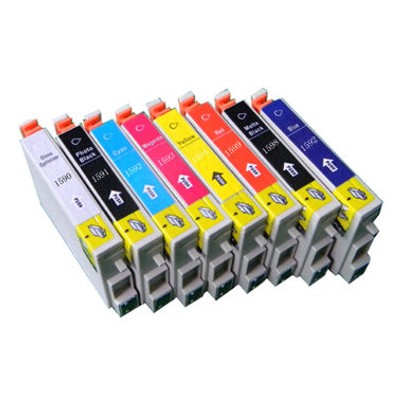
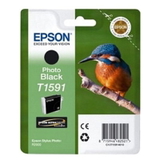
Epson T1590–T1599 ink cartridges – gallery-quality colour you can trust When a print matters, you want colour that feels alive: deep blacks, smooth gradients, and tones that look natural under daylight and studio light alike. The Epson T1590–T1599 ink cartridge series was created for demanding photo printing, where every detail counts and every shade should land exactly where you expect it. In this category we offer both Original OEM Epson cartridges and carefully selected compatible cartridges Epson T1590–T1599 (including options from DrTusz.pl that perform just as reliably as the originals), so you can match your budget to your workflow without compromising results. These cartridges are designed for photo printers such as the Epson Stylus Photo R2000 and similar models that rely on a multi-colour ink set to build realistic, high-impact images. What’s inside the Epson T1590–T1599 series? (Colours & purpose) The strength of the Epson T1590–T1599 ink for printer lineup is its ability to reproduce both vivid colours and subtle transitions—especially important for photography, graphics, and fine-art prints. In our selection you’ll find: - Original OEM Ink Cartridge Epson T1591 (T15914010) (Foto) – supports photo tonal balance and smoothness.
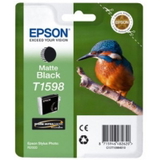
- Original OEM Ink Cartridge Epson T1598 (T15984010) (Matte black) – ideal for rich dark areas and matte media.
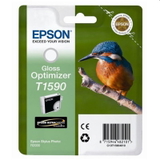
- Original OEM Ink Cartridge Epson T1590 (T15904010) (Gloss) – helps achieve stunning depth and finish on glossy/photo papers.
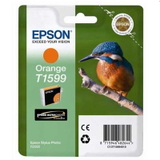
- Original OEM Ink Cartridge Epson T1599 (T15994010) (Orange) – expands warm tones for lifelike skin and sunsets.
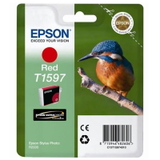
- Original OEM Ink Cartridge Epson T1597 (T15974010) (Red) – boosts saturation and punch in reds and warm gradients.
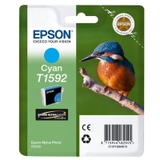
- Original OEM Ink Cartridge Epson T1592 (T15924010) (Blue) – improves cool tones, skies, and shadow nuances.
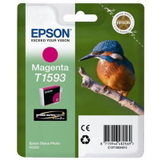
- Original OEM Ink Cartridge Epson T1593 (T15934010) (Magenta) – essential for vivid colour and accurate pink/purple tones.
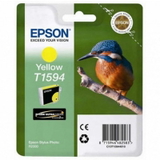
- Original OEM Ink Cartridge Epson T1594 (T15944010) (Yellow) – brings brightness and clarity to highlights and warm areas.
Because the printer mixes these colours in precise proportions, choosing the right ink cartridge Epson T1591, ink cartridge Epson T1598, or any other T159x colour is the key to keeping your prints consistent from the first sheet to the last. Original OEM vs compatible Epson T1590–T1599: how to choose wisely Dear Customer, the best choice depends on what you print and how often. Original OEM Epson T1590–T1599 ink cartridges are a great option if you want the manufacturer’s solution and the peace of mind that comes with it—especially for colour-critical work or when you’re preparing a portfolio, exhibition prints, or client deliveries. If you print frequently and want to reduce running costs, compatible Epson T1590–T1599 cartridges are a smart alternative. We select compatible options to deliver results you can rely on—clean text, smooth photos, and stable colour—so you can print more without constantly watching the cost per page. And yes: the compatible cartridges from the DrTusz.pl offer are designed to be as good as the originals in everyday use, with strong colour, dependable performance, and excellent value. - Choose Original OEM when: you want maximum brand consistency, you print important photo jobs, or you prefer the official Epson solution.
- Choose Compatible when: you print a lot, want better cost control, and still expect high-quality results.
Common printing issues with Epson photo printers—and how we help Multi-colour photo systems are fantastic, but they can be sensitive to long breaks between prints. Typical problems users report with printers compatible with this series include: - Missing lines / banding in photos or graphics
- Faded colours after a period of non-use
- Nozzle clogs leading to uneven prints
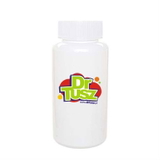
That’s why, besides cartridges, we also offer maintenance support such as Specialistic Fluid for Cleaning Heads Epson 250 ml (Universal). A quality cleaning fluid can help restore ink flow, improve nozzle performance, and reduce wasted prints—especially when your printer has been idle or when you notice gaps in colour. If your output suddenly looks “striped” or incomplete, cleaning the print head is often the fastest route back to crisp, gallery-worthy prints. Keep your colour consistent: practical tips before you buy To get the most out of your ink for Epson Stylus Photo R2000 (and similar models), we recommend a few simple habits that protect both your prints and your printer: - Match the cartridge code: choose the exact T159x number you need (e.g., ink cartridge Epson T1593 for Magenta).
- Replace colours as needed: photo printers may use certain colours faster—keeping spares prevents job interruptions.
- Print regularly: even a small test print helps prevent drying and reduces the risk of clogs.
- Use cleaning fluid when symptoms appear: it’s a practical solution for banding and missing colours.
With the right Epson T1590–T1599 ink cartridges in place, you’ll get predictable output: confident blacks, vibrant reds, warmer oranges, and smooth tonal transitions that make your photos feel real—not just printed. Order Epson T1590–T1599 cartridges today—print with confidence Whether you choose Original OEM Epson T1590–T1599 or a high-quality compatible Epson T1590–T1599 ink cartridge, we’re here to help you print more beautifully and more affordably. Stock up on the colours you use most, add a cleaning fluid to keep performance stable, and enjoy photo prints that look as impressive on paper as they do on screen. Choose your Epson T1590–T1599 ink now and bring your next print to life—add cartridges to your cart and get back to creating. |