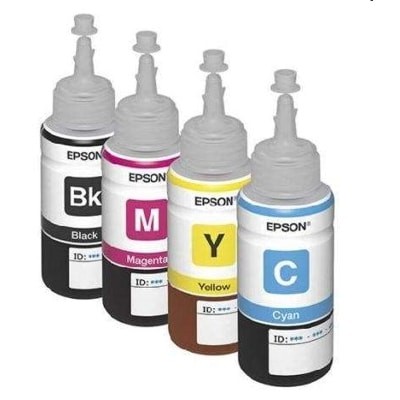
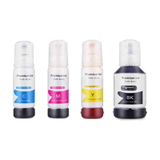
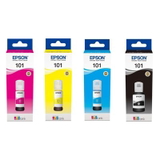
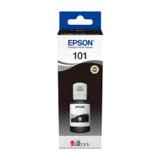
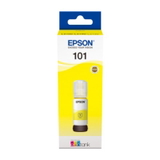
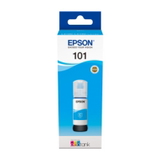
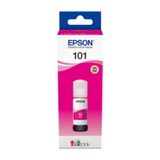
| Epson 101 CMYK ink – bring your everyday prints back to life Dear Customer, when your Epson EcoTank starts printing pale text, uneven colors, or missing lines, the problem is often simple: the printer needs fresh, reliable Epson 101 CMYK ink cartridges (Black, Cyan, Magenta, Yellow). In this category we offer everything you need to restore crisp documents and vibrant graphics—both Original OEM Epson 101 and our proven compatible Epson 101 ink options, plus professional support products like a printer head cleaning fluid. Whether you print invoices at the office or colorful homework and photos at home, we help you keep your printer ready whenever inspiration (or deadlines) strike. What you’ll find in our Epson 101 series category We’ve organized this selection to make choosing easy and safe. The Epson 101 range in our store includes Cartridges Inkjet in multiple classes and types, so you can buy exactly what your printer needs today—and what it will need next month. - Compatible ink cartridges Epson 101 – Black, Cyan, Magenta, Yellow, and a convenient compatible Epson 101 CMYK multipack (C13T03V64A).
- Original OEM ink cartridges Epson 101 – single colors and the Original OEM Epson 101 CMYK multipack (C13T03V64A).
- Refill components / maintenance – including Specialistic Fluid for Cleaning Heads Epson 250 ml (universal), designed to help with clogged nozzles and print quality drops.
If you prefer to plan ahead, a CMYK multipack is a simple way to keep all colors consistent and avoid the classic “one color ran out mid-print” scenario. Epson 101 CMYK: why these colors matter for print quality Black (C13T03V14A) builds sharp text and clear contours. Cyan (C13T03V24A), Magenta (C13T03V34A), and Yellow (C13T03V44A) create the full spectrum—skin tones, gradients, charts, and photo-like color transitions. When one color is weak or missing, prints can look “dusty,” with strange tints or banding. Replacing the right ink cartridge Epson 101 (or choosing a full set) restores balance so your prints look clean, confident, and professional. Original OEM vs compatible Epson 101 ink – how to choose wisely We encourage you to choose based on how you print, how often, and what matters most to you (maximum brand consistency vs maximum savings). Here’s a practical guide: - Original OEM Epson 101 ink – ideal if you want the manufacturer’s solution and you prioritize official branding for strict internal procedures or specific workflows.
- Compatible Epson 101 ink cartridges from DrTusz.pl – a smart pick when you want excellent print quality and dependable performance while keeping costs under control. Our compatibles are designed to be as good as the originals, giving you strong blacks and vivid CMYK colors without paying extra just for the label.
- Multipack vs single color – choose a multipack if you print regularly (home, school, small office). Choose single colors if you know exactly which one is running low.
If you’re unsure, the safest everyday choice is often a Epson 101 CMYK multipack—it keeps your color set consistent and helps you avoid emergency purchases. Common Epson EcoTank issues this category helps solve Epson EcoTank printers are made for efficient printing, but every ink system can face a few routine challenges. The products in this category are selected to help with the most frequent user problems: - Faded prints and weak contrast – typically solved by replacing the right ink for Epson EcoTank in the needed color (often Black).
- Banding / streaks / missing lines – can occur after long breaks in printing; fresh ink plus maintenance can help.
- Clogged nozzles or dried ink – the fluid for cleaning printer heads (250 ml) supports cleaning procedures and can help restore smooth ink flow.
- Unexpected color shifts – usually caused by one depleted or improperly flowing color; replacing Cyan/Magenta/Yellow brings natural tones back.
Our advice: if you print rarely, run a small color page from time to time. Regular use keeps ink circulation healthy and helps prevent nozzle drying. Printer compatibility – Epson EcoTank models that use Epson 101 ink Epson 101 ink cartridges are used in many popular EcoTank devices. Customers often shop for ink for printer Epson EcoTank ITS L4150 or ink for printer Epson EcoTank ITS L4160, and the Epson 101 series is also commonly chosen for higher-volume models such as Epson EcoTank L6170 and office-ready lines like Epson EcoTank L6270 / L6276 (availability depends on the exact printer variant). If you want total confidence, match the cartridge code on this page—such as C13T03V14A (Black) or C13T03V64A (CMYK multipack)—with your printer’s requirements. How to choose the right Epson 101 cartridge (fast checklist) - Confirm the symbol: Epson 101 and the specific code (e.g., C13T03V24A for Cyan).
- Decide: Original OEM or Compatible (our compatible Epson 101 is a quality alternative).
- Pick the format: single color or CMYK multipack.
- If print quality is already affected: add cleaning fluid for Epson print heads to support maintenance.
Print confidently again – choose Epson 101 CMYK today We created this category so you can quickly find the right Epson 101 CMYK ink—original or compatible—and get back to smooth, vibrant printing without stress. Choose your color, pick a multipack for convenience, and consider the cleaning fluid if your printer needs a refresh. Order your Epson 101 ink cartridges now and enjoy clean text, vivid color, and reliable printing from the very first page. |