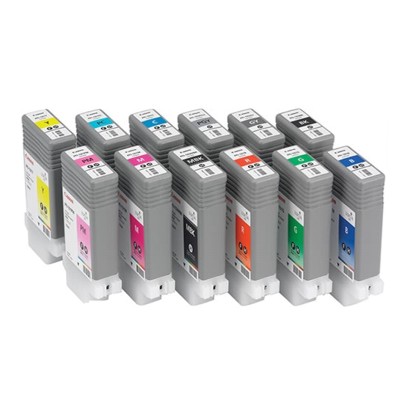
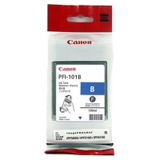
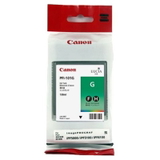
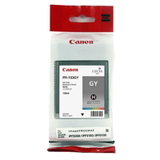
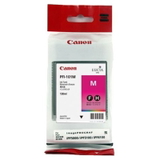
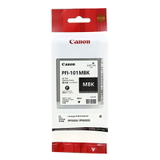
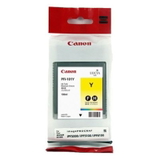
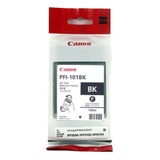
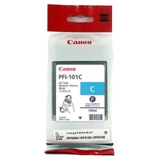
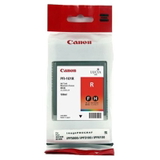
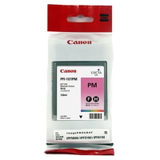
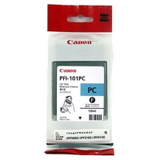
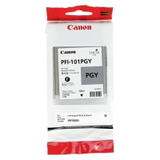
Big-format quality that you can see from the first print When you work with a large-format Canon imagePROGRAF printer, every detail matters: smooth gradients, deep blacks, accurate brand colours and repeatable results from the first metre of paper to the last. That is exactly what the Canon PFI-101 ink cartridge series is designed for. In this category we offer both original OEM Canon PFI-101 inks and carefully selected solutions for maintenance—so you can print confidently, avoid downtime and keep your plotter performing at its best. Whether you run a studio, a copy point, a design office or an in-house marketing team, the right ink for Canon imagePROGRAF is not just a consumable—it is the foundation of consistent, professional output. What you will find in the Canon PFI-101 series in our store The Canon PFI-101 family is a multi-colour system built for accurate colour reproduction and reliable operation in compatible Canon imagePROGRAF devices (for example models from the 5000/5100 and 6000/6100/6200 lines). In this category you can choose from a full palette of OEM cartridges and service products, so you can complete your set without searching across multiple pages. - Original OEM ink cartridges Canon PFI-101 in key colours: Black, Matte Black, Cyan, Photo Cyan, Magenta, Photo Magenta, Yellow, Red, Green, Blue, Gray, Photo Gray.
- Fluids for Cleaning: a specialised head-cleaning fluid (250 ml) to support maintenance and help prevent nozzle issues.
- Refill components (where applicable in the category) for customers who maintain their printing systems with a service-oriented approach.
If you are looking for a specific colour, we make it easy: the product names clearly indicate the colour and the Canon code, e.g. PFI-101MBK (0882B001) for Matte Black or PFI-101BK (0883B001) for Black. Why Canon PFI-101 inks are a smart choice for demanding work Big-format printing often means long print runs, tight deadlines and expensive media. The right ink cartridge Canon PFI-101 helps you protect that investment. With properly matched inks, you gain predictable colour, cleaner lines and fewer interruptions caused by printing defects. Customers typically choose ink for Canon imagePROGRAF 6100 or similar models from this series because they need: - Stable colour reproduction for posters, presentations, CAD/GIS and photo prints.
- Strong blacks and smooth greys thanks to dedicated Black/Matte Black and Gray/Photo Gray options.
- A wide colour gamut supported by additional colours like Red, Green and Blue—useful where brand shades and vivid graphics matter.
- Repeatability: the same file looks the same today and next week—critical for production workflows.
Original OEM vs compatible: how to choose the best option for you Many customers ask us the same question: “Should we pick original OEM Canon PFI-101 or a compatible replacement?” The honest answer depends on your workflow, your expectations and your budget. - Original OEM Canon PFI-101 ink cartridge is the safest route for users who want the manufacturer’s specification, maximum predictability and a classic OEM purchasing path—especially in colour-critical environments.
- Compatible Canon PFI-101 can be an excellent choice when you want to reduce running costs without sacrificing quality. In the DrTusz.pl offer, compatible solutions are selected to deliver results that are as good as the originals, while keeping your cost per print under control.
Our practical advice: if you print colour-critical proofs or premium photo work every day, you may prefer OEM for consistency across strict standards. If your priority is efficient, cost-conscious production (posters, technical drawings, everyday graphics), a high-quality compatible cartridge can be the perfect balance. Common issues in imagePROGRAF printing—and how this category helps Large-format printers are robust, but they are also sensitive to maintenance and ink quality. The most common problems users report in devices compatible with the Canon PFI-101 ink series include: - Banding or missing lines caused by partially clogged nozzles.
- Colour shifts when one cartridge is near empty or a colour channel is not flowing correctly.
- Interrupted workflows due to last-minute ink shortages.
That is why we include not only cartridges, but also a specialistic fluid for cleaning heads. Proper cleaning support can help you restore nozzle performance, reduce reprints and protect your printhead over time. If your plotter sits unused for longer periods, cleaning and regular test prints are especially important. How to pick the right Canon PFI-101 cartridge (quick checklist) To choose the right ink for Canon imagePROGRAF, we recommend a simple approach: - Match the code: verify you need Canon PFI-101 (not another PFI series).
- Select the correct colour: e.g. Photo Cyan (PC) and Cyan (C) are not the same—choose what your device and workflow require.
- Plan a full set: big-format projects often consume multiple colours—keeping a reserve reduces downtime.
- Think in use-cases: for technical drawings, strong blacks (BK/MBK) matter; for photography and smooth gradients, Photo inks and Greys can be crucial.
If you are unsure, we encourage you to choose by the exact cartridge symbol and colour name—this is the fastest way to ensure perfect compatibility and avoid ordering mistakes. Order Canon PFI-101 inks and print with confidence With the Canon PFI-101 ink cartridge range, you can build a complete, reliable printing setup—from vibrant colour cartridges to practical maintenance support. We focus on solutions that keep your Canon imagePROGRAF running smoothly, help you avoid common print issues, and let you deliver work you are proud to sign. Choose your Canon PFI-101 ink today, stock the colours you use most, and keep your large-format projects moving—clean, consistent and on time. Ready to print? Add the right Canon PFI-101 cartridges to your cart and secure professional results for your next big-format job. |