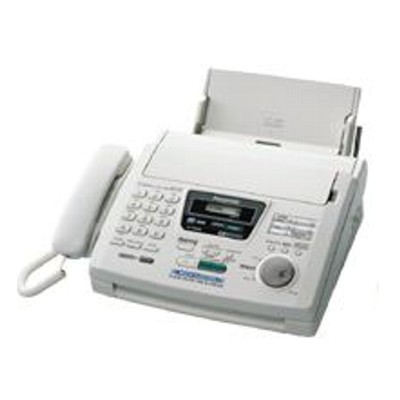
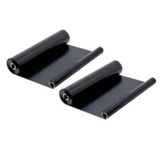
Reliable printing for the Panasonic KX-FM280 series Panasonic fax and multifunction devices from the Panasonic KX-FM280 family are valued for dependable everyday work: receiving and sending faxes, copying documents, and printing essential pages quickly and clearly. If you use models searched as Panasonic KX-FM280, Panasonic KX-FM, KX-FM280, KX FM280 or KXFM280, you already know that the key to consistent results is choosing the right ink film. In this category, we offer both Original OEM and Compatible thermal transfer cartridges (ink films) designed specifically as ink for printer Panasonic KX-FM280. What “Thermal Transfer Ink Film” means in practice The Panasonic KX-FM280 uses thermal transfer ink film rather than classic liquid ink or laser toner. This is why many users search for “toner for printer Panasonic KX-FM280” and end up needing an ink film for Panasonic KX-FM280 instead. The film transfers pigment onto paper through heat, which makes the device simple, clean, and convenient—especially for offices and home users who print or copy regularly. Choosing the correct ink for Panasonic KX-FM280 brings real benefits: - Clear black text for faxes, copies, and documents
- Stable output page after page, great for everyday administration
- Easy replacement—quick install with minimal mess
- Cost control—you can choose Original OEM or a high-quality compatible ink film
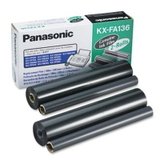
Our range: Original OEM and Compatible ink film for Panasonic KX-FM280 We know different customers have different priorities—some want the manufacturer’s cartridge, others prefer a budget-friendly option without sacrificing quality. That’s why we stock a wide selection of ink film for Panasonic KX-FM280 in both classes: Original OEM and Compatible. Popular choices in this category include: - Original OEM Ink Film Panasonic KX-FA136 (KX-FA136) (Black) – an OEM solution for users who prefer the original Panasonic consumable and predictable performance.
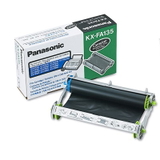
- Original OEM Ink Film Panasonic KX-FA135 (KX-FA135) (Black) – another original option, ideal when your device requires this specific model of film.
- Compatible Ink Film KX-FA136 for Panasonic (KX-FA136) (Black) – a cost-effective alternative that delivers strong, readable prints for everyday faxing and copying.
- Compatible Ink Film KX-FA136 for Panasonic (KX-FA136) (Black) (ActiveJet) – a branded compatible option for customers who like proven aftermarket solutions.
Thanks to this variety, you can easily match the right ink for printer Panasonic KX-FM280 to your workload—whether you print occasionally or you handle frequent fax traffic. How to choose the right ink film: OEM vs Compatible When selecting ink for Panasonic KX-FM280, start by checking which film reference your device supports—most commonly KX-FA136 or KX-FA135. Then decide what matters most to you: - Original OEM ink film – chosen by users who want the manufacturer’s consumable and a classic OEM experience.
- Compatible ink film – chosen by customers who want a better cost per page while maintaining very good print readability and consistent black density.
We often hear the question: “Will a compatible film print as well as the original?” Our answer is straightforward: the compatible ink film from DrTusz.pl is as good as the original for typical Panasonic KX-FM280 use—clear text, reliable transfers, and comfortable everyday operation. It’s an excellent choice if you want to reduce running costs without giving up quality. Common user issues with Panasonic KX-FM280 ink films—and how to avoid them Most problems blamed on “toner for Panasonic KX-FM280” actually come from using the wrong ink film type or an incorrectly installed roll. Here are the most common situations we help customers solve: - Faint prints or light copies – often caused by a worn film, incorrect film tension, or using a film past its best performance period.
- Streaks or uneven black – typically linked to film installation issues or contamination; replacing the film with a fresh ink film for Panasonic KX-FM280 usually resolves it.
- Wrong product selection – KX-FM280 users sometimes order “ink” or “toner” generically; for this device you need a Thermal Transfer Ink Film like KX-FA136 or KX-FA135.
- Frequent fax printing – if you receive many faxes, choosing a cost-efficient compatible film can significantly reduce expenses over time.
If you’re unsure which ink for printer Panasonic KX-FM280 is right for your exact model variant, we encourage you to contact us—our team will help you choose quickly and correctly. Order your Panasonic KX-FM280 ink film with confidence We focus on making shopping simple: clear product naming, both Original OEM and Compatible options, and selection tailored to the most popular searches like Panasonic KX-FM280, KX FM280 and KXFM280. Browse the products in this category, choose the film that fits your needs, and keep your device producing crisp black documents every day. CTA: We invite you to explore our selection of ink film for Panasonic KX-FM280—add the right cartridge to your cart today, or contact us if you want help matching KX-FA136 or KX-FA135 to your printer. We’re here to help, and we ship quickly so you can get back to printing without downtime. |