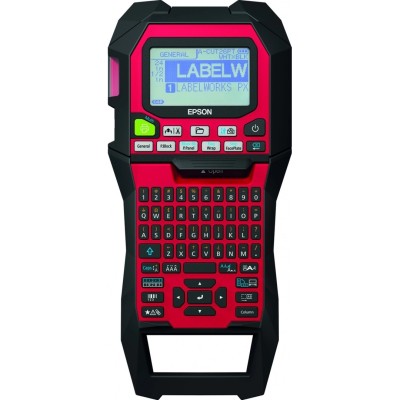
Epson LW-Z900 – a professional label maker that deserves reliable ribbon cartridges Dear Customer, the Epson LW-Z900 is designed for fast, clear and durable labeling in offices, warehouses, workshops, IT departments and electrical installations. When the job requires tidy cable marking, shelf tags, asset labels or safety identification, this model delivers consistent results—provided you choose the right thermal transfer ribbon cartridge. In this category you will find cartridges for Epson LW-Z900 in both Compatible and Original OEM versions, so you can match performance, budget and work conditions to your needs. Thermal transfer ribbons for Epson LW-Z900 – durability, readability, and everyday convenience The products in this subpage are ribbons (thermal transfer tapes) dedicated to the Epson LW-Z900 series—also searched as LW-Z900, LW Z900 or LWZ900. Thermal transfer printing is valued because labels remain crisp and legible over time. That matters when labels face frequent handling, storage, or contact with tools and equipment. What you can expect from a properly selected ribbon for Epson LW-Z900: - clear, high-contrast text and symbols for easy identification,
- consistent print quality from the first to the last label,
- tape widths and lengths suited to everyday labeling workflows,
- color options that help with organization (e.g., by department, installation zone, or priority).
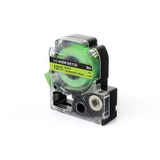
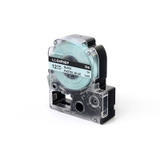
Popular choices in our range – compatible and Original OEM tapes (12 mm) We offer a wide selection of Cartridges Thermal Transfer for the Epson LW-Z900, including frequently chosen 12 mm tapes in practical lengths. Among the most popular products in this category you will find: - Compatible Tape LC-4GBF for Epson (LC-4GBF) (Green) (12 mm) and Original OEM Tape Epson LC-4GBF (Green) (12 mm)
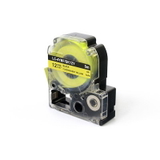
- Compatible Tape LC-4YBF (Yellow) (12 mm, 5 m) and Original OEM Tape Epson LC-4YBF (Yellow) (12 mm, 5 m)
- Compatible Tape LC-B4PBBP (Blue) (12 mm, 8 m) and Original OEM Tape Epson LC-B4PBBP (Blue) (12 mm, 8 m)
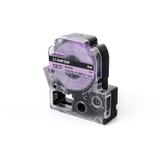
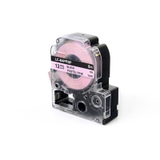
- Compatible Tape LC-B4PPBP (Pink) (12 mm, 8 m) and Original OEM Tape Epson LC-B4PPBP (Pink) (12 mm, 8 m)
- Compatible Tape LC-B4PZBP (Magenta) (12 mm) and Original OEM Tape Epson LC-B4PZBP (Magenta) (12 mm)
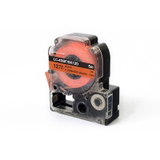
- Compatible Tape LC-4DBF (Orange) (12 mm, 5 m) and Original OEM Tape Epson LC-4DBF (Orange) (12 mm, 5 m)
Thanks to this variety, you can easily build a consistent labeling system—green for approved assets, yellow for warnings, blue for network points, or pink/magenta/orange for special tasks and temporary marking. How to choose the right cartridge for Epson LW-Z900 When selecting a ribbon cartridge for Epson LW-Z900, we recommend checking three simple things: - Code compatibility: match the tape symbol (e.g., LC-4YBF, LC-B4PBBP) to what you currently use or to your printer requirements.
- Width and length: in this category you’ll find popular 12 mm tapes, often in 5 m or 8 m lengths—choose longer rolls for high-volume labeling.
- Color and purpose: select a color that improves clarity in your environment and helps your team instantly recognize categories.
Common user issues with label printers like the Epson LW-Z900 are usually not printer faults, but tape-related: using the wrong tape code, choosing a width not suited to the label template, or mixing colors without a clear system. A properly selected cartridge for Epson LW-Z900 solves these problems quickly and keeps your workflow smooth. Original OEM vs compatible ribbons – what’s the difference? In our store we offer both Original OEM and Compatible cartridges for the Epson LW-Z900. Original OEM tapes are produced under the Epson brand specifications and are a great choice for customers who want to keep everything strictly OEM. At the same time, our compatible tapes from DrTusz.pl are designed to be just as reliable in everyday use—clean printing, solid performance and great value. If you print many labels and want to optimize costs without sacrificing readability and durability, a compatible ribbon for Epson LW-Z900 is often the most practical option. Order today – and keep your Epson LW-Z900 ready for every task We encourage you to browse the full range of cartridges for Epson LW-Z900 available in this category—both compatible and Original OEM. Choose the tape code, color, and length that best fits your labeling style, add it to your cart, and enjoy a smooth ordering process. If you’re not sure which thermal transfer ribbon cartridge to choose for your LW-Z900 / LW Z900 / LWZ900, contact us—we’ll help you match the right tape quickly. We also ensure efficient order handling and fast delivery, so you can keep your labeling work on schedule. CTA: Explore our selection now and pick the best ribbon cartridge for your Epson LW-Z900—compatible or Original OEM—and print labels with confidence. |