Haven't found what you were looking for? Click here! ▼
Describe below exactly what you are looking for and we will see how we can help. You will receive a reply to your e-mail address by 13:05 at the latest
Cartridges for Brother QL-1110NWB - compatible and original OEM
Keep your Brother QL-1110NWB label printer running at full speed with the right thermal cartridges for every task. In this category you’ll find labels and ribbons designed for clear, durable prints—ideal for shipping labels, product marking, warehouse organization, and everyday office use.
Choose from Original OEM cartridges such as Brother DK-11247, DK-11234, DK-11208, DK-22214, DK-N55224, DK-22243 and DK-22246 for consistent performance and reliable output, or save with compatible options like DK-11247 and DK-22243. Every selection is made for strong compatibility with the QL-1110NWB format, with popular sizes available for both die-cut labels and continuous tape rolls.
Shop cartridges for Brother QL-1110NWB today and get the print quality your workflow depends on—without delays. Pick your preferred OEM or compatible cartridge and stock up on the sizes you use most, then explore the full range to find the perfect match for your next labeling job.
Brother QL-1110NWB – wide-format label printing you can rely on
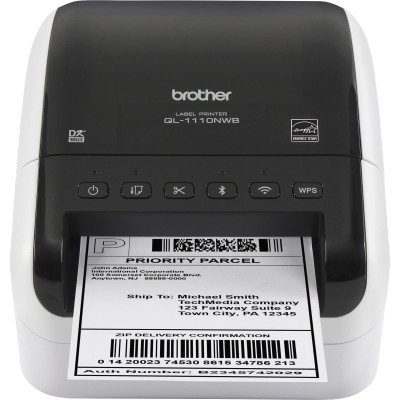
Dear Customer, the Brother QL-1110NWB is a fast, professional thermal label printer designed for everyday work where time and readability matter. It’s especially valued for printing wide labels (up to around 4 inches), making it a popular choice for shipping departments, e-commerce, warehouses, offices, and anyone who needs clear identification labels on demand. Because the QL series works in thermal technology, you don’t need classic ink for Brother QL-1110NWB or toner for Brother QL-1110NWB—what you need are the right thermal label cartridges, labels and ribbons matched to the printer.
Thermal cartridges for Brother QL-1110NWB: labels and tapes for everyday tasks
In this category you’ll find Cartridges Thermal for QL-1110NWB in two classes: Compatible and Original OEM. These supplies are designed to ensure sharp text, readable barcodes, and durable prints—without smudging and without waiting for anything to dry. Whether you search using phrases like Brother QL-1110NWB, Brother QL, QL-1110NWB, QL 1110NWB or QL1110NWB, you’re in the right place for properly fitted label rolls.
Typical applications for labels and ribbons for Brother QL-1110NWB include:
shipping labels for couriers and marketplaces,
product and shelf labels,
asset tags and internal logistics identification,
folders, documents and archiving,
return labels and address labels.
Popular products in our range (Compatible and Original OEM)
We keep the offer broad so you can choose the format that best fits your workflow—from pre-cut label rolls to continuous tapes for custom lengths. Here are some of the most popular choices for Brother QL-1110NWB:
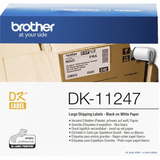
Compatible Label DK-11247 for Brother (DK-11247) – White, 180 pcs, 103 mm × 164 mm (a practical alternative when you print shipping labels frequently).
Original OEM Label Brother DK-11247 (DK-11247) – White, 180 pcs, 103 mm × 164 mm (a classic wide shipping format).
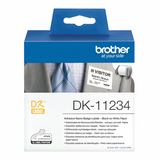
Original OEM Label Brother DK-11234 (DK11234) – White, 260 pcs, 60 mm × 86 mm (great for smaller logistics and product markings).
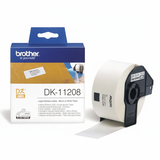
Original OEM Label Brother DK-11208 (DK-11208) – White, 400 pcs, 38 mm × 90 mm (compact labels for organization and identification).
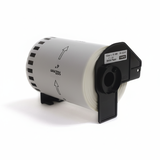
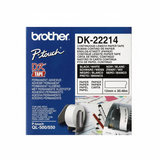
Original OEM Label Brother DK-22214 (DK-22214) – White continuous tape, 12 mm, 30.48 m (perfect when you want to decide the label length yourself).
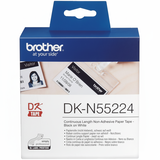
Original OEM Label Brother DK-N55224 (DKN55224) – White, 54 mm, 30.48 m (continuous format for flexible labeling).
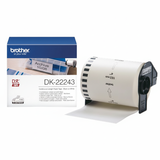
Compatible Tape DK-22243 for Brother (DK-22243) – White, 102 mm, 30.48 m (wide continuous tape for custom shipping and warehouse labels).
Original OEM Tape Brother DK-22243 (DK-22243) – White, 102 mm, 30.48 m (reliable wide tape for daily use).
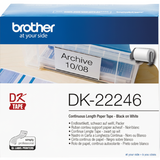
Original OEM Tape Brother DK-22246 (DK-22246) – White, 103 mm, 30.48 m (another popular wide option for QL-1110NWB workflows).
How to choose the right label roll: practical tips before you buy
When choosing a “cartridge” for Brother QL-1110NWB, focus on three things: format, type, and expected workload. We recommend:
Choose pre-cut labels (e.g., DK-11247, DK-11234, DK-11208) if you need consistent sizes and fast printing without trimming.
Choose continuous tape/ribbon (e.g., DK-22243, DK-22214, DK-N55224) if you want flexibility and print labels of any length.
Match width to your use: wide (around 102–103 mm) is ideal for shipping; narrower widths work well for internal ID and organization.
Common user issues with the QL-1110NWB usually come down to supplies selection or handling: picking the wrong width for a template, confusing pre-cut labels with continuous tape, or loading the roll incorrectly. If your labels appear misaligned, the printer skips gaps, or the software shows the wrong label size—double-check the exact DK symbol (e.g., DK-11247 vs DK-22243) and confirm the selected media in your print settings.
Original OEM vs Compatible – what’s the difference?
We offer both Original OEM and Compatible thermal cartridges for Brother QL-1110NWB, so you can choose what fits your priorities. Original OEM Brother supplies are the manufacturer’s products, often selected for standardized corporate purchasing. Compatible options are a smart choice when you want to optimize costs without sacrificing quality.
Our compatible labels and ribbons from DrTusz.pl are designed to be as good as the originals: they fit properly, print clearly, and support everyday high-volume label workflows—especially in shipping and warehouse environments where efficiency matters most.
Order labels and ribbons for QL-1110NWB and keep your work moving
We encourage you to explore the full selection in the Cartridges for Brother QL-1110NWB – compatible and original OEM category and choose the exact DK label or tape that matches your tasks. If you’re not sure which thermal cartridge for Brother QL-1110NWB you need, contact us—we’ll help you select the right type (labels vs ribbons), width, and format for your printing setup. Add your chosen products to the cart and enjoy a smooth ordering process, fast dispatch options, and expert support whenever you need it.