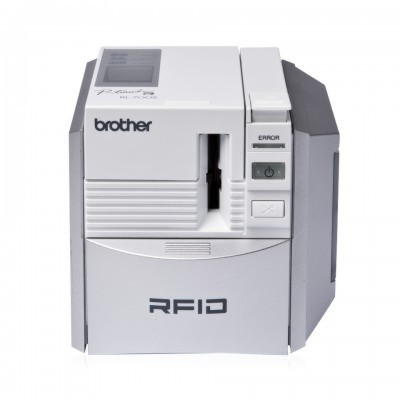
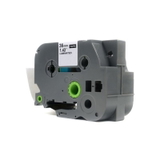
Brother PT-RL700SD – reliable labeling for workspaces, warehouses and beyond If you use the Brother PT-RL700SD (also searched as Brother P-touch, PT-RL700SD, PT RL700SD or PTRL700SD), you already know how much time a good label printer can save. This model is designed for fast, clear and durable labeling—perfect for organizing shelves, marking cables, tagging files, and keeping equipment identification consistent. To keep your device performing at its best, you simply need the right thermal transfer tape for Brother PT-RL700SD. Thermal transfer ribbons and Flexi Tapes – what you gain with the right tape In this category you’ll find Cartridges Thermal Transfer for the Brother PT-RL700SD, including both Original OEM and Compatible options. These are not “ink” or “toner” in the classic sense—P-touch devices print using thermal transfer technology, where the durability of the result depends mainly on the tape type and its adhesive properties. Choosing the right tape for Brother PT-RL700SD helps you achieve: - High readability – crisp text and strong contrast for professional-looking labels,
- Durability – labels that withstand everyday handling and frequent contact,
- Better organization – consistent labeling in offices, schools, warehouses, workshops, and at home,
- Specialized applications – thanks to Flexi Tape options designed for curved or uneven surfaces.
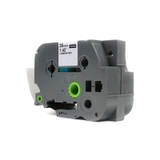
Our selection: Original OEM and Compatible tapes for PT-RL700SD We offer a wide range of ribbons and Flexi Tapes tailored to real-world labeling tasks. Popular choices in this category include: - Compatible Tape TZe-S161 for Brother (Transparent, 36 mm, 8 m) – great when you want an unobtrusive label appearance on smooth surfaces.
- Original OEM Tape Brother TZe-S161 (Transparent, 36 mm, 8 m) – the OEM choice for users who prefer manufacturer-branded supplies.
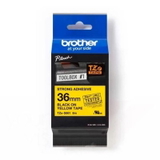
- Original OEM Tape Brother TZe-S661 (Yellow, 36 mm, 8 m) – ideal for high-visibility labeling and quick identification.
- Compatible Tape TZe-S661 for Brother (Yellow, 36 mm, 8 m) – a cost-effective alternative with the same practical purpose: visibility and clarity.
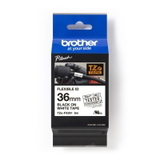
- Original OEM Flexi Tape Brother TZe-FX261 (White, 36 mm, 8 m) – designed for more demanding, curved or irregular surfaces where flexibility matters.
- Compatible Flexi Tape TZe-FX261 for Brother (White, 36 mm, 8 m) – our reliable compatible option for the same applications and everyday performance.
Whether you need a transparent tape for discreet labeling, a bold yellow tape for warning-style markings, or a Flexi Tape for rounded items, you can match your tape to the job—without guesswork. How to choose the right cartridge for Brother PT-RL700SD When selecting a cartridge for Brother PT-RL700SD, focus on three practical points: tape series, width, and the surface you’ll label. - Match the code: TZe-S161, TZe-S661, or TZe-FX261. Choosing by code is the safest way to ensure compatibility.
- Choose the right width: 36 mm is excellent for large, highly readable labels—great for shelves, asset tags, and signage.
- Pick the right tape type: Standard ribbon tapes work well on flat surfaces; Flexi Tape is better for curved items like cables, tubes, and rounded tools.
Original OEM vs Compatible – what’s the difference, and what do we recommend? Many customers ask us whether to choose Original OEM tape for Brother PT-RL700SD or a compatible alternative. OEM cartridges are produced under the Brother brand and are a popular choice for those who want to keep everything manufacturer-original. At the same time, we want to be clear: our compatible tapes from DrTusz.pl are designed to deliver results that are just as good as the originals in everyday use—clean printing, strong adherence, and consistent label quality—while helping you control operating costs. If you print a lot of labels (warehouse locations, folders, inventory, cable IDs), compatible options can be the most economical way to keep your Brother P-touch working continuously. Common user issues with PT-RL700SD tapes—and simple fixes Even a great label printer can run into small frustrations. Here are common issues and what usually helps: - Labels peel off too soon: clean the surface (dust, oil, moisture) and choose a tape type appropriate for the environment.
- Print looks faint or uneven: confirm you’re using the correct thermal transfer tape and that the cassette is seated properly.
- Tape jams or feeds poorly: remove the cassette, check for leftover tape pieces, and reinsert firmly; also avoid pulling tape manually.
- Wrong label size for the task: if you need maximum readability, 36 mm is a strong choice; for smaller objects, consider whether a narrower tape is needed in other categories.
Choose your tape today – and keep your Brother P-touch ready for any task We encourage you to explore our full selection of ribbons and Flexi Tapes for Brother PT-RL700SD—both Original OEM and Compatible. If you tell us what you label (shelves, cables, tools, folders, electronics), we’ll help you pick the best tape code and type for your exact needs. CTA: Add the right cartridge for Brother PT-RL700SD to your cart now, or contact us—together we’ll choose the most practical and cost-effective tape for your Brother P-touch workflow. We provide fast delivery options and helpful support so you can label without downtime. |