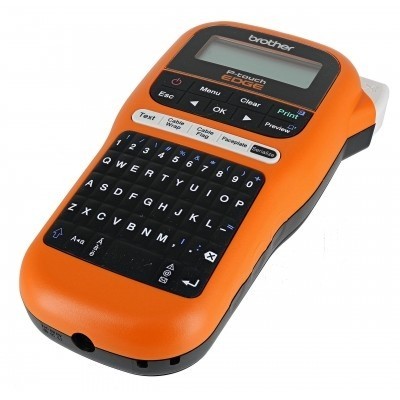
Brother PT-E105T label printer – small device, big impact The Brother PT-E105T (also searched as Brother P-touch, PT E105T or PTE105T) is a practical thermal transfer label printer designed for clear, durable identification. It’s a popular choice for electricians, installers, workshops, warehouses and home users who want tidy cable marking, tool labeling, shelf descriptions or safety tags. To keep your device working at its best, you need the right ribbon—here you’ll find ribbons for Brother PT-E105T in both Compatible and Original OEM versions. Thermal transfer ribbons for PT-E105T – what you’re really buying This category includes thermal transfer cartridges (ribbons)—specifically TZe tapes—which the Brother PT-E105T uses to print labels. Instead of “ink for Brother PT-E105T” or “toner for Brother PT-E105T” (this model doesn’t use those), the key consumable is a ribbon for Brother PT-E105T that delivers crisp text and strong adhesion. Why it matters: - Durability: TZe labels are built for everyday use—ideal for frequently touched items, storage boxes, tools or cable ID.
- Legibility: A good ribbon ensures sharp characters and consistent contrast across the full tape length.
- Applications: electrical panels, patch panels, switchboards, drawers, binders, shelves, asset tagging, home organization.
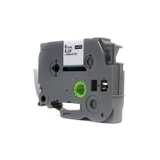
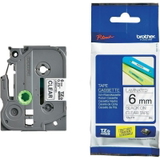
In this category we focus on transparent tapes, a favorite for clean, professional-looking labeling—especially on light surfaces where you want a “printed-on” effect. Compatible and Original OEM ribbons – flexible choice for every budget We offer two proven paths: Original OEM Brother ribbons and high-quality compatible ribbons. If you value maximum brand continuity, OEM is an excellent choice. If you’re looking to optimize cost without compromising usability, our compatible tapes are a smart alternative—compatible ribbons from DrTusz.pl are as good as the originals in everyday printing, with reliable fit and strong, clear results. Both options are selected to work smoothly with Brother PT-E105T, helping you avoid common problems like misfeeds, weak print, or poor adhesion caused by mismatched tape type. Popular ribbons in this category (transparent TZe tapes) To make choosing easier, here are some frequently selected products for the PT-E105T: - Compatible Tape TZe-111 (Transparent, 6 mm, 8 m) – a versatile width for small items, folders, and compact labels.
- Original OEM Tape Brother TZe-111 (Transparent, 6 mm, 8 m) – OEM precision for everyday labeling tasks.
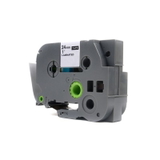
- Compatible Tape TZe-155 (Transparent, 24 mm, 8 m) – wider tape for bolder, highly visible labels (great for shelves, boxes, safety notices).
- Original OEM Tape Brother TZe-155 (Transparent, 24 mm, 8 m) – premium OEM tape for high-impact labeling and professional environments.
Whether you print slim identifiers or large, easy-to-read labels, you can match the tape width to the job—and keep a few sizes on hand for different tasks. How to choose the right ribbon for Brother PT-E105T When selecting a ribbon for Brother PT-E105T, focus on three simple parameters: - Compatibility code: choose the right series such as TZe-111 or TZe-155 to match the label look you want.
- Tape width: 6 mm for compact labeling; 24 mm when you need visibility and space for longer text.
- Color and finish: transparent tape is ideal for a clean “no-label” aesthetic, especially on light surfaces.
Original OEM vs Compatible—what’s the difference in practice? - Original OEM Brother: brand-original tape, consistent results, ideal for users who standardize on OEM consumables.
- Compatible (DrTusz.pl): excellent value, dependable performance, and printing results comparable to OEM for daily use—perfect if you label often and want to reduce operating cost.
Common user issues with PT-E105T ribbons – and quick fixes We often help customers who run into a few repeatable situations. Here’s what usually works: - Faded or uneven print: confirm you’re using the correct tape type and that the cassette is seated firmly; try re-inserting the ribbon.
- Tape not feeding smoothly: check for any tape slack, close the cover fully, and ensure the tape exit isn’t blocked by leftover cut pieces.
- Label peeling too quickly: clean and dry the surface before applying; press the label firmly along the full length, especially at the edges.
- Wrong label size for the task: if text looks cramped, switch from 6 mm to 24 mm for better readability.
If you’re unsure which ribbon fits your labeling scenario, we’ll gladly help you choose the best option for your Brother PT-E105T. Choose your PT-E105T ribbon today – we’re here to help We encourage you to explore our full selection of cartridges (ribbons) for Brother PT-E105T—both compatible and Original OEM. Stock up on the tape widths you use most and keep your Brother P-touch PT-E105T ready for any labeling task. CTA: Add the right ribbon to your cart now or contact us—tell us what you want to label (cables, shelves, tools, panels), and we’ll recommend the best ribbon for Brother PT-E105T. We offer fast, convenient delivery and friendly support at every step. |