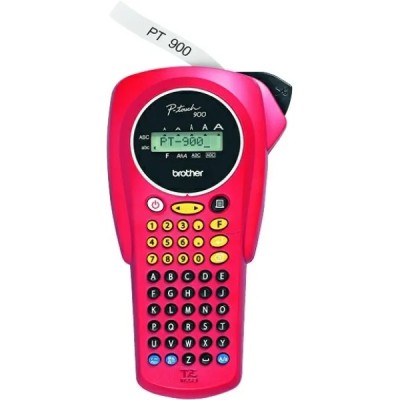
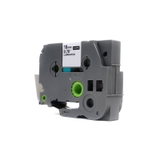
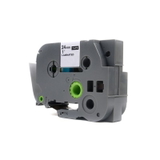
Brother PT-900W label printer – compact, fast, and ready for wireless work The Brother PT-900W (also searched as PT 900W, PT900W or Brother P-touch) is a modern thermal transfer label printer designed for people who want neat, durable labels without complications. With Wi‑Fi connectivity and excellent print quality, it works well in offices, warehouses, retail, labs, and at home—anywhere you need quick identification, organization and a professional look. To get the best results, you simply need the right ribbon tape for Brother PT-900W. Thermal transfer ribbons for PT-900W – durability you can rely on In this category you’ll find thermal transfer cartridges (ribbons) dedicated to the Brother PT-900W. These are TZe-type laminated tapes—a proven solution for long-lasting labels. The print is transferred onto the tape with heat, which translates into clean characters, strong contrast and excellent resistance during everyday use. What makes a good ribbon for Brother PT-900W? - High legibility – crisp text and symbols for barcodes, folders, shelves and cables.
- Everyday resistance – laminated tapes are built to handle rubbing, splashes and frequent handling.
- Versatile applications – labeling binders, drawers, storage boxes, asset tags, workstation markings and more.
- Convenient sizes – choose the width that fits your project (e.g., 18 mm or 24 mm).
If you’re searching online for “ink for Brother PT-900W” or “toner for Brother PT-900W”, it’s worth knowing that the PT-900W doesn’t use ink or toner. It uses ribbon tape cartridges—and that’s exactly what you’ll find here. Compatible and Original OEM tapes – choose what fits your needs We offer both Original OEM Brother tapes and carefully selected Compatible alternatives. The goal is simple: you get the tape you need, in the version you prefer, with predictable results. - Original OEM tape for Brother PT-900W – the manufacturer’s solution, perfect when you want to stay with Brother-branded supplies.
- Compatible tape for Brother PT-900W – a cost-effective option with excellent performance. Our compatible tapes from DrTusz.pl are designed to be as good as the originals in everyday use: clear print, strong adhesion, and consistent feeding.
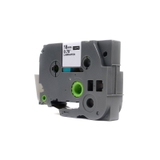
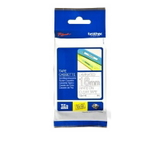
Popular products in this category – transparent tapes with standout colors To make choosing easier, here are a few top options available on this page. All of them are 8 m long transparent laminated tapes, offered in practical widths: - Compatible Tape TZe-142 for Brother (TZe-142) – Transparent, 18 mm, Red print.
- Original OEM Tape Brother TZe-142 (TZe-142) – Transparent, 18 mm, Red print.
- Compatible Tape TZe-145 for Brother (TZe-145) – Transparent, 18 mm, White print.
- Original OEM Tape Brother TZe-145 (TZe-145) – Transparent, 18 mm, White print.
- Compatible Tape TZe-152 for Brother (TZe-152) – Transparent, 24 mm, Red print.
- Original OEM Tape Brother TZe-152 (TZe-152) – Transparent, 24 mm, Red print.
Transparent tapes are a great choice when you want the label to blend into the surface while keeping the text highly visible—especially on smooth plastics, office equipment, organizers and containers. How to choose the right ribbon for Brother PT-900W When selecting a cartridge (ribbon) for Brother PT-900W, focus on a few practical points: - Tape width – 18 mm is a versatile everyday choice; 24 mm is ideal for larger labels, shelves and signage.
- Text color – choose white for darker surfaces and maximum contrast, or red for warnings, categories and quick visual identification.
- Original OEM vs Compatible – if you print a lot, compatible tapes can noticeably reduce running costs without sacrificing quality.
- Your environment – for frequently handled labels, laminated TZe tapes are an excellent match thanks to their durability.
Common user issues with Brother P-touch PT-900W – and quick solutions We often hear similar questions from PT-900W users. Here are practical tips that can save you time: - “My tape isn’t feeding smoothly” – remove the cartridge and reinsert it firmly; make sure the tape path is clean and the cassette clicks into place.
- “The print is faint or uneven” – verify that you’re using the correct ribbon and that the tape cassette is seated properly; also check print settings (e.g., density) in your labeling software.
- “Labels peel off” – clean and dry the surface before applying; smooth the label down to improve adhesion, especially on textured or dusty areas.
- “I’m not sure which tape fits PT-900W” – look for TZe markings (e.g., TZe-142, TZe-145, TZe-152) and match the width and color to your needs.
If you’re unsure which ribbon for Brother PT-900W will be best for your application, we’re here to help—just contact us and tell us what you label and where you place the labels. Choose your Brother PT-900W tape and label with confidence We encourage you to explore our range of compatible and Original OEM cartridges (ribbons) for Brother PT-900W and pick the tape width and color that match your workflow. Order today to keep your Brother P-touch ready for action—whether you’re labeling documents, organizing storage, or marking equipment. If you need guidance, we’re available for quick advice, and we’ll help you choose the right tape the first time. CTA: Browse the available TZe ribbon tapes for Brother PT-900W in this category, add your chosen variant to the cart, and if you have any questions—contact us. We’ll help you label smarter and save time with every print. |