Haven't found what you were looking for? Click here! ▼
Describe below exactly what you are looking for and we will see how we can help. You will receive a reply to your e-mail address by 09:15 on monday (5 October 2026) at the latest
Cartridges for Brother PT-900 - compatible and original OEM
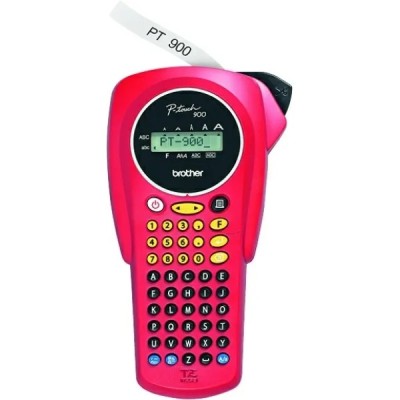
Keep your Brother PT-900 label printer running at its best with our selection of thermal transfer cartridges—TZe ribbon tapes designed for crisp, durable labeling. Whether you search for Brother P-touch, PT-900, PT 900, or PT900, you’ll find the right fit here for everyday organization at home, in the office, or on-site.
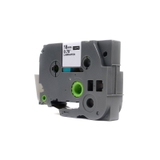
This category includes both Original OEM and Compatible ribbon cartridges, giving you the choice between manufacturer-standard reliability and cost-effective alternatives. Available options include TZe-142, TZe-145, and TZe-152 tapes in transparent finishes with red or white text, in practical widths like 18 mm and 24 mm—ideal for clear, professional-looking labels that stay readable.
All cartridges in this range are made to match the Brother PT-900 format for smooth installation and consistent print quality. Choose your preferred OEM or compatible tape, stock up in minutes, and get labeling again—browse the full selection of cartridges for Brother PT-900 now and pick the ribbon that fits your job.
Looking for reliable ribbon tape for Brother PT-900? The Brother P-touch PT-900 (also searched as PT 900 or PT900) is a popular thermal transfer label printer designed for fast, clean and highly legible labelling. It’s used both at home and in professional environments—wherever you need durable labels for folders, shelves, cables, drawers, equipment or product marking. In this category we offer Cartridges Thermal Transfer in the form of ribbons: both Original OEM and high-quality compatible options.
Thermal Transfer Ribbons for Brother PT-900 – what you gain
In the Brother PT-900, the “cartridge” is a TZe ribbon tape that prints via thermal transfer, so you get crisp text and strong contrast without messy ink refills. Good ink for Brother PT-900 is, in practice, a properly matched ribbon tape—because the final print quality depends on the tape’s coating and the compatibility of the cassette.
Our ribbon for Brother PT-900 is ideal for everyday organisation and professional identification. Transparent tapes are especially appreciated where you want an elegant, “no-label” look—perfect on glass, smooth plastics, binders and office accessories.
Clean, readable labels – sharp characters that stay clear over time.
Durability – labels resist everyday handling and typical office/warehouse conditions.
Convenience – cassette format makes replacement quick and tool-free.
Wide application – from archives and storage to workshops and electrical marking.
Compatible vs Original OEM – how to choose the right tape
Many customers ask us whether it’s better to choose Original OEM tape for Brother PT-900 or a compatible tape for Brother PT-900. Both options work well—what matters is your priorities.
Original OEM – manufacturer tape designed specifically for Brother P-touch. It’s a great choice for users who want to stick strictly to OEM supplies, e.g., for corporate standards or internal procedures.
Compatible – a smart alternative when you print a lot and want to optimise costs without compromising results. Our compatible tapes from DrTusz.pl are as good as the originals in daily use: they fit correctly, print clearly and provide durable labels.
When selecting a ribbon for PT-900, pay attention to two practical parameters: tape width and colour combination. In this category you’ll find popular widths such as 18 mm and 24 mm, as well as transparent tapes with contrasting text colours (e.g., red or white), which are excellent for signage and warnings.
Popular TZe ribbon tapes in our range
We keep the offer broad, so you can easily match the tape to your project—whether you label a few folders or manage an entire storeroom. Among frequently chosen products for Brother PT-900, you’ll find both Original OEM and compatible versions:
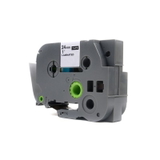
Compatible Tape TZe-142 for Brother (TZe-142) – Transparent, Red, 18 mm, 8 m.
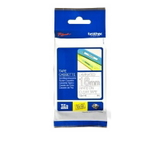
Original OEM Tape Brother TZe-142 (TZe-142) – Transparent, Red, 18 mm, 8 m.
Compatible Tape TZe-145 for Brother (TZe-145) – Transparent, White, 18 mm, 8 m.
Original OEM Tape Brother TZe-145 (TZe-145) – Transparent, White, 18 mm, 8 m.
Compatible Tape TZe-152 for Brother (TZe-152) – Transparent, Red, 24 mm, 8 m.
Original OEM Tape Brother TZe-152 (TZe-152) – Transparent, Red, 24 mm, 8 m.
Thanks to this selection, you can easily decide whether you prefer OEM consistency or a cost-effective compatible option—without giving up the professional look of your labels.
Common PT-900 labelling issues – and quick fixes
If your PT-900 labels don’t look the way you expect, the solution is often simple. Here are common issues and what we recommend:
Faded or uneven print – check if you’re using the correct TZe ribbon tape and try adjusting print density/contrast settings (if available in your setup).
Tape not feeding smoothly – make sure the cassette is seated properly and the tape path is clean; dust or adhesive residue can affect feeding.
Peeling labels – clean and dry the surface before application; transparent tapes bond best to smooth, degreased surfaces.
Wrong width – choose 18 mm for compact labelling and 24 mm for stronger visibility on shelves, bins or equipment.
If you’re unsure which ribbon tape for Brother P-touch PT-900 will be best for your task, we’re here to help—tell us what you label and where the label will be used.
Choose your Brother PT-900 ribbon tape and start printing
We encourage you to explore our category Cartridges for Brother PT-900 – compatible and original OEM and pick the tape that matches your needs in width and colour. Whether you choose an Original OEM cassette or a compatible one from DrTusz.pl, you can expect clean printing and durable labels.
CTA: Add the selected ribbon for Brother PT-900 to your cart and order today. If you have questions about choosing between TZe-142, TZe-145 or TZe-152, contact us—we’ll help you choose quickly and accurately. We also provide convenient delivery options, so you can restock your PT-900 supplies without delays.