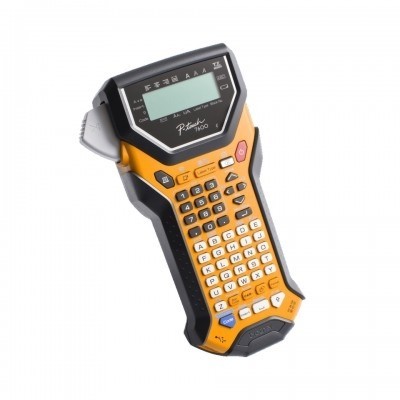
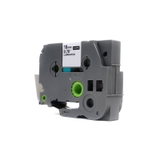
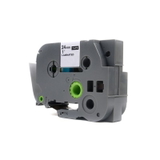
Brother PT-7600VP – a proven label printer for everyday organisation If you use the Brother PT-7600VP (also searched as PT-7600VP, PT 7600VP or PT7600VP), you already know why the Brother P-touch series is so popular: it helps you create clear, durable labels quickly—at the office, in a warehouse, in a workshop, or even at home. The key to consistent results is choosing the right ribbon. In this category we offer thermal transfer ribbons (tapes) for Brother PT-7600VP in both Original OEM and high-quality Compatible versions, so you can match your label needs and budget without compromising readability. Thermal transfer ribbons for Brother PT-7600VP – what they do and where they work best Ribbons for Brother PT-7600VP are designed for thermal transfer printing, which means the print is resistant to everyday wear and stays legible for a long time. The right ribbon for Brother PT-7600VP matters especially when labels are exposed to handling, light, or frequent cleaning. With the correct tape width (e.g., 18 mm or 24 mm) and colour combination, you can create labels that are easy to read at a glance—ideal for fast-paced environments. Typical uses for Brother P-touch PT-7600VP ribbon include: - folder and archive box identification,
- cable and equipment marking in IT and electrical work,
- shelf and bin labels in storage rooms and warehouses,
- asset tagging and inventory organisation,
- home organisation (kitchen containers, tools, hobby supplies).
Our range: compatible and Original OEM tapes in popular TZe variants We’ve built this category so you can easily choose the exact tape for Brother PT-7600VP you need—whether you prefer Original OEM or want a cost-effective compatible option. The selection includes transparent tapes in widely used widths and lengths (8 m), perfect for professional-looking labels. Popular products you’ll find here include: - Compatible Tape TZe-142 for Brother (Transparent, 18 mm, 8 m, red on transparent)
- Original OEM Tape Brother TZe-142 (Transparent, 18 mm, 8 m, red on transparent)
- Compatible Tape TZe-145 for Brother (Transparent, 18 mm, 8 m, white on transparent)
- Original OEM Tape Brother TZe-145 (Transparent, 18 mm, 8 m, white on transparent)
- Compatible Tape TZe-152 for Brother (Transparent, 24 mm, 8 m, red on transparent)
- Original OEM Tape Brother TZe-152 (Transparent, 24 mm, 8 m, red on transparent)
Thanks to this mix, you can standardise labels across your workspace (same look, same durability) or tailor tape width and colour to the specific task—fine markings on shelves with 18 mm, or more visible identification with 24 mm. How to choose the right ribbon for Brother PT-7600VP When selecting a ribbon for Brother PT-7600VP, focus on a few practical details. This makes ordering easier and prevents common mismatches. - Series/code: choose the exact TZe code you need (e.g., TZe-142, TZe-145, TZe-152).
- Width: 18 mm is versatile for office and storage; 24 mm is great for more prominent labels.
- Colour combination: transparent tapes with red or white print are ideal when you want the surface to show through while keeping text highly readable.
- Environment: if labels will be handled often or used in demanding conditions, choose a proven tape type and apply it to a clean, dry surface.
Original OEM vs compatible tapes – what’s the difference? Many customers ask whether it’s better to choose Original OEM ribbon for Brother PT-7600VP or a compatible option. Original OEM tapes are produced by the printer manufacturer and are a safe, familiar choice for those who want brand-original supplies. At the same time, our compatible ribbons for Brother PT-7600VP are built to deliver results that are just as good as originals in everyday use—clear print, reliable adhesion, and consistent tape feeding. They’re a smart option when you print lots of labels and want to reduce operating costs without giving up quality. Common user issues with Brother PT-7600VP tapes (and quick fixes) Even the best label printer can run into simple tape-related issues. Here are the most frequent ones we hear from Brother P-touch users: - Label not sticking well: clean the surface (dust and oils are the usual cause) and press firmly along the full label length.
- Faded or uneven print: make sure you’re using a fresh, correctly stored tape and that the cassette is seated properly.
- Tape width doesn’t fit your project: if text looks cramped on 18 mm, consider switching to 24 mm for better visibility.
- Wrong tape code ordered: double-check the TZe symbol before purchase—PT-7600VP users most often choose TZe-142, TZe-145, or TZe-152 depending on the desired look.
Choose your Brother PT-7600VP ribbon and label with confidence We encourage you to browse our selection of thermal transfer ribbons (tapes) for Brother PT-7600VP—both Compatible and Original OEM. If you’re not sure which TZe tape will be best for your application (office, warehouse, cables, shelves), contact us—we’ll help you match the right code, width, and colour to your needs. Add your chosen tape to the cart and enjoy a smooth ordering process, fast delivery options, and support from a team that knows printing supplies inside out. CTA: Choose your ribbon for Brother PT-7600VP today—compare compatible and Original OEM options and order the tape that fits your label project best. |