Haven't found what you were looking for? Click here! ▼
Describe below exactly what you are looking for and we will see how we can help. You will receive a reply to your e-mail address by 09:15 on wednesday (23 September 2026) at the latest
Cartridges for Brother PT-1290DT - compatible and original OEM
Find the right labeling supplies for your Brother PT-1290DT with our selection of Thermal Transfer ribbon tapes designed for Brother P-touch systems. This category includes both Compatible and Original OEM options, making it easy to match your budget while keeping your labels sharp, clean, and easy to read.
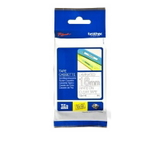
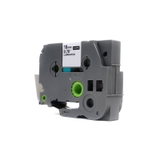
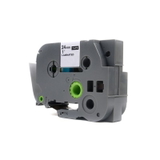
Choose from popular TZe ribbon types such as TZe-142, TZe-145, and TZe-152—including transparent tapes in 18 mm and 24 mm widths (8 m length), with standout text colors like red or white. Whether you search by PT-1290DT, Brother P-touch, or Brother PT 1290DT, you’ll find tapes that fit properly, feed smoothly, and deliver consistent print results for home, office, and organization tasks.
Stock up on cartridges for Brother PT-1290DT today and keep your labeling projects moving without interruptions—pick Original OEM for maximum assurance or Compatible for excellent value. Shop the full range now and discover the tape that matches your next job perfectly.
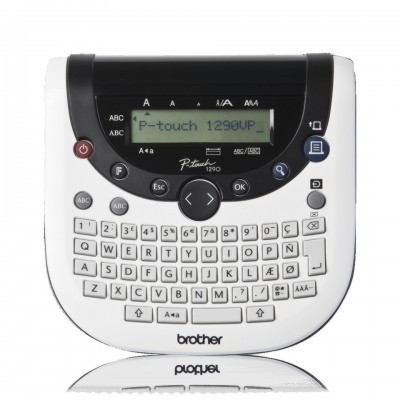
Brother PT-1290DT label maker – small device, big organization
If you use the Brother PT-1290DT (also searched as PT-1290DT, PT 1290DT or PT1290DT) from the Brother P-touch family, you already know how quickly it turns chaos into order. This compact thermal transfer label printer is a reliable helper at home, in the office, in a warehouse or at a workshop bench—wherever you need clear, durable labels in seconds. To keep it working at its best, you simply need the right ribbon for Brother PT-1290DT, matched to your labeling tasks and the look you want to achieve.
Thermal transfer ribbon for Brother PT-1290DT – what you’re really buying
In this category you’ll find thermal transfer cartridges (ribbons) designed for the Brother P-touch system—commonly known as TZe tapes. Unlike “ink for Brother PT-1290DT” or “toner for Brother PT-1290DT” (this model does not use ink or toner), the key consumable here is the tape ribbon for Brother PT-1290DT. It prints by thermal transfer, which means the text is crisp, stable and made to last.
What do you get with the right ribbon?
High readability – sharp letters and strong contrast for everyday labeling.
Durability – labels designed to hold up well in typical indoor use (folders, drawers, cables, storage boxes).
Consistency – uniform print results from the first label to the last meter.
Convenient replacement – cartridges are easy to install, so you’re back to labeling in minutes.
Compatible and Original OEM ribbons – choose what fits your needs
We offer both Original OEM and Compatible ribbon cartridges for Brother PT-1290DT. If you prefer manufacturer-branded supplies, Original OEM tapes are a straightforward choice. If you want an excellent balance of quality and price, our compatible tape for Brother PT-1290DT is a smart alternative—tested for reliable operation and print clarity. In our store, compatible ribbons are made to be just as practical and dependable for everyday work as the originals, while helping you optimize your running costs.
When deciding between Original OEM and Compatible ribbons, consider:
Budget and volume – for frequent labeling, compatible cartridges can significantly reduce cost per label.
Standardization – some workplaces prefer Original OEM supplies for internal purchasing policies.
Label appearance – choose tape width and color combination that matches your environment and readability needs.
Popular ribbons for PT-1290DT – widths, colors and bestsellers
This category includes a practical selection of transparent TZe tapes, perfect when you want a “clean” look on light surfaces while keeping the text clearly visible. Among the most popular options you’ll find:
Compatible Tape TZe-142 (18 mm, 8 m, transparent background, red text) – a great choice for attention-grabbing labels and quick identification.
Original OEM Tape Brother TZe-142 (18 mm, 8 m, transparent background, red text) – OEM option for the same color/size standard.
Compatible Tape TZe-145 (18 mm, 8 m, transparent background, white text) – clean, subtle labeling for drawers, files and home organization.
Original OEM Tape Brother TZe-145 (18 mm, 8 m, transparent background, white text) – manufacturer tape for those who prefer OEM supplies.
Compatible Tape TZe-152 (24 mm, 8 m, transparent background, red text) – wider tape for bolder signage, shelves and larger containers.
Original OEM Tape Brother TZe-152 (24 mm, 8 m, transparent background, red text) – OEM version of the wide, high-visibility tape.
Not sure which width to choose? An 18 mm ribbon for Brother PT-1290DT is a versatile everyday option, while 24 mm tape is ideal when you need maximum visibility or larger fonts.
How to choose the right ribbon for Brother P-touch PT-1290DT
To make sure your purchase is perfect the first time, we recommend checking three things:
Series compatibility – choose a TZe-type ribbon cartridge intended for Brother P-touch systems.
Tape width – match 18 mm or 24 mm to your label size and the available space.
Color combination – transparent/red for strong highlighting, transparent/white for neat, minimalist labeling.
Common user questions we help with:
“My label is hard to read” – switching to a wider tape (e.g., 24 mm) or a higher-contrast text color usually solves it.
“The cartridge doesn’t print as expected” – make sure the ribbon is properly seated and the tape exit is unobstructed; choosing a fresh, correctly stored cartridge also helps.
“Do I need ink for Brother PT-1290DT?” – no; this model uses thermal transfer ribbon cartridges, not ink or toner.
Order your Brother PT-1290DT ribbon today
We encourage you to browse our selection of ribbons for Brother PT-1290DT—both Compatible and Original OEM. If you tell us what you label most often (files, cables, shelves, containers) and which model name you use (Brother PT-1290DT / PT1290DT / Brother P-touch), we’ll help you pick the best tape width and color. Add your chosen cartridges to the cart and place your order—then enjoy tidy, readable labeling with dependable supplies and friendly support whenever you need it.
CTA: Check the available PT-1290DT ribbon cartridges now, or contact us for quick help selecting the right TZe tape for your next labeling job.