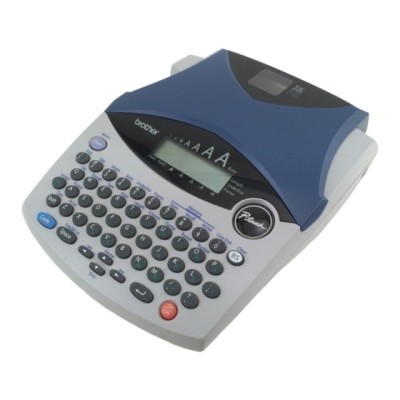
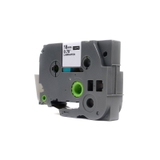
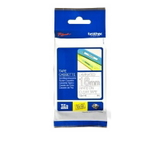
Brother PT-1250LB label maker – small device, big impact The Brother PT-1250LB (also searched as PT 1250LB, PT1250LB or Brother P-touch) is a compact and reliable thermal transfer label printer designed for everyday organization. Whether you’re marking folders, cables, shelves, boxes, or equipment, it helps you create clear, durable labels in seconds. To keep your Brother PT-1250LB working at its best, you simply need the right supply: a high-quality ribbon tape cartridge matched to your preferred width, color, and use case. Thermal transfer ribbon tapes for Brother PT-1250LB – what you get In this category you’ll find Thermal Transfer ribbons (tape cartridges) that deliver crisp text and strong adhesion. This is not “ink for Brother PT-1250LB” in the classic sense—this model prints using a thermal transfer process, so the key consumable is the tape ribbon cartridge for Brother PT-1250LB. The result is clean, smudge-resistant labeling that looks professional and stays readable. Our tapes are a great fit for both home and workplace tasks, including: - document and archive labeling (folders, binders, drawers),
- warehouse and storage identification (bins, shelves, boxes),
- cable and device marking (chargers, IT equipment, tools),
- everyday home organization (kitchen containers, kids’ items, hobby storage).
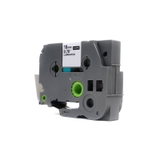
Many customers choose transparent tapes for a neat “printed directly on the surface” effect—especially on smooth plastics, glass, and coated packaging. Compatible and Original OEM tapes – choose what suits you We offer both Original OEM and Compatible tape cartridges for Brother PT-1250LB. Original OEM tapes are made by Brother and are a safe, proven option when you want to stay strictly within the manufacturer’s lineup. Our compatible tapes, on the other hand, are a smart alternative when you want excellent quality and better value. Importantly: the compatible ribbons from DrTusz.pl are as good as the originals for everyday printing—clear print, reliable feeding, and strong adhesion. If you print a lot of labels, compatible options can significantly reduce your running costs without sacrificing readability or durability. Popular ribbon tape cartridges in this category To make your choice easier, we stock the most frequently selected formats for Brother P-touch PT-1250LB, including different widths and print colors. Here are some highlights from this page: - Compatible Tape TZe-142 for Brother (Transparent, Red, 18 mm, 8 m) – great for warnings, standout markings, and quick visual identification.
- Original OEM Tape Brother TZe-142 (Transparent, Red, 18 mm, 8 m) – the OEM version of this popular everyday width.
- Compatible Tape TZe-145 for Brother (Transparent, White, 18 mm, 8 m) – ideal when you need a clean, highly readable look on darker surfaces.
- Original OEM Tape Brother TZe-145 (Transparent, White, 18 mm, 8 m) – for customers who prefer genuine Brother consumables.
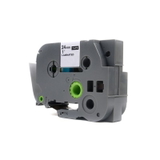
- Compatible Tape TZe-152 for Brother (Transparent, Red, 24 mm, 8 m) – wider tape for larger labels, stronger visibility, and more “sign-like” results.
- Original OEM Tape Brother TZe-152 (Transparent, Red, 24 mm, 8 m) – OEM option for wide, attention-grabbing labels.
All products listed are designed as ribbon tape cartridges for Brother PT-1250LB and focus on a clean transparent background with high-contrast text. How to choose the right tape for Brother PT-1250LB When selecting a tape cartridge for Brother PT-1250LB, we recommend checking a few practical details: - Series / code: choose the exact tape code you need (e.g., TZe-142, TZe-145, TZe-152).
- Width: 18 mm is versatile for most uses; 24 mm is better for larger labels or improved readability at a distance.
- Text color: white gives maximum clarity on dark backgrounds; red is excellent for warnings, categories, and emphasis.
- Original OEM vs Compatible: pick OEM for brand-matching and manufacturer lineup; pick compatible for strong value and everyday reliability—our compatible tapes are built to deliver results comparable to OEM.
Common user issues with PT-1250LB – and how the right ribbon helps With the Brother PT-1250LB, most labeling issues come from using the wrong tape type or an old/poor-quality cartridge. If labels appear faint, incomplete, or don’t stick well, consider these quick fixes: - Faded print: replace the ribbon tape cartridge and ensure the tape width matches your project.
- Tape not feeding smoothly: confirm the cartridge is seated correctly and choose a reliable tape (OEM or our proven compatible).
- Labels peeling off: clean the surface before applying; choose the right width and press firmly along the full label length.
If you’re not sure which ribbon for Brother PT-1250LB you need, tell us what you want to label and where it will be used—we’ll help you pick the best option. Order your Brother PT-1250LB ribbons with confidence We encourage you to explore our selection of compatible and Original OEM tape cartridges for Brother PT-1250LB and choose the width and color that match your labeling style. We focus on availability, proven quality, and helpful support—so you can print labels without guesswork. CTA: Add the right Brother PT-1250LB ribbon tape cartridge to your cart now, or contact us if you’d like a quick recommendation. We’ll help you choose between OEM and compatible tapes and make sure your Brother P-touch PT-1250LB is ready for your next labeling task. Fast delivery and friendly assistance are always part of the deal. |