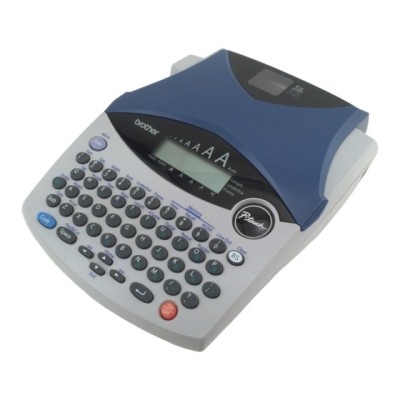
Brother PT-1250J – a reliable P-touch label maker for everyday organization The Brother PT-1250J (also searched as Brother P-touch, PT-1250J, PT 1250J or PT1250J) is a compact, practical label maker designed for fast, neat labeling at home, in the office, in a warehouse, or in a small workshop. It’s valued for simple operation and consistent print quality—provided you use the right thermal transfer ribbon (tape). In this category we offer ribbons for Brother PT-1250J in both Compatible and Original OEM versions, so you can match your purchase to your budget and expectations. Thermal transfer ribbons (tapes) for PT-1250J – what they do and why they matter Labels made on a Brother P-touch device are created using thermal transfer technology. That means the tape cassette (ribbon) isn’t “ink for Brother PT-1250J” in the classic sense—there’s no liquid ink or toner here. Instead, the printer head transfers the print onto the tape layer, giving you clear text and durable results. Choosing the proper ribbon for Brother PT-1250J affects not only readability, but also how well the label holds up in everyday use. Our ribbons for PT-1250J are a great fit for: - cable and charger identification (home office, IT drawers, workshop),
- folders, binders, and archive boxes,
- kitchen and household containers (spices, jars, storage boxes),
- shelves, bins, and storage systems,
- equipment, tools, and asset marking.
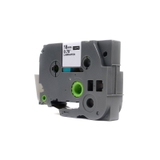
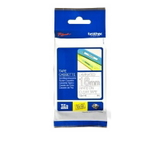
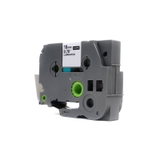
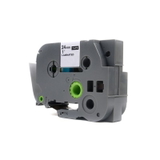
In this subcategory you’ll find popular transparent tapes with high-contrast print, including widths like 18 mm and 24 mm, typically on 8 m rolls—ideal when you want a clean “no-label” look on glass, plastic, or smooth surfaces. Compatible and Original OEM ribbons – two great ways to label We offer two classes of products for the Brother PT-1250J: - Original OEM – genuine Brother tapes designed by the manufacturer for maximum compatibility and predictable results.
- Compatible – high-quality alternatives tested for dependable printing and durability. Our compatible ribbons from DrTusz.pl are designed to be as good as the originals in everyday use, while often being a more cost-effective choice.
If you label frequently (office, stockroom, school, or home organization projects), compatible tapes can significantly reduce the cost per label without sacrificing the clean look you expect from a Brother P-touch device. Popular tapes in this category (TZe series) – choose your width and color To help you pick quickly, here are several best-selling options available for Brother PT-1250J ribbons: - Compatible Tape TZe-142 (Transparent, Red) – 18 mm x 8 m: a great choice for readable labels with a strong, attention-grabbing red print.
- Original OEM Tape Brother TZe-142 (Transparent, Red) – 18 mm x 8 m: OEM reliability for the same popular format.
- Compatible Tape TZe-145 (Transparent, White) – 18 mm x 8 m: clean, versatile labels—excellent for dark backgrounds and neat home/office organization.
- Original OEM Tape Brother TZe-145 (Transparent, White) – 18 mm x 8 m: the original version for users who prefer manufacturer supplies.
- Compatible Tape TZe-152 (Transparent, Red) – 24 mm x 8 m: wider labels for shelves, boxes, and larger descriptions.
- Original OEM Tape Brother TZe-152 (Transparent, Red) – 24 mm x 8 m: OEM tape for wide, highly visible labeling.
Whether you choose TZe-142, TZe-145, or TZe-152, you’re selecting a proven format widely used in the Brother P-touch ecosystem—and easy to match to the look you want (transparent background + white or red print). How to choose the right ribbon for Brother PT-1250J (and avoid common issues) When selecting a ribbon for Brother PT-1250J, we recommend focusing on three practical points: - Correct series/code: choose the specific TZe symbol (e.g., TZe-142, TZe-145, TZe-152) that matches your needs and expected look.
- Width: 18 mm is a versatile everyday choice; 24 mm is better for storage labels, shelves, and longer descriptions.
- Text color and readability: white text stands out beautifully on darker items; red text is ideal for warnings, priority tags, and quick identification.
Common user questions with the Brother PT-1250J often include: “Why do my labels look faint?” or “Why is the tape not feeding smoothly?” In many cases, the solution is simple—ensure the cassette is seated properly, check that the tape isn’t slack, and choose a good-quality tape. Both our Original OEM and carefully selected Compatible ribbons are designed to deliver consistent print and smooth operation, so you can focus on labeling instead of troubleshooting. If you’re unsure which tape will be best for your application, tell us what you want to label (cables, shelves, jars, folders) and the preferred label width—we’ll help you pick the optimal Brother P-touch PT-1250J ribbon. Order your Brother PT-1250J ribbons today – we’re here to help We encourage you to explore our full range of thermal transfer ribbons for Brother PT-1250J—both Compatible and Original OEM. Choose a cost-effective compatible tape for everyday labeling or go with OEM when you prefer manufacturer supplies. Either way, you’ll get crisp, professional-looking labels that make organization easier. CTA: Add the selected Brother PT-1250J tape to your cart and place your order today. If you have any questions about compatibility, widths, or choosing between compatible and original OEM ribbons, contact us—we’ll gladly advise you and help you buy the right tape quickly, with convenient delivery options. |