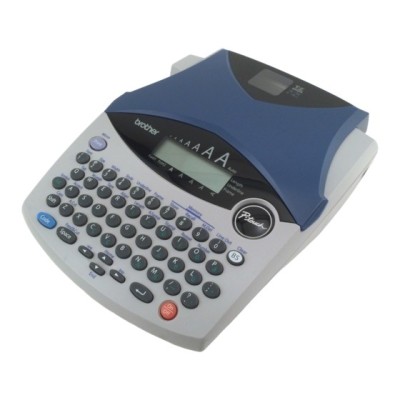
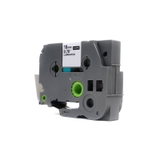
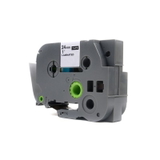
Brother PT-1250 (P-touch) – a reliable label maker for everyday organization If you use the Brother PT-1250 (also searched as PT-1250, PT 1250 or PT1250), you already know why Brother P-touch label makers are so popular: they are quick, practical, and perfect for keeping order at home, in the office, in a warehouse, or in a small workshop. The key to clear, durable labels is choosing the right ribbon for Brother PT-1250—and that’s exactly what you’ll find in this category: thermal transfer tape cartridges in Compatible and Original OEM versions. Thermal transfer ribbons for Brother PT-1250 – what you gain The Brother PT-1250 uses thermal transfer tape (often called a ribbon cartridge). This solution is valued for producing labels that stay readable and neat for a long time. A properly selected ribbon for Brother P-touch PT-1250 gives you consistent print quality and helps you create labels that look professional—whether you’re marking folders, shelves, cables, drawers, or storage boxes. In this category we focus on transparent tapes with strong contrast text, popular for neat, “no-label” style marking. These ribbons are commonly chosen for: - office archiving (binders, folders, document boxes),
- home organization (kitchen containers, pantry shelves, children’s items),
- warehouse and stock labeling (bins, racks, product groups),
- technical labeling (small devices, chargers, cables, switches).
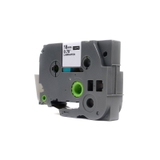
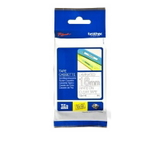
Compatible and Original OEM tapes – broad choice in one place We know that different customers expect different things: some want strictly OEM consumables, others prefer a cost-effective alternative without sacrificing results. That’s why we offer both Original OEM Brother ribbons and carefully selected compatible tape for Brother PT-1250. Thanks to the variety of widths and text colors, you can match the ribbon to your labeling style and the surface you’re applying it to. Popular options in this category include: - Compatible Tape TZe-142 (18 mm, 8 m, transparent background, red text) – a great choice when you want labels that stand out clearly.
- Original OEM Tape Brother TZe-142 (18 mm, 8 m, transparent background, red text) – OEM quality for users who prefer manufacturer supplies.
- Compatible Tape TZe-145 (18 mm, 8 m, transparent background, white text) – ideal for dark surfaces and elegant, high-contrast labeling.
- Original OEM Tape Brother TZe-145 (18 mm, 8 m, transparent background, white text) – premium OEM option for consistent, repeatable results.
- Compatible Tape TZe-152 (24 mm, 8 m, transparent background, red text) – wider tape for larger labels, warnings, or shelf markings.
- Original OEM Tape Brother TZe-152 (24 mm, 8 m, transparent background, red text) – OEM version for maximum confidence and standardization.
How to choose the right ribbon for PT-1250 When choosing a ribbon for Brother PT-1250, pay attention to three practical details: the tape series code, the width, and the color combination. In the Brother P-touch ecosystem, the most important identifier is the symbol (for example TZe-142, TZe-145, TZe-152)—it tells you exactly which cartridge you need. - Width (18 mm vs 24 mm): 18 mm is universal for everyday labeling; 24 mm is perfect when you need better readability from a distance.
- Text color: red text is excellent for alerts and quick identification; white text is ideal for dark backgrounds and a clean, minimalist look.
- Transparent background: a popular choice when you want the label to blend into the surface while keeping text sharp.
Original OEM vs compatible tape for Brother PT-1250 – what’s the difference? Original OEM Brother ribbons are produced by the printer manufacturer and are often chosen for internal procurement standards or for users who simply want to stay with OEM supplies. Compatible ribbons are a smart alternative for customers who want to optimize costs while keeping high quality. We want to make this clear: the compatible tape for Brother PT-1250 available at DrTusz.pl is designed to deliver results that are just as good as OEM in everyday use—clean print, proper fit, and smooth operation in your Brother P-touch label maker. If you print a lot of labels, choosing compatible cartridges can significantly reduce your cost per label without giving up the professional look. Common PT-1250 labeling issues and easy fixes Even the best label maker can occasionally cause small frustrations—most of them are ribbon-related and easy to avoid. Here are the issues customers most often mention with the Brother PT-1250 and how to handle them: - Faint or uneven print: make sure the cartridge is seated correctly and choose a tape width suited to your label size; replace the ribbon when nearing the end.
- Label not sticking well: clean and dry the surface before applying; smooth the tape firmly along the entire length for better adhesion.
- Wrong cartridge purchased: always confirm the symbol (e.g., TZe-142) and width (18 mm / 24 mm) before ordering.
Order your Brother PT-1250 ribbon today We encourage you to explore our full selection of thermal transfer ribbons for Brother PT-1250—both Compatible and Original OEM. Choose the width and color you need, add the tape to your cart, and keep your labeling neat, durable, and easy to read. If you’re not sure which ribbon for Brother P-touch PT-1250 will be best for your application, contact us—we’ll help you pick the right TZe tape quickly. Order now and enjoy fast delivery and a reliable supply of labels whenever you need them. |