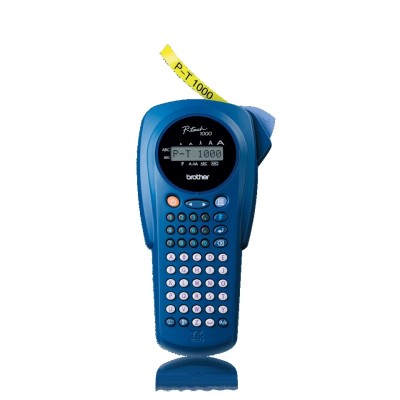
Reliable labeling with the Brother PT-1000BTS / Brother P-touch If you use the Brother PT-1000BTS label printer (also searched as PT-1000BTS, PT 1000BTS or PT1000BTS), you already know how much time a good label can save. This compact Brother P-touch device is designed for quick, clear marking of folders, shelves, cables, boxes, office equipment and household items. To keep your labels looking professional and lasting longer, the key is choosing the right ribbon—and that’s exactly what you’ll find here: Cartridges for Brother PT-1000BTS – compatible and original OEM thermal transfer tapes. Thermal transfer ribbon tapes – what they do and why they matter The Brother PT-1000BTS works with thermal transfer tape cartridges (ribbons). In practice, this means the print is created by heat, and the tape construction helps protect the text from daily wear. The result: sharp lettering and labels that stay readable even when exposed to frequent handling. When you pick the right ink for Brother PT-1000BTS—in this case, the correct ribbon cartridge for Brother PT-1000BTS—you get consistent print quality, strong contrast and a tidy finish on every label. Common uses for ribbons for Brother PT-1000BTS include: - organizing home storage (containers, pantry jars, toolboxes),
- office identification (binders, drawers, cables, chargers),
- warehouse and retail labeling (shelves, bins, packages),
- school and hobby projects where durability and clarity matter.
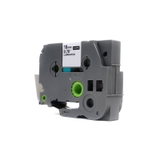
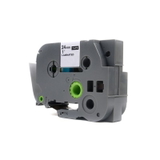
Compatible and Original OEM ribbons for Brother PT-1000BTS – a wide, practical selection In our store we offer both Original OEM tapes and carefully selected Compatible alternatives for Brother PT-1000BTS. This gives you the freedom to choose what matters most: maximum brand-original certainty or a cost-effective option with excellent everyday performance. Either way, you can quickly match the tape to your task by focusing on the width, length and color combination. Popular choices in this category include transparent tapes that create a clean “printed-on” look on many surfaces: - Compatible Tape TZe-142 for Brother (TZe-142) – Transparent, Red text, 18 mm width, 8 m length,
- Original OEM Tape Brother TZe-142 (TZe-142) – Transparent, Red text, 18 mm width, 8 m length,
- Compatible Tape TZe-145 for Brother (TZe-145) – Transparent, White text, 18 mm width, 8 m length,
- Original OEM Tape Brother TZe-145 (TZe-145) – Transparent, White text, 18 mm width, 8 m length,
- Compatible Tape TZe-152 for Brother (TZe-152) – Transparent, Red text, 24 mm width, 8 m length,
- Original OEM Tape Brother TZe-152 (TZe-152) – Transparent, Red text, 24 mm width, 8 m length.
Thanks to multiple widths (such as 18 mm and 24 mm), you can choose a discreet label for smaller items or a wider, highly visible label for shelves and storage locations. How to choose the right ribbon cartridge for PT-1000BTS When selecting a ribbon for Brother PT-1000BTS, we recommend checking these essentials: - Tape code (e.g., TZe-142, TZe-145, TZe-152) – the quickest way to ensure compatibility,
- Width (18 mm vs 24 mm) – wider tape improves visibility and is great for shelf labels,
- Color combination – transparent tape with red or white text can look very professional on smooth surfaces,
- Application – consider where the label will live (frequent touching, storage, office, warehouse).
If you’re ever unsure which ink for Brother PT-1000BTS (ribbon tape) fits your labeling plan, we encourage you to contact us—we’ll help you match the best tape to your exact use case. Original OEM vs compatible – what’s the difference? Original OEM ribbons for Brother PT-1000BTS are manufactured by Brother and are a go-to option for users who prefer sticking with the printer brand’s own supplies. They’re a solid, predictable choice for daily labeling. Compatible ribbons for Brother PT-1000BTS are a smart alternative when you want excellent labels while optimizing costs. In our offer, compatible cartridges are selected to deliver print quality and reliability that are just as good as originals in real-world use—clean text, consistent results and dependable performance for everyday labeling tasks. If you print a lot, compatible tape can be the easiest way to keep labeling without worrying about your budget. Common user issues with Brother PT-1000BTS tapes (and quick fixes) Many printing “problems” are actually tape-related setup details. Here are the most frequent situations we help customers with: - Faded or uneven print – make sure you’re using the correct tape type and that the cartridge is properly seated.
- Tape not feeding smoothly – check if the tape width matches your intended use and confirm the cassette clicks into place.
- Labels peeling off – clean and dry the surface before applying; smooth surfaces usually hold best.
- Wrong tape width – choose 18 mm for compact labeling or 24 mm when you need maximum visibility.
Choosing the right ribbon cartridge for Brother PT-1000BTS is often the fastest way to get back to perfect labels without trial and error. Choose your Brother PT-1000BTS ribbon today We encourage you to explore our selection of Cartridges for Brother PT-1000BTS—both Compatible and Original OEM thermal transfer ribbons. Pick your preferred TZe code, width and color, add it to your cart and keep your Brother P-touch ready for any labeling task. If you need help selecting the best ribbons for Brother PT-1000BTS, contact us—we’re here to advise, confirm compatibility and make sure you get exactly what you need. We also provide fast delivery options so you can start labeling again as soon as possible. CTA: Compare compatible and original OEM tapes for Brother PT-1000BTS now, choose your TZe ribbon, and order today—or message us for quick assistance. |