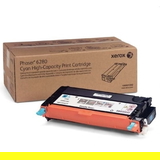
Print with Confidence – Xerox 6280 toner cartridge for Crisp Business Colour When your documents represent your company, every detail matters: sharp text, smooth gradients, and colours that look the same on every page. In this category we focus on one proven solution—Toner cartridges Xerox 6280—built for reliable, professional laser printing. Whether you print invoices all day or prepare client-ready presentations, the right toner for printer Xerox 6280 helps you avoid the most common frustrations: faded output, uneven colour, streaks, and unexpected interruptions at the worst possible moment. We offer a carefully selected range of Original OEM toner options dedicated to the Xerox 6280 series—so you can match the cartridge to your exact needs and keep your Xerox laser printer performing at its best. Compatible Printers – One Toner Series, Everyday Reliability This category is designed for users of the popular Xerox colour laser line, including models such as Xerox Phaser 6280 and Xerox Phaser 6280DN. Choosing a dedicated toner for Xerox Phaser 6280 means the printer can maintain proper colour balance and consistent coverage from the first page to the last—especially important when you print mixed jobs (text, charts, graphics) and expect stable quality without constant tweaking. If you’re searching for “toner for printer Xerox 6280” because your device is warning about low supply, or you’ve noticed weaker blacks and less vibrant colours, replacing the toner in time is the simplest way to restore that “freshly printed” look. Original OEM Toner – Why It’s Worth It All products on this subpage are Original OEM toners, created by Xerox specifically for the 6280 series. That matters when you want maximum predictability—no surprises, no trial and error, just smooth operation and repeatable results. OEM toner is designed to work with the printer’s imaging system and temperature settings, helping prevent issues that users often associate with worn or incorrect supplies. With Original OEM toner Xerox 6280, you gain: - Clean, sharp text for contracts, invoices, and everyday office printing.
- Stable colour reproduction that keeps charts and brand elements looking consistent.
- Fewer print defects such as streaks, patchy fills, or background haze—often caused by mismatched consumables.
- Peace of mind when print quality and device reliability are non-negotiable.
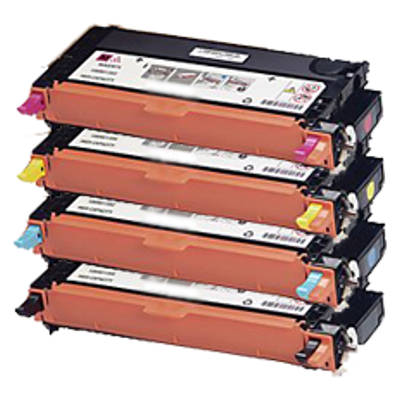
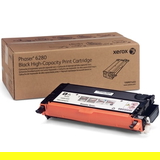
Meet the Set – Black and Colour Toners for Xerox 6280 In this category you’ll find the complete colour set, so you can replace exactly what you need (or stock up to avoid downtime): - Original OEM Toner Xerox 6280BK (106R01403) (Black) – for crisp text and strong contrast.
- Original OEM Toner Xerox 6280C (106R01400) (Cyan) – for clean blues and cool tones in graphics.
- Original OEM Toner Xerox 6280M (106R01401) (Magenta) – for vivid highlights, reds, and warm gradients.
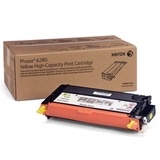
- Original OEM Toner Xerox 6280Y (106R01402) (Yellow) – for bright accents and clear colour balance.
If your prints look “off” (for example, greyish blacks or strange colour casts), it’s often a sign that one colour is running low earlier than expected. Replacing the correct Xerox 6280 toner cartridge brings the whole image back into harmony. How to Choose the Right Toner for Xerox 6280 We encourage you to choose calmly and precisely—because the best savings come from buying the right product the first time. Before placing your order, we recommend: - Check your printer model name on the front panel or label (e.g., Xerox Phaser 6280 / 6280DN).
- Match the toner code to the colour you need: 106R01403 (Black), 106R01400 (Cyan), 106R01401 (Magenta), 106R01402 (Yellow).
- Buy based on your printing style: offices that print graphics regularly often benefit from keeping at least one spare colour toner to prevent job interruptions.
A practical tip: if you’re preparing an important batch—tenders, reports, marketing packs—don’t wait for the very last page. Replacing toner for printer Xerox 6280 a little earlier can protect you from mid-job stops and colour inconsistency. Original vs Compatible – What’s the Difference (and What We Offer) Customers often ask us: should we choose an original cartridge or a compatible one? The honest answer is: it depends on your priorities. Original OEM toner is the safest choice when you want factory-standard performance and maximum predictability. At the same time, many users successfully choose compatible options to lower printing costs. While this specific category contains Original OEM products, it’s worth knowing that compatible alternatives can also be an excellent solution. In the DrTusz.pl offer, our compatible cartridges are engineered to deliver print quality and reliability comparable to originals—especially for everyday office work where you want strong results and smart cost control. Common User Problems – and How the Right Toner Solves Them Laser printers are built for efficiency, but consumables matter. If you’ve experienced any of the issues below, a fresh, correctly matched toner for Xerox Phaser 6280 often makes an immediate difference: - Faded prints – especially visible in black text or pale colour blocks.
- Uneven colour coverage – patchiness in graphics and backgrounds.
- Streaks or marks – sometimes caused by low toner or toner that’s not perfectly matched to the device.
- Frequent “replace toner” alerts – resolved by choosing the correct cartridge reference for your exact model.
Our goal is simple: help you get back to smooth, confident printing—without wasted time, wasted paper, or disappointing output. Summary & CTA – Choose Your Xerox 6280 Toner and Get Back to Work With Toner cartridges Xerox 6280 you can restore sharp text, vibrant colour, and the steady performance you expect from a Xerox colour laser printer. Select the exact OEM cartridge you need—Black, Cyan, Magenta, or Yellow—install it, and enjoy clean, professional pages that look ready for business from the moment they leave the printer. Choose your Xerox 6280 toner cartridge today and print with the quality your work deserves. |