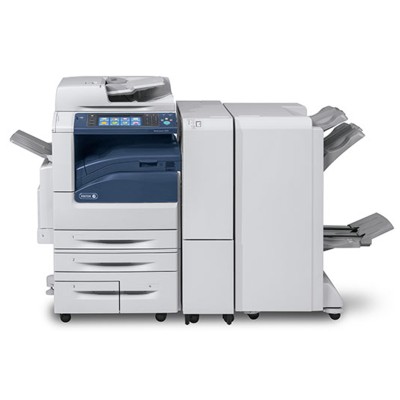
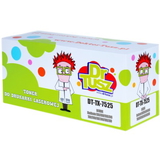
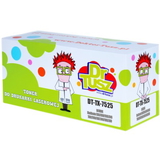
Xerox WorkCentre 7970 – a dependable multifunction for busy offices The Xerox WorkCentre 7970 (also searched as Xerox 7970, WC7970 or simply Xerox WorkCentre) is a powerful office MFP designed for teams that print, copy and scan every day. With fast workflows and frequent document circulation, this device rewards one thing above all: stable, predictable consumables. That’s why in this category we focus on proven toner for printer Xerox WorkCentre 7970 as well as key maintenance components—so your output stays sharp and your downtime stays low. Toner, drum unit and waste toner tank – what matters for print quality To keep your toner for Xerox WorkCentre 7970 performing at its best, it’s worth understanding the trio that shapes everyday reliability: - Toner cartridges – the main consumable responsible for text density, colour saturation and overall consistency. Choosing the right toner for printer WC7970 is the fastest way to maintain professional results.
- Drum unit – transfers the image onto paper. When the drum is worn, you may notice faded areas, repeating marks, background haze or uneven colour blocks.
- Waste toner tank – collects excess toner. When full, it can trigger error messages and stop printing until replaced—often at the least convenient moment.
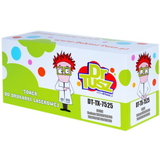
In short: a great-looking page is not only about toner. For heavy-use environments, keeping an eye on the drum unit for Xerox WorkCentre 7970 and the waste toner tank is just as important. Compatible and Original OEM – choose what fits your needs (and budget) We offer both Original OEM and Compatible cartridges so you can match consumables to the way you print. Original OEM is the manufacturer’s solution—often chosen for strict internal policies or highly standardised fleets. Our compatible toner for Xerox WorkCentre 7970 is a smart alternative for customers who want excellent quality and predictable performance at a better price. Importantly, the compatible cartridges from DrTusz.pl are designed to deliver results that are as good as the originals—clean text, strong blacks and vivid colour—while helping you control printing costs. If you print a lot, the savings can be significant without sacrificing the professional look of your documents. Popular choices in this category (Black and Colour) To make selection easy, we highlight the most frequently chosen items for this series—both compatible and Original OEM: - Compatible Toner 7525/7545 for Xerox (006R01517) (Black) – a cost-effective option for everyday office text and graphics.
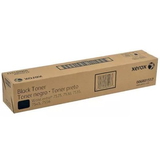
- Original OEM Toner Xerox 7525/7545 (006R01517) (Black) – OEM black toner for customers who prefer manufacturer-branded supplies.
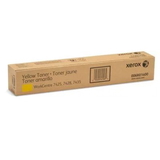
- Original OEM Toner Xerox 7525/7545 (006R01518) (Yellow) and Compatible Toner 7525/7545 for Xerox (006R01518) (Yellow) – for bright highlights, charts and colour documents.
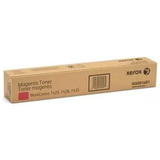
- Original OEM Toner Xerox 7525/7545 (006R01519) (Magenta) and Compatible Toner 7525/7545 for Xerox (006R01519) (Magenta) – for strong reds/purples and accurate colour balance.
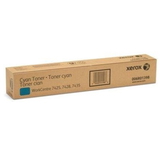
- Original OEM Toner Xerox 7525/7545 (006R01520) (Cyan) and Compatible Toner 7525/7545 for Xerox (006R01520) (Cyan) – for clean blues and smooth gradients.
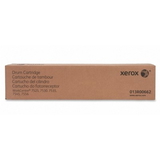
For maintenance and uninterrupted work, we also recommend keeping essential service components on hand: - Original OEM Drum Unit Xerox 7525/7545 (013R00662) – helps restore crispness and prevents recurring print defects associated with drum wear.
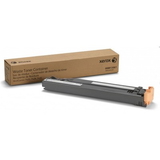
- Original OEM Waste Toner Tank Xerox 7425/7428/7435 (008R13061) – a practical replacement when the printer reports a full waste container.
How to pick the right toner for Xerox WorkCentre 7970 When you choose ink for Xerox WorkCentre 7970 (in laser devices this means toner), we suggest three simple checks: - Match the code, not just the printer name – for example: 006R01517 (Black), 006R01518 (Yellow), 006R01519 (Magenta), 006R01520 (Cyan). This avoids ordering errors.
- Decide between Compatible and Original OEM – choose OEM for maximum standardisation; choose compatible if you want the best price-to-quality ratio with results comparable to OEM.
- Consider typical office usage – frequent colour printing benefits from keeping a spare set of CMYK toners; heavy monthly volume makes a spare black toner especially useful.
Common issues with WC7970 printing – and what usually fixes them Users of the Xerox WorkCentre 7970 typically report a few recurring situations. The good news: most are easy to solve with the right consumable choice. - Faded print or uneven density – often points to a depleted toner or a drum approaching end-of-life. Replacing the toner for printer Xerox 7970 or installing a new drum unit can restore sharp output.
- Repeating spots/marks on pages – frequently related to drum wear. The Original OEM Drum Unit (013R00662) is the go-to fix when cleaning and calibration no longer help.
- Printer stops with a “waste toner” message – indicates a full waste tank. Replacing the Waste Toner Tank (008R13061) gets you back to printing quickly.
- Colours don’t look right – low levels in one colour (C/M/Y) can shift the entire palette. Keeping matching cyan, magenta and yellow toners ready helps maintain consistent colour documents.
Ready to print with confidence? Explore our WC7970 range We encourage you to browse our selection of toner for Xerox WorkCentre 7970—including both Compatible and Original OEM options—as well as drum units and waste toner tanks that keep your device running smoothly. If you’re unsure which cartridge code to choose or you’re troubleshooting print quality, contact us—we’ll help you match the right consumable to your exact needs. CTA: Choose your toner for printer WC7970 today, add the right drum or waste toner tank if needed, and keep your office printing reliable with fast, convenient delivery and expert support from our team. |