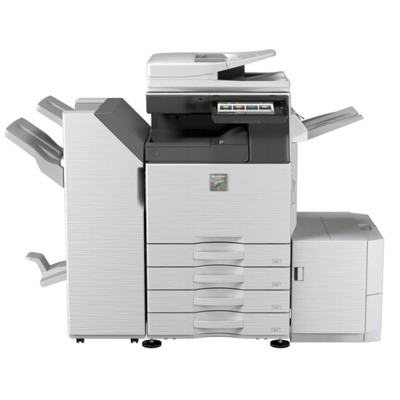
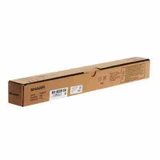
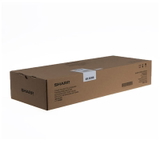
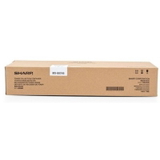
Sharp MX-3050 – a reliable A3 multifunction for busy offices Sharp MX-3050 (also searched as MX 3050 or MX3050) is a popular A3 colour multifunction printer built for everyday office workflows: fast copying, network printing, scanning to folders and email, and consistent output quality across larger print volumes. To keep this device working at its best, you need the right toner for printer Sharp MX-3050 and the key service consumables that support stable colour reproduction and clean operation. Toner and service parts for Sharp MX-3050 – what matters in daily use In this category you will find not only toner for Sharp MX-3050, but also the most important laser consumables and maintenance parts used by the MX series. The right set means predictable page yield, sharp text, smooth graphics, and fewer interruptions caused by warnings or poor print quality. Our selection includes: - Toners – the essential choice when you need crisp black documents and vivid colour prints (C/M/Y/K).
- Drum Units – responsible for transferring toner to paper; worn drums can cause streaks, background shading or faded areas.
- Waste Toner Tanks – collect excess toner; when full, your Sharp MX-3050 may stop printing until replaced.
- Developers – support stable density and colour consistency, especially important for long runs and office graphics.
- Fuser Units – fix toner permanently to the page; a tired fuser may lead to smearing, peeling or paper jams.
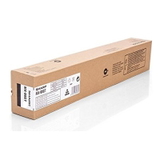
Whether you print invoices, contracts, HR documents or colourful presentations, choosing the correct toner for printer MX-3050 helps you keep the same professional look from the first page to the last. Compatible and Original OEM – a wide offer for every budget We know that different offices have different priorities, so we offer both Original OEM and high-quality Compatible supplies. If you prefer manufacturer-certified solutions, choose Original OEM. If you want to reduce printing costs without sacrificing quality, our compatible options from DrTusz.pl are designed to be just as dependable in everyday use. Among the most popular choices in this category you will find, for example: - Original OEM Toner Sharp MX-61GTBA (MX61GTBA) (Black) and Original OEM Toner Sharp MX-61GTBB (MX61GTBB) (Black) – trusted black toner options for sharp text and strong coverage.
- Original OEM Toner Sharp MX-61GTCA (MX61GTCA) (Cyan), MX-61GTMA (Magenta), MX-61GTYA (Yellow) – for consistent office colour and clean gradients.
- Compatible Toner MX-61GTBA (DT-TSH-61GTBA) (Black) – a cost-effective alternative when you print a lot of monochrome pages.
- Compatible Toner MX-61GTCA (DT-TSH-61GTCA) (Cyan), DT-TSH-61GTMA (Magenta), DT-TSH-61GTYA (Yellow) – compatible colour toners built for strong, stable colour output.
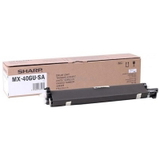
- Original OEM Drum Unit Sharp MX-60GRSA (MX60GRSA) (Black) and Original OEM Drum Unit Sharp MX-40GUSA (MX40GUSA) – when print defects point to drum wear.
- Original OEM Waste Toner Tank Sharp MX-601HB (MX601HB), Original OEM Waste Toner Tank Sharp MX-607HB (MX-607HB) and Compatible Waste Toner Tank MX-607HB – to quickly resolve “waste toner full” messages.
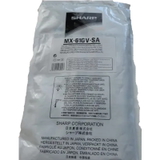
- Original OEM Developer Sharp MX-61GVSA (MX61GVSA) – to keep density and colour stable over long periods.
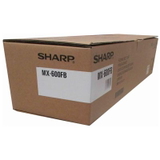
- Original OEM Fuser Unit Sharp MX-600FB/MX-607FB (MX600FB) – the right choice when fixing issues or repeated paper jams appear.
Thanks to this variety, you can conveniently match the right ink for Sharp MX-3050 (toner) and maintenance parts to your current workload and servicing plan. How to choose the right toner for Sharp MX-3050 (and avoid common issues) When selecting toner for printer Sharp MX-3050, start with the exact cartridge code used in your device and the colour you need (Black/Cyan/Magenta/Yellow). If your office prints a lot, consider keeping a spare black toner and a waste toner tank on hand—these are among the most frequent “downtime” causes. Common user issues with the Sharp MX-3050/MX series and what to buy: - Faded prints or uneven colour – replace the relevant toner; if the issue persists, a developer or drum unit may be due.
- Streaks, spots, grey background – often linked to a worn drum unit or contamination; replacing the drum can restore clean output.
- “Waste toner full” / printer stops – replace the waste toner tank (OEM or compatible).
- Smearing or toner rubs off – symptoms of a worn fuser unit; replacing it helps fix toner properly to the paper.
- Frequent jams around the exit area – can also indicate fuser wear, especially on older machines or high-mileage devices.
Original OEM vs Compatible – what’s the difference? Original OEM cartridges are produced by the printer manufacturer and are a safe, classic choice for businesses that want a manufacturer-labelled supply chain. Compatible cartridges are a smart option when you want to lower printing costs while keeping excellent quality. Our compatible solutions from DrTusz.pl are prepared to deliver results that are as good as originals in day-to-day office printing—sharp black text, stable colour, and reliable operation. If you are unsure which version is best for your workflow, we encourage you to consider: - your monthly print volume and cost-per-page expectations,
- whether you print mostly documents or also colour materials,
- which consumables you want to keep as backup to prevent downtime.
Order your toner and consumables for Sharp MX-3050 with confidence We make it easy to choose the right toner for Sharp MX-3050 and the maintenance parts that keep your multifunction running smoothly. Browse the compatible and Original OEM options, compare codes and colours, and build a set that fits your office needs. Call to action: we encourage you to explore the full range of cartridges and service units in this category and place your order today. If you have any questions about compatibility, cartridge codes (MX-60… / MX-61…), or which part solves your print problem, contact us—our team will help you choose quickly. We also provide fast delivery options so you can get your Sharp MX-3050 back to work without unnecessary delays. |