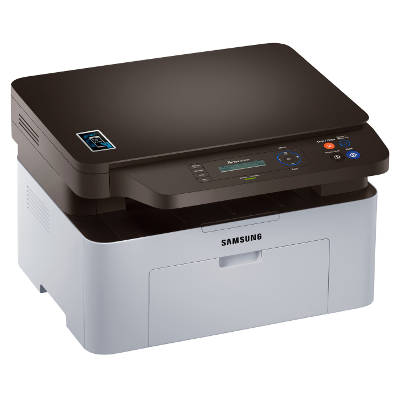
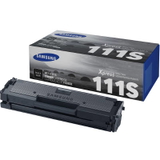
Samsung Xpress SL-M2070W – a reliable mono laser all‑in‑one for home and office The Samsung Xpress SL-M2070W (also searched as Samsung SLM2070W, Samsung Xpress M2070, SL-M2070W/SEE or SL M2070 W) is a compact mono laser all‑in‑one printer designed for everyday printing, copying and scanning. It’s valued for fast document output, Wi‑Fi convenience and a footprint that fits easily on a desk. To keep it performing at its best, you simply need a dependable toner for printer Samsung Xpress SL-M2070W—and that’s exactly what we specialize in. Mono toner for Samsung Xpress SL-M2070W – what you can expect In this category you’ll find only black mono toners dedicated to the SL‑M2070W series. A good toner for Samsung Xpress SL-M2070W should deliver crisp text, consistent coverage and trouble‑free operation from the first page to the last—especially if you print invoices, school materials, shipping labels or office documents. We offer both Original OEM cartridges and carefully selected Compatible cartridges, so you can match the toner to your needs and budget. Whether you print occasionally at home or handle regular office batches, the right toner for printer SL-M2070W helps you keep costs predictable and quality professional. Our range: Original OEM and Compatible toners, plus the device itself We make it easy to choose: in one place you’ll find cartridges and even the printer model itself. Popular choices in this category include: - Original OEM Toner Samsung MLT-D111S (SU810A) (Black) – a standard‑capacity OEM solution for users who prefer manufacturer cartridges.
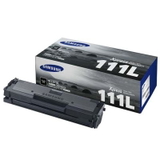
- Original OEM Toner Samsung MLT-D111L (SU799A) (Black) – higher capacity for those who print more and want fewer replacements.
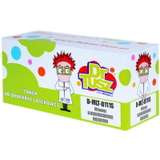
- Compatible Toner MLT-D111S for Samsung (SU810A) (Black) – a cost‑effective option for everyday documents.
- Compatible Toner MLT-D111L for Samsung (SU799A) (Black) – extended printing, great for home offices and small businesses.
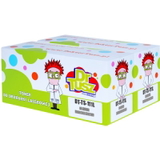
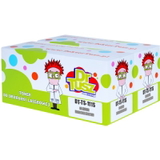
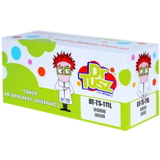
- Compatible Toners MLT-D111S/D (DT-TS-111/D) (Black) (2-pack) and Compatible Toners MLT-D111L/D (DT-TS-111L/D) (Black) (2-pack) – convenient multipacks when you want запас and better unit pricing.
- Compatible Toner MLT-D111S/L (DT-TS-111/NC) (Black) (no chip) – for scenarios where a chipless cartridge is the right fit (we recommend checking chip requirements before purchase).
- All-In-One Printer Samsung Xpress SL-M2070W – if you’re setting up a workstation or replacing an older device.
Thanks to this selection, you can quickly compare an original toner for Samsung Xpress SL-M2070W with a compatible toner for Samsung Xpress SL-M2070W and choose what works best for you. How to choose the right toner for Samsung SLM2070W When you’re deciding which toner for printer Samsung Xpress SL-M2070W to buy, consider three practical points: - Capacity (D111S vs D111L) – choose MLT-D111S for lighter printing and MLT-D111L for higher page yield and fewer cartridge changes.
- Original OEM vs Compatible – OEM is the manufacturer’s cartridge; compatible is a high‑quality alternative. Our compatible cartridges from DrTusz.pl are designed to be just as dependable in everyday use, offering strong black density and clear text at a lower cost per page.
- Chip requirements – some printers expect a chip for cartridge recognition. If you’re considering a no chip version, make sure it matches your printer’s expectations or your workflow.
Original vs Compatible: what’s the real difference? An original toner for Samsung Xpress SL-M2070W is often chosen for maximum brand consistency and for users who prefer OEM supplies. A compatible toner for Samsung Xpress SL-M2070W, on the other hand, is the smart choice when you want to reduce printing costs without sacrificing everyday reliability. We focus on proven compatibles—so you can print sharp documents, solid blacks and readable barcodes with confidence. Common user issues with SL-M2070W and practical tips The Samsung Xpress SL‑M2070W is straightforward, but customers often ask us about a few repeat situations: - Faded prints or light text – often a sign the toner is running low or the print density settings need adjustment. Replacing the cartridge with a fresh toner for SL-M2070W usually solves it immediately.
- Cartridge not recognized – check whether your printer requires a chip and whether you selected a chipless version. If in doubt, contact us and we’ll help you choose the correct option.
- Streaks or uneven black – gently redistributing toner (by carefully rocking the cartridge) can help temporarily, but a new cartridge is the best long‑term fix for consistent quality.
Order your toner today – we’re here to help We encourage you to explore the full selection of toner for printer Samsung Xpress SL-M2070W available in this category—both Original OEM and Compatible options, including convenient 2‑packs. If you’re not sure whether you need MLT-D111S or MLT-D111L, or you’re choosing a Samsung Xpress M2070 toner for the first time, reach out to us. We’ll help you match the cartridge to your printer and printing habits. CTA: Add the right black mono toner to your cart now, compare OEM and compatible options, and if you have any questions—contact us. We’ll make sure your Samsung Xpress SL-M2070W is ready to print when you need it. |