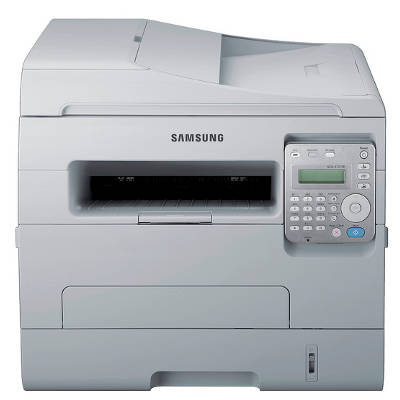
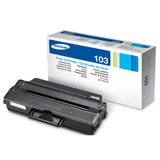
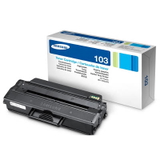
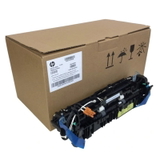
Reliable printing with the Samsung SCX-4727FD Samsung SCX-4727FD (also searched as Samsung SCX4727FD, SCX-4727FD, SCX 4727 FD or SCX-4727) is a popular mono laser multifunction device designed for everyday office work. It combines fast black-and-white printing with copying, scanning and faxing, so it’s often used where documents must look professional and be ready on time. To keep this model working at its best, you need the right toner for printer Samsung SCX-4727FD and—when required—a reliable fuser unit. Toner and fuser unit: what matters in this model In this category you’ll find toner for Samsung SCX-4727FD in both Compatible and Original OEM versions, plus a dedicated fuser unit. Toner cartridges are responsible for sharp text, deep black and consistent coverage—crucial for invoices, contracts, shipping documents and reports. The fuser unit, on the other hand, fixes toner to the paper using heat and pressure; when it wears out, prints may smear or show poor adhesion. When choosing toner for printer SCX-4727FD, customers typically expect: - clean, crisp text even on small fonts and thin lines,
- stable page-to-page quality (important for long document sets),
- good efficiency—a cartridge that lasts and doesn’t require frequent replacements,
- trouble-free installation and predictable operation.
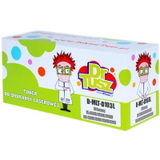
Compatible and Original OEM cartridges—wide choice in one place We offer a carefully selected range so you can match the cartridge to your workload and budget. In this category you’ll find, among others, the following popular items: - Compatible Toner MLT-D103L for Samsung (SU716A) (Black) – a high-capacity option for frequent printing,
- Compatible Toner MLT-D103S for Samsung (SU728A) (Black) (starter) – a practical choice for lighter use or as a backup,
- Original OEM Toner Samsung MLT-D103L (SU716A) (Black) – manufacturer cartridge for users who prefer OEM solutions,
- Original OEM Toner Samsung MLT-D103S (SU728A) (Black) (starter) – an OEM starter-class variant,
- Compatible Toner MLT-D103L for Samsung (DT-TS-103/NC) (Black) (no chip) – a chipless version for specific needs and service scenarios,
- Original OEM Fuser Unit Samsung JC91-01034B (JC91-01034B) – the key component when your SCX-4727FD needs proper toner fixing again.
Thanks to this selection, you can easily compare original OEM toner for Samsung SCX-4727FD with a well-tested compatible toner for Samsung SCX-4727FD and choose what suits you best. How to choose the right toner for Samsung SCX-4727FD When buying toner for SCX-4727FD, start with your printing habits. If you print a lot, consider higher-capacity solutions such as MLT-D103L. If you print occasionally, a starter-class cartridge like MLT-D103S can be sufficient. Also pay attention to chip requirements—some environments require a standard chipped cartridge, while others (e.g., service or special configurations) may benefit from a no chip variant. Many customers ask about the difference between OEM and compatible cartridges. Here’s the practical view: - Original OEM toner is produced by the printer brand and is often chosen for strict internal policies or when users prefer staying with manufacturer supplies.
- Compatible toner is a cost-effective alternative. The compatible cartridges from our DrTusz.pl offer are designed to deliver print quality and reliability that is as good as originals—so you can print confidently without overpaying.
Common issues with SCX-4727FD printing—and what to do The Samsung SCX-4727FD is dependable, but like any laser device it may show typical consumable-related symptoms over time. If you notice faint prints, uneven black coverage or background shading, it’s often time to replace the toner cartridge for Samsung SCX-4727FD. If toner rubs off the page, smears, or doesn’t “set” properly, the cause can be a worn fuser unit—that’s when the Samsung JC91-01034B becomes essential. If you’re unsure which toner for printer Samsung SCX4727FD will fit your exact needs (MLT-D103L vs MLT-D103S, OEM vs compatible, chipped vs no chip), we’re here to help you choose quickly and correctly. Order today and keep your office moving We encourage you to browse the full selection of toner cartridges for Samsung SCX-4727FD—compatible and original OEM—along with the dedicated fuser unit. Add the right product to your cart and enjoy a smooth, predictable printing routine. If you have questions, contact us—our team will gladly help you match the best toner for Samsung SCX-4727FD to your printer and your workload. We also provide efficient delivery options, so you can restock fast and get back to printing without downtime. CTA: Check the available toners and fuser unit for Samsung SCX-4727FD now, or ask us for help choosing—together we’ll find the best option for your budget and printing needs. |