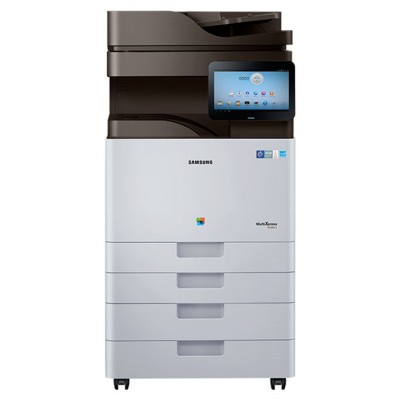
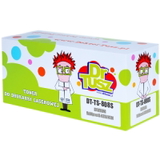
Samsung MultiXpress SL-X4300LX – a powerful A3 color MFP for demanding workplaces Samsung MultiXpress SL-X4300LX (also searched as Samsung SLX4300LX, SL-X4300LX, SL X4300LX or SL-X4300 LX) is a high-performance A3 multifunction printer designed for offices that print a lot, scan a lot, and expect consistent color quality. It’s commonly used in administration, education, copy rooms, and company departments where reliability matters every day. To keep this device running at full speed and with sharp output, it’s worth choosing a proven toner for printer Samsung MultiXpress SL-X4300LX—and remembering that in this model, not only toners matter, but also the drum unit and the waste toner tank. What you’ll find in this category: toner, drum unit and waste toner tank This subpage brings together everything you need for the Samsung X-series engine: toner cartridges, the drum unit, and the waste toner tank—available as Original OEM and Compatible options (depending on the product type). When you select the right toner for Samsung MultiXpress SL-X4300LX, you protect print quality and avoid downtime. Key elements used by the SL-X4300LX printing system: - Toner cartridges – supply the colorants: Black, Cyan, Magenta, Yellow. They directly affect text sharpness, color saturation, and page-to-page consistency.
- Drum Unit – the imaging component that transfers toner onto paper. A worn drum can cause streaks, background haze, or uneven color.
- Waste Toner Tank – collects excess toner from cleaning cycles. When full, the printer may stop printing until it’s replaced.
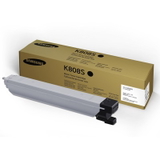
If you’re searching by codes such as SS049E or by various name formats like Samsung X / SLX4300 LX, you’re in the right place—this category is built specifically for these queries and for the SL-X4300LX family. Popular products for SL-X4300LX – Original OEM and Compatible choices We offer both manufacturer supplies and high-quality replacements, so you can match your purchasing strategy to your print volume and budget. Here are some of the most frequently chosen items in this category: - Original OEM Toner Samsung CLT-K808S (SS600A) (Black) – ideal for crisp business text and deep blacks.
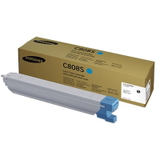
- Original OEM Toner Samsung CLT-C808S (SS560A) (Cyan) – clean blues and smooth gradients.
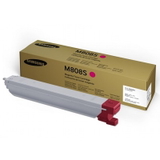
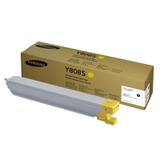
- Original OEM Toner Samsung CLT-M808S (SS642A) (Magenta) and Original OEM Toner Samsung CLT-Y808S (SS735A) (Yellow) – balanced color reproduction for charts, marketing materials, and office graphics.
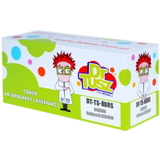
- Compatible Toner CLT-K808S for Samsung (SS600A) (Black) – a cost-effective option for high-volume monochrome printing.
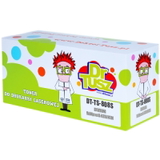
- Compatible Toner CLT-C808S (SS560A) (Cyan), Compatible Toner CLT-M808S (SS642A) (Magenta), Compatible Toner CLT-Y808S (SS735A) (Yellow) – reliable color printing without overspending.
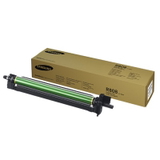
- Original OEM Drum Unit Samsung CLT-R808 (SS686A) – the key component when you want to restore “like-new” image quality.
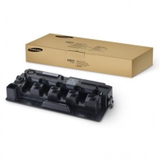
- Original OEM Waste Toner Tank Samsung CLT-W808 (SS701A) – essential to prevent stoppages caused by a full waste container.
Thanks to this selection, you can easily build a complete set: toner for Samsung MultiXpress SL-X4300LX in all four colors plus the drum unit and waste toner tank—everything compatible with the device’s requirements. How to choose the right toner for Samsung MultiXpress SL-X4300LX When choosing toner for printer Samsung MultiXpress SL-X4300LX, start with two things: the exact code and your printing habits. For everyday office printing and predictable results, many customers choose Original OEM. For cost control and frequent printing, our Compatible toners are a smart alternative—at DrTusz.pl we select compatibles that are as good as originals in practical, day-to-day use: clean prints, stable performance, and reliable page yield. What’s the difference between Original OEM and Compatible? - Original OEM – manufacturer-branded supplies, a great fit for organizations that standardize purchasing and want OEM-only workflows.
- Compatible – high-quality replacements designed to match the printer’s specifications. If you print a lot, compatibles help lower the cost per page without sacrificing readability or color clarity.
Typical user issues in the SL-X4300LX environment—and how the right supplies help: - Faded prints or uneven density – often solved by replacing the relevant toner color; if the problem repeats, check the drum unit condition.
- Streaks, repeating marks, background shading – frequently linked to a worn drum unit (CLT-R808) rather than the toner itself.
- Printer stops with a waste/maintenance message – usually means the waste toner tank (CLT-W808) is full and needs replacement.
- Color imbalance (one color dominates) – replace the low/empty color toner and consider refreshing the full CMYK set for consistent output.
Our practical tip: in busy offices, it’s worth keeping at least one spare black toner (and ideally one frequently used color) plus a waste toner tank. This reduces downtime and keeps your workflows predictable. Order with confidence – we’re here to help We encourage you to browse our full selection of toner cartridges for Samsung MultiXpress SL-X4300LX, including Original OEM and Compatible options, as well as the essential drum unit and waste toner tank. If you’re unsure whether you need CLT-K808S (SS600A), CLT-C808S (SS560A), CLT-M808S (SS642A), CLT-Y808S (SS735A), the CLT-R808 (SS686A) drum, or the CLT-W808 (SS701A) waste container—contact us. We’ll help you match the right supplies to your exact printer name variant (SLX4300LX / SL-X4300LX / SL X4300 LX) and your office needs. CTA: Choose your next toner for Samsung MultiXpress SL-X4300LX today—add the right cartridge, drum unit, or waste toner tank to your cart and keep your Samsung MultiXpress working at peak performance. We offer fast order processing and friendly support whenever you need it. |