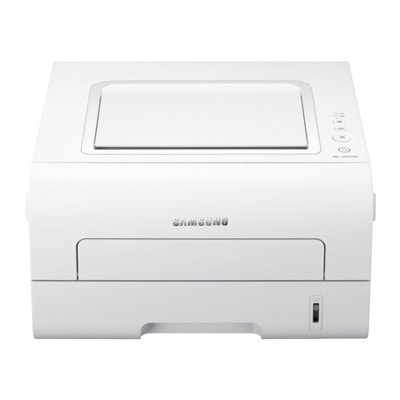
Samsung ML-2955ND – a reliable monochrome workhorse The Samsung ML-2955ND (also searched as Samsung ML2955ND, ML-2955ND, ML 2955ND or even Samsung ML-2950) is a compact, fast monochrome laser printer designed for everyday office and home-office printing. With automatic duplex printing and a business-friendly paper path, it’s built to handle frequent documents—contracts, invoices, shipping labels, reports—without unnecessary fuss. To keep this model performing at its best, choosing the right toner for printer Samsung ML-2955ND (and the right maintenance parts) is essential. Toner for Samsung ML-2955ND: sharp text, consistent blacks, predictable costs A good toner for Samsung ML-2955ND is all about reliability: crisp text, even coverage, and trouble-free operation from the first page to the last. Because this printer is often used for high-contrast business prints, the quality of black toner matters—faded text or uneven grey patches can quickly make documents look unprofessional. In this category we focus on two key product types for this device: - Toners – the everyday consumable that directly affects print quality, page yield, and running cost.
- Fuser Units – the component responsible for bonding toner to paper; crucial when your printer starts showing heat/adhesion-related symptoms.
Whether you print occasionally or in larger batches, we help you match the right capacity and class (compatible or Original OEM) so your ink for printer Samsung ML-2955ND search ends with the correct laser solution—proper toner, not liquid ink. Compatible and Original OEM – the choice is yours We offer both Original OEM and Compatible supplies for the Samsung ML-2955ND family, so you can choose what fits your priorities—maximum manufacturer originality or the best cost-per-page. - Original OEM toner for printer Samsung ML-2955ND – produced by Samsung to meet factory specifications. Ideal if you want to keep everything strictly OEM or follow internal procurement policies.
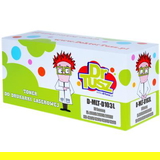
- Compatible toner for Samsung ML-2955ND – a high-quality alternative selected for dependable performance and strong value. Our compatibles from DrTusz.pl are designed to be as good as the originals in everyday use: clear text, stable coverage, and predictable output.
Popular products in this category (Toners & Fuser Unit) To make selection easier, here are some of the most frequently chosen items for this printer line: - Compatible Toner MLT-D103L for Samsung (SU716A) (Black) – a great pick for regular printing and better efficiency with higher yield.
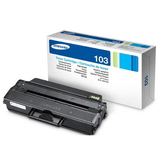
- Original OEM Toner Samsung MLT-D103L (SU716A) (Black) – OEM quality for users who prefer manufacturer supplies.
- Original OEM Toner Samsung MLT-D103S (SU728A) (Black) (starter) – the starter version, often matched to printers originally shipped with a starter cartridge.
- Compatible Toner MLT-D103S for Samsung (SU728A) (Black) (starter) – a cost-effective alternative if your printer expects the starter-type cartridge.
- Compatible Toner MLT-D103L for Samsung (DT-TS-103/NC) (Black) (no chip) – a “no chip” option for specific needs; perfect when you know you can reuse/transfer a chip or when your setup doesn’t require a new one.
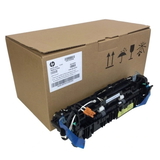
- Original OEM Fuser Unit Samsung JC91-01034B (JC91-01034B) – a key maintenance part when print defects point to fusing issues.
Thanks to this range, you can choose the exact toner for ML-2955ND that matches your printing volume, budget, and technical requirements. How to choose the right toner for ML-2955ND (and avoid common issues) When selecting toner for printer ML2955ND, we recommend checking a few practical points: - Capacity: D103S vs D103L – if you print more, the “L” version is usually the smarter long-term option thanks to better page yield.
- Starter vs standard – some setups are originally based on a starter cartridge. If you’re unsure, compare the code on your current cartridge (e.g., MLT-D103S or MLT-D103L).
- Chip requirements – if you choose a no chip toner, ensure your printer can work with it in your configuration (often by reusing a chip). If you want the simplest replacement, choose a version that includes the chip.
- Print symptoms – repeated smudging, toner not properly fixed to the page, or marks that appear consistently can indicate a worn fuser unit. In such cases, replacing toner alone may not solve the problem.
Common user-reported situations with the Samsung ML-2955ND include light prints after long use, toner warning messages related to chip counting, or smearing that points to fusing wear. If you describe what you see on the page, we can help you decide whether you need a new toner for Samsung ML-2955ND or it’s time for the Samsung JC91-01034B fuser unit. Order with confidence – we’re here to help We encourage you to choose the best toner for printer Samsung ML-2955ND from our Compatible and Original OEM range and keep your printer performing like it should—fast, clean, and dependable. If you’re not sure whether you need MLT-D103L, MLT-D103S, a starter version, or a no chip cartridge, contact us—tell us the cartridge code you’re using or the exact printer marking (e.g., ML-2955 ND, ML2955 ND), and we’ll guide you. CTA: Browse the available toners and fuser units for Samsung ML-2955ND now, add the right option to your cart, and enjoy quick, hassle-free printing with delivery straight to your door. |