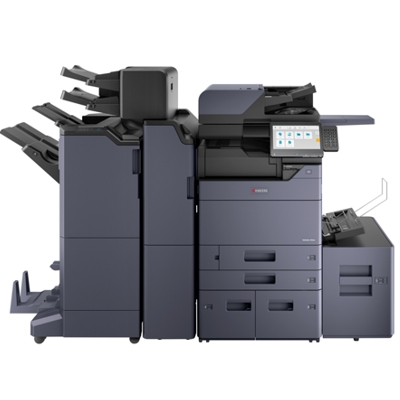
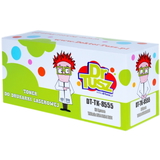
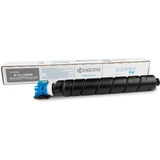
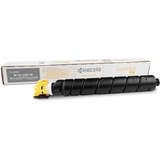
Kyocera TASKalfa 7054ci – a powerhouse for busy offices The Kyocera TASKalfa 7054ci (also searched as Kyocera 7054ci, 7054ci, 7054 CI or 7054 ci) is a high-performance A3 color multifunction printer designed for demanding environments: print rooms, corporate departments, schools, and service points that process large volumes every day. It’s built for speed, consistent color, and reliable workflows—so choosing the right toner for printer Kyocera TASKalfa 7054ci is crucial if you want predictable results and uninterrupted operation. Toner for Kyocera TASKalfa 7054ci – what matters in everyday printing A good toner for Kyocera TASKalfa 7054ci is not only about “having ink.” It’s about stable color reproduction, clean text edges, and efficiency at high coverage. This model is often used for mixed workloads such as presentations, internal brochures, reports, invoices, and graphics-heavy documents, where consistent CMYK output is essential. When you select the right toner cartridge for Kyocera 7054ci, you gain: - Reliable black density for sharp text and barcodes
- Balanced color output (Cyan/Magenta/Yellow) for charts and visuals
- Stable performance in long runs, minimizing reprints and downtime
- Cleaner operation and predictable quality from the first to the last page
Original OEM and compatible toner cartridges – one place, full choice In our store we offer both Original OEM and Compatible options, so you can match your purchasing strategy to your workload and budget—without compromising the results you need. Whether you print occasional management decks or thousands of pages daily, we help you choose the best toner for printer Kyocera TASKalfa 7054ci. Popular toners in this category (TK-8555 series) This category includes the complete color set for the Kyocera TASKalfa series, based on the TK-8555 family. Here are the most frequently chosen products: - Original OEM Toner Kyocera TK-8555K (1T02XC0NL0) (Black)
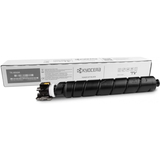
- Original OEM Toner Kyocera TK-8555C (1T02XCCNL0) (Cyan)
- Original OEM Toner Kyocera TK-8555M (1T02XCBNL0) (Magenta)
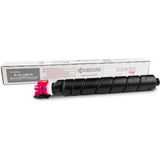
- Original OEM Toner Kyocera TK-8555Y (1T02XCANL0) (Yellow)
- Compatible Toner TK-8555K for Kyocera (1T02XC0NL0) (Black)
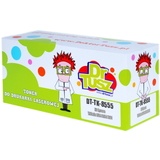
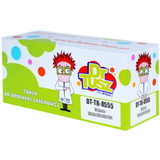
- Compatible Toner TK-8555C for Kyocera (1T02XCCNL0) (Cyan)
- Compatible Toner TK-8555M for Kyocera (1T02XCBNL0) (Magenta)
- Compatible Toner TK-8555Y for Kyocera (1T02XCANL0) (Yellow)
Thanks to this range, you can order exactly what you need—single color replacements or a full CMYK set—keeping your Kyocera TASKalfa 7054ci ready for every task. How to choose: Original OEM vs compatible toner for Kyocera 7054ci Many customers ask us which option is “better.” The truth is: it depends on your printing priorities. Original OEM toner for Kyocera TASKalfa 7054ci is the manufacturer’s solution—often selected by organizations with strict internal procurement rules or those who want to keep all supplies fully OEM. At the same time, our compatible toner for Kyocera TASKalfa 7054ci is a smart choice for customers who want excellent quality and more cost control. We make sure the compatible cartridges in our offer are engineered to deliver results that are as good as originals in everyday office printing—sharp text, consistent color, and dependable performance. When choosing your toner cartridge for Kyocera TASKalfa 7054ci, consider: - What you print most: text-heavy documents vs color graphics
- Your monthly volume: frequent high-volume printing benefits from keeping spare colors ready
- Your procurement needs: some workplaces require OEM, others prioritize cost efficiency
- Color management: replacing low colors early can prevent uneven color balance in graphics
Common user issues with Kyocera TASKalfa 7054ci toners – and how we help With a machine as productive as the Kyocera TASKalfa 7054ci, the most common problems aren’t “printer failures”—they’re supply-related and easy to avoid with the right choice and good habits: - Wrong cartridge code: the device requires the TK-8555 series—matching the code (e.g., 1T02XC0NL0) prevents ordering mistakes.
- Unexpected color depletion: in business graphics, Cyan/Magenta/Yellow can drop faster than expected—keeping a spare set reduces downtime.
- Uneven print quality: mixing very old cartridges with new ones can affect color consistency—replacing a set strategically often stabilizes output.
- Urgent deadlines: running out of Black toner stops everything—many customers keep an extra toner for Kyocera 7054ci in reserve.
If you’re unsure which toner for printer Kyocera TASKalfa 7054ci to choose, we’re here to help you match the cartridge type to your print volume and expectations. Order your Kyocera TASKalfa 7054ci toner today We encourage you to explore our full selection of toner cartridges for Kyocera TASKalfa 7054ci—both Original OEM and high-quality Compatible options. Add the right TK-8555 color to your cart, or complete the set to keep your workflows smooth and predictable. Need support? Contact us and we’ll help you pick the best toner for your Kyocera 7054ci, verify the correct code, and choose the most cost-effective solution for your office. We also offer fast shipping options so you can get back to printing without unnecessary downtime. |