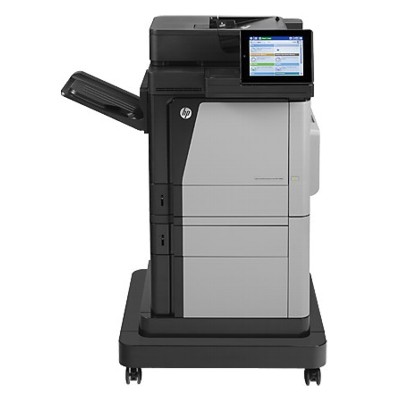
Reliable colour power for the HP LaserJet Enterprise M680f HP LaserJet Enterprise M680f (also searched as HP M680f, HP LaserJet Enterprise M680 Series, CZ249A, or M680F) is a high-performance A4 colour multifunction printer designed for busy offices. It combines fast printing, excellent colour consistency and advanced security features—making it a dependable device for invoices, offers, presentations and everyday internal documents. To keep this machine running at its best, choosing the right toner for printer HP LaserJet Enterprise M680f and maintaining key parts like the fuser unit is essential. Toner for HP LaserJet Enterprise M680f – what you gain with the right supplies A well-matched toner for HP LaserJet Enterprise M680f is more than “just powder.” It directly affects print sharpness, colour accuracy, page yield and the stability of your device over long duty cycles. This model is built for business productivity, so we recommend selecting cartridges that provide predictable output and reliable performance—especially when you print high volumes or depend on consistent corporate colours. With quality ink for HP LaserJet Enterprise M680f users often mean toner—because this is a laser device. A proper toner helps you achieve: - clear black text for contracts and reports,
- smooth, vivid colour gradients for graphics and charts,
- reduced risk of streaks, fading or background shading,
- stable performance in large print jobs and mixed media use.
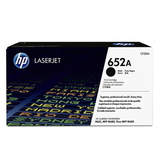
Original OEM cartridges and service parts – our selection for the M680f In this category you’ll find Original OEM solutions tailored to the HP LaserJet Enterprise M680f—both toner cartridges and a key maintenance part. We offer supplies that match the printer’s engineering, providing dependable results for office environments where downtime is not an option. Popular choices include: - Original OEM Toner HP 652A (CF320A) (Black) – crisp, professional black for everyday business printing.
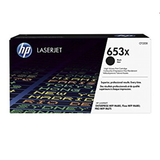
- Original OEM Toner HP 653X (CF320X) (Black) – a high-yield option for users who print a lot and want fewer cartridge changes.
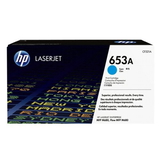
- Original OEM Toner HP 653A (CF321A) (Cyan) – clean blues and accurate cool tones for charts and branding.
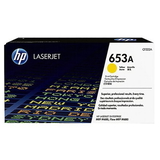
- Original OEM Toner HP 653A (CF322A) (Yellow) – bright, controlled yellows for graphics and highlights.
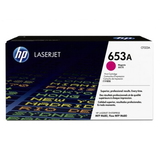
- Original OEM Toner HP 653A (CF323A) (Magenta) – strong reds and balanced magenta for marketing materials.
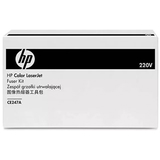
- Original OEM Fuser Unit HP CE247A (CE247A) – the heat-and-pressure unit responsible for fixing toner to paper; crucial for consistent print quality.
Thanks to this range, you can complete your full colour set in one place and keep a key maintenance component ready when your device requires it. How to choose the best toner for printer HP LaserJet Enterprise M680f When selecting toner for printer HP LaserJet Enterprise M680f, start with your real printing habits. If you mostly print text and office documents, a standard black cartridge may be enough. If you regularly print larger volumes, consider a high-yield cartridge—like the HP 653X (CF320X)—to reduce interruptions and improve cost predictability. Before ordering, we recommend checking: - the cartridge code on your current toner (e.g., CF320A, CF320X, CF321A, CF322A, CF323A),
- your printer’s exact designation (HP LaserJet Enterprise M680f / CZ249A),
- whether you need only toner or also service parts such as the fuser unit CE247A.
Original OEM vs compatible – what’s the difference? In general, Original OEM cartridges are made by the printer manufacturer and are often chosen for maximum predictability, corporate procurement requirements, or environments where strict standardisation matters. Many customers also ask about compatible options. While this category focuses on Original OEM, we want to be clear: compatible cartridges available in the DrTusz.pl offer are as good as the originals in terms of print quality and reliability, and they can be an excellent choice when you want to optimise printing costs without sacrificing performance. If you’d like, we can help you pick the best option for your workload and expectations. Common issues with the HP M680f – and how supplies can help Like any high-volume office printer, the HP LaserJet Enterprise M680f can show symptoms that are often supply- or maintenance-related. The most frequent concerns include: - streaks or uneven colour – can indicate a nearing end-of-life cartridge or the need to replace a colour toner,
- smudging or toner that rubs off – often points to a worn fuser; consider the Original OEM Fuser Unit HP CE247A,
- faded prints – may occur with low toner levels or an incorrectly matched cartridge code,
- frequent cartridge prompts – usually resolved by confirming the correct OEM reference and installing the cartridge properly.
If you’re unsure what your printer needs, we encourage you to contact us—we’ll help you identify the right toner for HP LaserJet Enterprise M680f and advise whether it’s time for a fuser replacement. Order your HP LaserJet Enterprise M680f toner and keep printing without downtime We make it easy to choose the right toner for printer HP LaserJet Enterprise M680f—whether you’re replenishing black for daily office printing or completing a full colour set. Browse the products listed in this category, compare cartridge codes, and add everything you need in one order. Call to action: We encourage you to explore our current selection of HP M680f toners and the HP CE247A fuser unit. If you need help matching the right cartridge (CF320A/CF320X/CF321A/CF322A/CF323A) or diagnosing print quality issues, contact us—our team will guide you quickly. We also offer fast delivery options so you can get back to printing as soon as possible. |