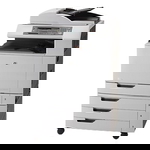
Reliable colour printing for the HP Color LaserJet CM6030 MFP HP Color LaserJet CM6030 MFP (also known as HP CM6030 or the HP Color LaserJet CM6000 MFP Series, device code CE664A) is a powerful multifunction printer designed for busy offices: it prints, copies and scans, delivering sharp text and consistent colour. To keep this workhorse running at its best, you need the right toner for HP Color LaserJet CM6030 MFP, plus properly matched drum units and periodic maintenance parts. What you’ll find in this category: toners, drum units and maintenance kits This page brings together everything you typically replace in this model: toner cartridges for HP Color LaserJet CM6030 MFP (black and colour), drum units and a maintenance kit. Choosing the correct set matters—especially in the CM6030, where consistent colour, clean pages and stable performance depend on both toner quality and the condition of imaging components. - Toners – responsible for colour intensity, crisp lines and overall print quality (Cyan, Magenta, Yellow, Black).
- Drum Units – transfer the image onto the page; worn drums can cause streaks, backgrounding or faded areas even with new toner.
- Maintenance Kits – help restore reliable paper feeding and prevent downtime in high-volume environments.
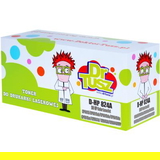
Compatible vs Original OEM: choose what fits your priorities We offer both Original OEM and Compatible options, so you can match your purchase to your printing style and budget. If you want manufacturer-branded consumables, Original OEM is the safe, classic choice. If you print a lot and want to optimise costs, our compatible solutions are an excellent alternative. Importantly: the compatible toner for HP Color LaserJet CM6030 MFP from DrTusz.pl is designed to deliver results that are as good as the originals—clean text, stable colour and dependable performance—while keeping your cost per page under control. Popular products for HP CM6030: proven choices for everyday office printing To make shopping easier, here are some of the most frequently selected items in this category—covering both compatible and Original OEM supplies: - Compatible Toner 824A for HP (CB383A) (Magenta) – a cost-effective option for vibrant magenta output.
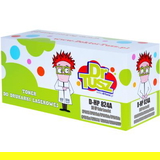
- Compatible Toner 824A for HP (CB382A) (Yellow) – supports bright, clean yellows in charts and graphics.
- Compatible Toner 824A for HP (CB381A) (Cyan) – great for consistent cyan and smooth gradients.
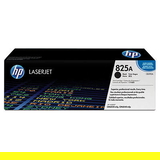
- Original OEM Toner HP 825A (CB390A) (Black) – the go-to choice for sharp business text and dependable performance.
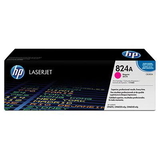
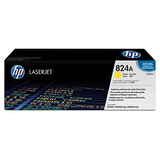
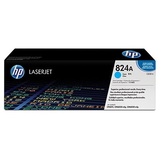
- Original OEM Toner HP 824A – available in CB381A (Cyan), CB382A (Yellow), CB383A (Magenta) for true OEM colour consistency.
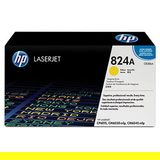
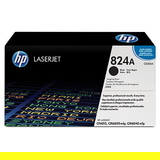
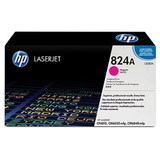
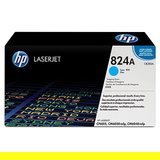
- Original OEM Drum Unit HP 824A – CB384A (Black), CB385A (Cyan), CB386A (Yellow), CB387A (Magenta) for restoring image transfer quality.
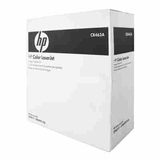
- Original OEM Maintenance Kit HP CB463A (CB463A) – recommended when your printer starts showing signs of heavy use (feeding issues, wear-related messages).
If you search by codes like CB390A, CB381A, CB382A, CB383A or CB463A, you’re in the right place—this category is built specifically for toner for HP Color LaserJet CM6030 MFP and its key service parts. How to choose the right toner for HP Color LaserJet CM6030 MFP Dear Customer, if you want a quick, mistake-free purchase, focus on two things: the cartridge symbol and the colour. The CM6030 uses separate cartridges for each colour, so you can replace only what you need. - Match the code on your old cartridge (e.g., CB390A black, CB381A/CB382A/CB383A colours).
- If prints are pale or streaked even after replacing toner, consider the matching drum unit (CB384A–CB387A).
- For frequent office printing, plan ahead: having a spare black toner and one common colour on hand reduces downtime.
Common user issues with the CM6030—and how consumables help The HP Color LaserJet CM6030 MFP is built for volume, so typical issues are often consumable-related rather than printer-related. Here’s what customers most often report—and what usually solves it: - Streaks or repeating marks – often caused by a worn drum unit; replacing the correct drum can bring prints back to like-new quality.
- Faded colours or uneven coverage – may indicate low toner, an aging drum, or printing with very low remaining toner levels.
- Grey background / dirty-looking pages – can appear when imaging components are near end of life; drum replacement is frequently the fix.
- Paper feed problems after long use – a sign it may be time for a maintenance kit such as HP CB463A.
By combining the right toner for printer HP CM6030 with the correct drum units and timely maintenance, you protect print quality and reduce unexpected interruptions. Order today and keep your HP CM6030 ready for every task We encourage you to explore our full selection of compatible and Original OEM toner cartridges for HP Color LaserJet CM6030 MFP, along with drum units and maintenance kits tailored to this model. If you’re unsure which item matches your device or error message, contact us—we’ll help you choose the right consumable quickly and confidently. Add your supplies to the cart and keep your CM6030 printing smoothly with fast delivery and expert support from our team. |