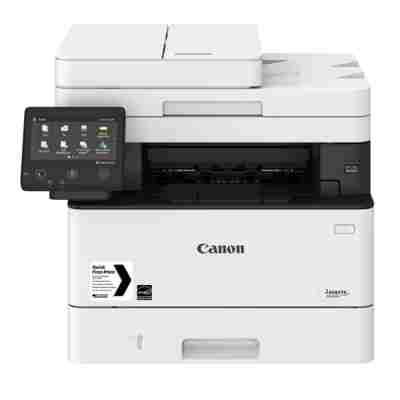
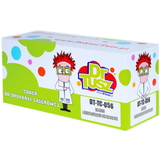
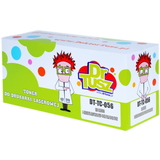
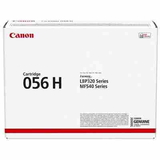
| The Canon i-SENSYS MF543x (also searched as Canon MF543x, MF 543x or MF543X) is a fast, business-ready monochrome laser all-in-one designed for offices that print a lot and expect sharp text, reliable paper handling and convenient copying/scanning. To keep this device working at full speed and the cost per page under control, the right toner for printer Canon i-SENSYS MF543x makes all the difference—especially when printing invoices, contracts, reports and shipping documents every day. Mono laser toner for Canon i-SENSYS MF543x – what you gain This category focuses on Mono toners for the MF543x series, so you get deep black text, crisp lines and consistent results from the first page to the last. A properly chosen toner for Canon MF543x ensures stable print density, reduces the risk of smudging and helps the printer keep its rated performance during long print runs. Whether you print occasionally or in high volumes, you can choose between standard and high-yield options. In practice, that means you can match your cartridge to your real workload: lower upfront cost for moderate printing, or a higher capacity cartridge when you want fewer replacements and better efficiency. Original OEM and compatible cartridges – one place, full choice In our store we combine expertise with a wide selection, so you can order both Original OEM and Compatible solutions for the same device—without guessing. If you want manufacturer-certified supplies, choose Canon OEM. If you want a smart alternative with excellent value, choose our proven compatible cartridges—built to deliver results that are as good as the originals. - Original OEM Toner Canon CRG-056H (3008C002) (Black) – high yield, great for busy offices and frequent printing.
- Original OEM Toner Canon CRG-056L (3006C002) (Black) – a practical choice for everyday printing and predictable costs.
- Original OEM Toner Canon CRG-056 (3007C002) (Black) – a balanced option when you want dependable OEM quality.
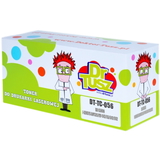
- Compatible Toner CRG-056H for Canon (3008C002) (Black) – high-yield compatible toner for Canon i-SENSYS MF543x, ideal for heavy workloads.
- Compatible Toner CRG-056L for Canon (3006C002) (Black) – reliable compatible toner for Canon MF543x for regular office printing.
- Compatible Toner CRG-056 for Canon (3007C002) (Black) – great everyday value with strong, clean black prints.
And if you’re equipping an office or replacing a unit, you’ll also find the device itself here: All-In-One Printer Canon i-SENSYS MF543x. How to choose the right toner for Canon MF543x When selecting an ink for Canon i-SENSYS MF543x (in this case: a mono laser toner), the key is to match the cartridge code and expected page yield to your needs. The MF543x uses the CRG-056 family, commonly searched by part numbers like 3513C003AA and cartridge codes such as 3006C002, 3007C002 and 3008C002. If you want to avoid mistakes, simply choose the product that explicitly states compatibility with Canon i-SENSYS MF543x / Canon i-SENSYS MF. - If you print a lot and dislike frequent replacements, choose a high-yield option like CRG-056H.
- If you print moderately, CRG-056 or CRG-056L can be the most cost-effective.
- If budget optimization matters, our compatible toner for Canon i-SENSYS MF543x is an excellent choice with quality comparable to OEM.
Original vs compatible toner – what’s the difference (and what stays the same) Original OEM toner for Canon i-SENSYS MF543x is produced by the printer manufacturer and is often chosen for strict corporate procurement rules or standardized fleets. Compatible toner for printer Canon i-SENSYS MF543x is a cost-smart alternative designed to match the printer’s requirements and deliver very similar print quality and reliability. We recommend compatible cartridges to customers who want to reduce printing costs without sacrificing day-to-day performance. Our compatible toners are thoroughly selected to provide: - clear, strong black text for documents, tables and barcodes,
- stable print quality across longer runs,
- excellent value per page for office and home-office use.
Common MF543x printing issues and simple fixes Users of the Canon i-SENSYS MF543x most often report issues like faint prints, uneven black density, toner warning messages or streaks after heavy use. In many cases the solution is straightforward: - Faint or pale print – replace the cartridge or check toner-save/eco settings.
- Streaks or spots – make sure the cartridge is seated properly; if the cartridge is near empty, replacement usually helps.
- “Replace toner” message too early – print settings and coverage can affect estimates; switching to the right yield (e.g., H version) improves comfort for high-volume printing.
If you’re unsure which toner for Canon MF543x will solve a specific issue, we encourage you to contact us—tell us what you see on the printout, and we’ll help you choose the best option. Order your toner for Canon i-SENSYS MF543x with confidence We invite you to explore our selection of Original OEM and Compatible cartridges and choose the perfect toner for printer Canon i-SENSYS MF543x for your printing habits. Add your cartridge to the cart, compare CRG-056 / 056L / 056H options, and enjoy a smooth purchase experience, fast delivery and helpful support if you need it. If you have any questions before ordering, we’re ready to advise—just reach out and we’ll help you pick the right cartridge quickly. |