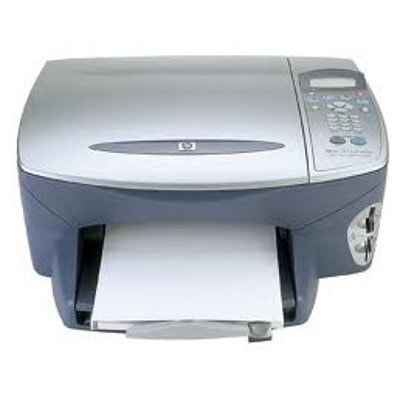
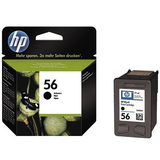
Ink for HP PSC 2175xi – reliable printing in the HP PSC 2100 Series The HP PSC 2175xi (also searched as HP 2175xi, 2175xi, 2175 xi, 2175 XI or 2175XI) is a well-known all‑in‑one device from the HP PSC 2100 Series designed for everyday home and small office tasks. It prints, copies and scans, which makes it a practical choice for documents, school materials and occasional color prints. To keep it performing at its best, it’s worth choosing the right ink for HP PSC 2175xi—matched to the way you print and to the results you expect. What ink cartridges does the HP PSC 2175xi use? This category includes ink cartridges for HP PSC 2175xi in two options: Original OEM and Compatible. The printer works with classic HP cartridge families, commonly identified by their codes and popular search phrases such as Q3069A (device reference) as well as HP cartridge symbols: - HP 56 (C6656AE) – black ink cartridge for HP PSC 2175xi, ideal for sharp text and everyday printing.
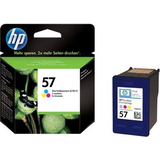
- HP 57 (C6657AE) – tri-color ink cartridge for HP PSC 2175xi, designed for color documents and graphics.
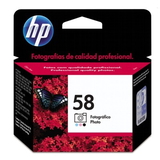
- HP 58 (C6658A) – photo ink cartridge (Original OEM) for improved photo tones and smoother transitions.
With the right set, you can tailor your printing to your needs: crisp black documents, vivid color pages, or higher-quality photos. If you print frequently, choosing a multi pack or 2-pack is often the most convenient way to stay stocked. Original OEM vs compatible: how to choose the best option When shopping for ink for HP PSC 2175xi, the key decision is whether you prefer Original OEM cartridges or compatible cartridges. Both options are available in our store, and we help you match them to your printing habits. - Original OEM ink cartridges are manufactured by HP and are a great choice if you want the manufacturer’s solution, consistent output, and you prefer to keep everything strictly OEM.
- Compatible ink cartridges from DrTusz.pl are made to fit and work just as well as originals, while offering an excellent price-to-performance ratio. They’re a smart option for frequent printing, schoolwork and office documents—without compromising on everyday quality.
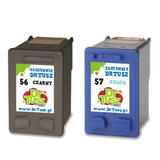
If you print mostly text, the black cartridge (HP 56 / C6656AE) will be your main workhorse. For mixed printing (text + graphics), a set with color (HP 57 / C6657AE) is the most practical. For photos, adding HP 58 (C6658A) can noticeably enhance photo output, especially on proper photo paper. Popular ink cartridges for HP PSC 2175xi available in our offer We keep this category focused and practical—so you can quickly find the exact ink cartridge for HP PSC 2175xi you need. Here are some customer-favorites from this page: - Compatible Ink Cartridges 2x 56 + 57 for HP (SD399AE) (multi pack) – a convenient bundle for frequent users: two blacks plus color.
- Compatible Ink Cartridges 56 + 57 for HP (CC629A) (multi pack) – a balanced everyday set for home and office.
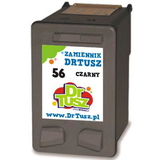
- Compatible Ink Cartridge 56 for HP (C6656AE) (Black) – a cost-effective choice for document-heavy printing.
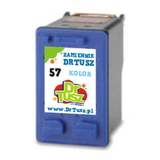
- Compatible Ink Cartridge 57 for HP (C6657AE) (Color) – great for charts, school projects and color pages.
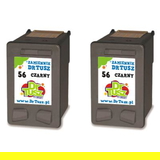
- Compatible Ink Cartridges 56 for HP (CC620A) (Black) (2-pack) – less downtime thanks to a spare black cartridge.
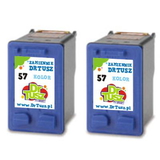
- Compatible Ink Cartridges 57 for HP (C9334A) (Color) (2-pack) – handy when you print a lot of color.
- Original OEM Ink Cartridge HP 56 (C6656AE) (Black) – the classic OEM black for HP PSC 2175xi.
- Original OEM Ink Cartridge HP 57 (C6657AE) (Color) – OEM tri-color for reliable color output.
- Original OEM Ink Cartridge HP 58 (C6658A) (Foto) – OEM photo cartridge for improved photo quality.
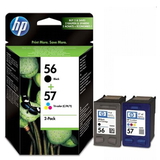
- Original OEM Ink Cartridges HP 56 + 57 (SA342AE) (multi pack) – OEM combo pack for complete everyday printing.
No matter if you search by printer name (HP PSC 2175xi) or by cartridge code (C6656AE, C6657AE, C6658A), you’ll find matching products here—both compatible and Original OEM. Practical tips and common user issues with HP PSC 2175xi To get the best results from your ink for HP PSC 2175xi, we recommend a few simple habits that solve most day-to-day issues: - Streaks or faded prints: run the printer’s cleaning utility and print a test page; if the cartridge is very old or has been unused for a long time, replacing it usually fixes the issue.
- Color looks off: check if the color cartridge (HP 57) is low or one color channel is empty; for photo work consider adding HP 58.
- “Cartridge not recognized” message: remove and reinsert the cartridge, gently clean the contacts, and restart the printer. This often resolves contact-related errors.
- Infrequent printing: print a small color/black page once in a while—this helps keep ink flowing smoothly.
If you’re unsure which cartridge you need for the HP PSC 2100 Series device or you’re comparing a multi pack versus single cartridges, we’re here to help you choose the best option for your budget and printing style. Choose your ink for HP PSC 2175xi and get back to printing We encourage you to explore our full selection of ink cartridges for HP PSC 2175xi—from budget-friendly compatible options that perform like originals, to trusted Original OEM cartridges for those who prefer HP’s factory solution. Add the right cartridge (or multi pack) to your cart, and if you have any questions about compatibility, photo printing, or which cartridge will suit your needs best, contact us—we’ll guide you quickly and clearly. Order today and enjoy fast, convenient delivery and a smooth shopping experience. |