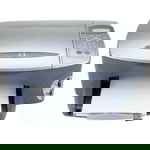
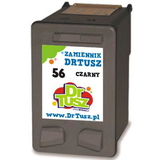
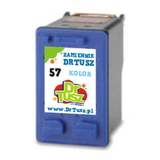
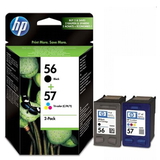
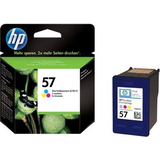
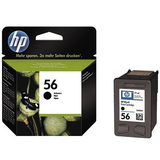
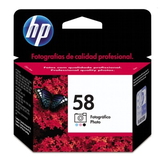
HP PSC 2105 – a dependable all‑in‑one for everyday printing HP PSC 2105 (also searched as HP 2105 or simply 2105) is a classic home and small‑office all‑in‑one printer designed for simple, reliable printing, scanning and copying. To keep this model working at its best, you need the right ink for printer HP PSC 2105—especially if you care about sharp text, vivid colours and trouble‑free operation. In our category you will find both Original OEM cartridges and carefully selected compatible ink cartridges that deliver excellent results and strong value. Which ink cartridge does the HP PSC 2105 use? The HP PSC 2105 uses the well‑known cartridge family: HP 56 black and HP 57 colour, and for photo printing also HP 58 photo. Many customers search by codes such as C8647A (printer series reference) or cartridge numbers like C6656AE and C6657AE. Choosing the correct ink for HP PSC 2105 is straightforward when you match the cartridge number and colour to your needs. - HP 56 (C6656AE) – Black ink cartridge for crisp documents
- HP 57 (C6657AE) – Tri‑colour cartridge for everyday colour printing
- HP 58 (C6658A) – Photo cartridge for smoother photo tones (Original OEM in this category)
Print quality, applications and what you can expect Good ink for printer HP PSC 2105 should provide clean, readable text, consistent coverage and stable colours without streaks. With the right cartridge set, you can comfortably print: - Invoices, homework, forms and office documents (best with HP 56 black)
- Colour charts, presentations and simple graphics (with HP 57)
- Family photos and colour‑rich images (enhanced with HP 58 photo, where supported)
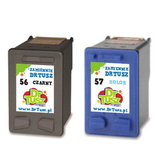
If you print regularly, we recommend keeping a spare ink cartridge for HP PSC 2105 at hand—this model is often used for quick copies and last‑minute prints, and running out of ink is the most common reason for downtime. Compatible and Original OEM – wide choice, simple savings We know different customers have different priorities, so we offer both options. Original OEM ink cartridges are a great pick if you want manufacturer‑branded cartridges. At the same time, our compatible ink cartridges for HP PSC 2105 are built to deliver results that are as good as the originals—while helping you significantly reduce printing costs. If you print a lot, choosing compatible cartridges is often the smartest way to keep your budget under control without sacrificing quality. Popular picks in this category (multi‑packs and bestsellers) To make shopping faster, we stock convenient sets as well as single cartridges. Here are some customer favourites from this page: - Compatible Ink Cartridges 2x 56 + 57 for HP (SD399AE) (multi pack) – a practical bundle for frequent printing
- Compatible Ink Cartridges 56 + 57 for HP (CC629A) (multi pack) – balanced everyday set for home and office
- Compatible Ink Cartridge 56 for HP (C6656AE) (Black) – ideal for text‑heavy printing
- Original OEM Ink Cartridge HP 56 (C6656AE) (Black) – manufacturer cartridge for HP PSC 2105 black prints
- Compatible Ink Cartridge 57 for HP (C6657AE) (Color) – reliable colour for documents and graphics
- Original OEM Ink Cartridge HP 57 (C6657AE) (Color) – OEM tri‑colour option
- Original OEM Ink Cartridge HP 58 (C6658A) (Foto) – for users focusing on photo output
- Original OEM Ink Cartridges HP 56 + 57 (SA342AE) (multi pack) – OEM set for black + colour in one purchase
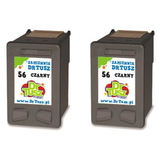
- Compatible Ink Cartridges 56 for HP (CC620A) (Black) (2-pack) – a cost‑effective option for frequent black printing
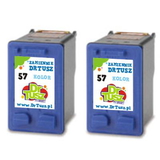
- Compatible Ink Cartridges 57 for HP (C9334A) (Color) (2-pack) – a convenient colour backup pack
Whether you need one ink cartridge for HP 2105 or a full multi‑pack, you can choose the format that fits your printing habits. How to choose the right cartridge for your needs When selecting ink for HP PSC 2105, it helps to start with how you print: - Mostly documents? Choose HP 56 black or consider a black 2‑pack for better cost per page.
- Mixed printing? Go for a 56 + 57 multi pack to cover black and colour together.
- More photos? Add HP 58 photo (Original OEM) if you want improved photo tones where applicable.
Original OEM vs compatible: OEM cartridges come directly from the brand, while compatible cartridges are an alternative made to match the printer requirements. The key is quality control—our compatible ink cartridge for printer HP PSC 2105 is selected to print cleanly and consistently, giving you performance comparable to OEM at a more attractive price. Common HP PSC 2105 ink issues and quick tips Users of HP PSC 2105 sometimes report issues that are usually easy to solve with the right approach: - Streaks or faded prints – often caused by low ink or dried nozzles; replacing the cartridge and running a cleaning cycle typically helps.
- Cartridge not recognized – make sure protective tape is removed, contacts are clean and the cartridge is correctly seated.
- Colour looks off – replace the tri‑colour cartridge (HP 57) if one colour channel is depleted; a head cleaning can improve output.
If you’re unsure which ink for printer HP PSC 2105 to choose or which code matches your needs, we’re here to help—tell us what you print and how often, and we’ll recommend the best option. Choose your HP PSC 2105 ink today We encourage you to browse our full selection of ink cartridges for HP PSC 2105—compatible and Original OEM—and pick the option that best matches your budget and printing style. Add a multi‑pack for convenience, or choose single cartridges for a quick replacement. Order now and enjoy fast delivery options and friendly support—contact us anytime if you want help confirming compatibility with HP 2105 or selecting the right ink cartridge. CTA: Explore the available cartridges above, choose your preferred Compatible or Original OEM set, and keep your HP PSC 2105 ready for every print job. |