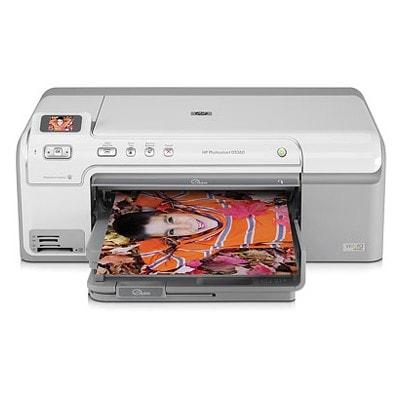
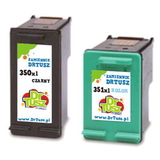
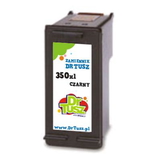
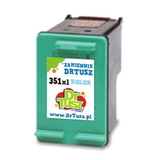
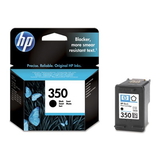
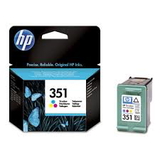
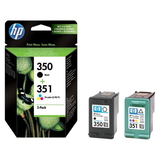
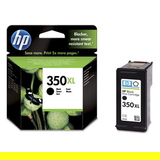
HP Photosmart D5345 – a photo-friendly printer that still deserves great ink The HP Photosmart D5345 (also searched as HP D5345 or Q8363A) is a compact inkjet designed for everyday home printing with an extra focus on photos. It’s a popular choice for documents, schoolwork, graphics and family pictures—especially when paired with the right ink for HP Photosmart D5345. If you want sharp black text, smooth gradients and vivid colours on photo paper, choosing a reliable ink cartridge for HP Photosmart D5345 makes all the difference. What ink cartridges does the HP Photosmart D5345 use? This model works with two key cartridges: one black and one tri-colour. In our category you’ll find HP 350 (black) and HP 351 (colour) in both Original OEM and Compatible versions, including standard and XL capacities. That means you can tailor your purchase to your printing habits—occasional printing, frequent document work, or photo-heavy output. When you choose the right ink for HP D5345, you get: - clear, readable black text for everyday documents,
- strong colour reproduction for graphics and photos,
- stable performance and clean prints with fewer interruptions,
- the option to reduce cost per page with XL cartridges and multipacks.
Original OEM or Compatible – choose what fits your needs We offer both Original OEM ink cartridges for HP Photosmart D5345 and carefully selected compatible ink cartridges for HP Photosmart D5345. Original OEM cartridges (HP-branded) are a great pick if you want to stay with manufacturer solutions and keep everything consistent with HP’s specifications. At the same time, our compatible cartridges from DrTusz.pl are designed to be just as good as the originals in everyday use—providing dependable quality, strong colours and smooth printing, while helping you control printing costs. If you print a lot, a compatible ink cartridge for HP Photosmart D5345 (especially in XL) can be a smart and budget-friendly option. Popular picks in our range (black, colour and multipacks) To make choosing easier, here are some of the most frequently selected products in this category—covering both Original OEM and Compatible options: - Original OEM Ink Cartridge HP 350 (CB335EE) (Black) – reliable black for crisp text.
- Original OEM Ink Cartridge HP 351 (CB337EE) (Color) – vivid colour for photos and graphics.
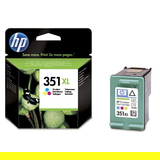
- Original OEM Ink Cartridge HP 350 XL (CB336EE) (Black) and Original OEM Ink Cartridge HP 351 XL (CB338EE) (Color) – XL capacity for more pages and fewer replacements.
- Original OEM Ink Cartridges HP 350 + 351 (SD412EE) (multi pack) – a convenient set for balanced printing.
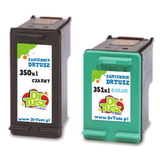
- Compatible Ink Cartridge 350 for HP (CB335EE) (Black) and Compatible Ink Cartridge 351 for HP (CB337EE) (Color) – cost-effective everyday printing.
- Compatible Ink Cartridge 350 XL for HP (CB336EE) (Black) and Compatible Ink Cartridge 351 XL for HP (CB338EE) (Color) – a popular choice for frequent printing.
- Compatible Ink Cartridges 350 + 351 for HP (SD412EE) (multi pack) – a practical set for home and small office use.
- Compatible Ink Cartridges 350 XL + 351 XL for HP (DT-AH-350XL/K) (multi pack) – maximum convenience and high yield in one purchase.
How to choose the best ink for HP Photosmart D5345 When selecting ink for printer HP Photosmart D5345, we recommend focusing on three things: how much you print, what you print, and how often you print. - For text and everyday documents: pick HP 350 black (or 350 XL if you print a lot).
- For photos and colourful projects: add HP 351 colour (351 XL is ideal for frequent colour use).
- For convenience and better value: choose a 350 + 351 multipack—perfect when both cartridges are running low.
Original OEM is often chosen by users who want the manufacturer’s solution. Compatible cartridges are a great alternative when you want excellent quality while keeping printing costs under control—our compatible ink for HP D5345 is made to deliver consistent results and dependable performance. Common user issues with HP Photosmart D5345 ink – and our practical tips The D5345 is known for solid printing, but like many inkjets it can sometimes show typical cartridge-related problems. If you encounter them, these tips can help: - Printer not recognising the cartridge: remove and reinsert the cartridge, ensure protective tape is fully removed, and gently clean contacts if needed.
- Streaks or faded prints: run the printer’s cleaning/maintenance cycle and make sure you’re using the right paper settings (especially for photos).
- Colour looks “off” on photos: check that the HP 351 colour cartridge is not running low and use photo paper mode for better colour management.
- Ink dries out due to rare printing: if you print only occasionally, try printing a small colour test page once in a while to keep nozzles clear.
If you’re unsure which ink cartridge for HP Photosmart D5345 is the right match—standard vs XL, Original OEM vs Compatible—contact us. We’ll help you choose quickly and accurately. Order your HP Photosmart D5345 ink cartridges with confidence We encourage you to explore our full range of ink cartridges for HP Photosmart D5345—Original OEM and Compatible—so you can print exactly the way you want: sharp documents, colourful school projects, and photo prints that look great. Add your chosen HP 350 and HP 351 cartridges (or a multipack) to your cart and enjoy a smooth shopping experience, fast delivery options, and helpful support whenever you need it. CTA: Choose your ideal ink for HP Photosmart D5345 today—browse the products in this category or message us for personalised help with selecting the right cartridge. |