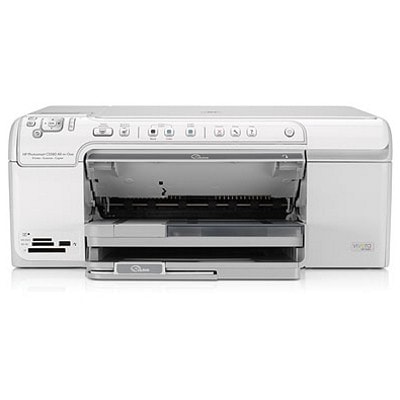
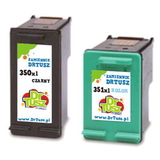
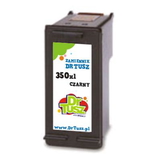
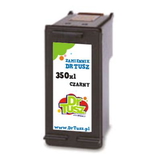
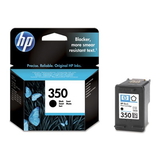
Reliable printing with the HP Photosmart C5500 The HP Photosmart C5500 series (also searched as HP C5500 or simply C5500) is a popular home all‑in‑one designed for everyday documents and vivid photo printing. To keep this printer performing at its best, you need the right ink for HP Photosmart C5500—matched to the correct cartridge symbols and suited to your printing style. In this category we offer both Original OEM and Compatible ink cartridges, so you can choose exactly what fits your needs and budget. Ink cartridges for HP C5500: what you need to know The HP Photosmart C5500 uses two main cartridge families: a black cartridge and a color cartridge. Choosing the proper ink cartridge for HP Photosmart C5500 affects not only print quality, but also everyday comfort—how often you replace cartridges, how consistent the colors look, and how cleanly the printer works over time. - Black cartridge (HP 350 / 350 XL) – ideal for sharp text, contracts, school materials and office documents.
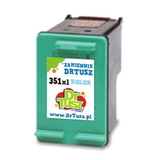
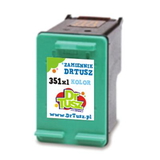
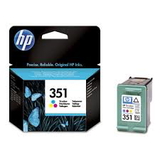
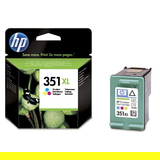
- Color cartridge (HP 351 / 351 XL) – responsible for photos, graphics, charts and colorful everyday prints.
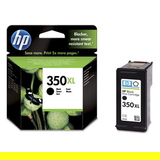
- XL versions – higher yield, fewer replacements, better value when you print often.
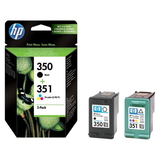
- Multipacks – a convenient set of black + color, perfect for balanced home printing.
Whether you print occasionally or daily, our selection makes it easy to find the right ink for printer HP Photosmart C5500 without guessing. Original OEM or Compatible ink for HP Photosmart C5500—choose your best option We know customers often ask what’s better: Original OEM or Compatible cartridges. The honest answer is: it depends on what matters most to you—brand preference, cost per page, or how frequently you print. That’s why we offer both options in one place. - Original OEM ink cartridge for HP C5500 – produced by HP, designed for consistent performance and predictable results.
- Compatible ink cartridge for HP Photosmart C5500 – a cost-effective alternative. Our compatible cartridges from DrTusz.pl are made to deliver print quality and reliability comparable to originals, while helping you reduce printing costs.
If you print a lot (documents for work, school materials, or many photos), a compatible XL cartridge is often the most economical route. If you prefer sticking to manufacturer supplies, choose Original OEM. Either way, you’ll find the right match here. Popular cartridges available in this category To help you choose quickly, here are some of the most frequently selected products for ink for HP Photosmart C5500: - Compatible Ink Cartridges 350 XL + 351 XL for HP (DT-AH-350XL/K) (multi pack) – a high-yield set for frequent printing and great cost-per-page.
- Compatible Ink Cartridges 350 + 351 for HP (SD412EE) (multi pack) – a practical standard-yield combo for everyday home use.
- Original OEM Ink Cartridges HP 350 + 351 (SD412EE) (multi pack) – the classic OEM set when you want official HP supplies.
- Original OEM Ink Cartridge HP 350 (CB335EE) (Black) and Original OEM Ink Cartridge HP 350 XL (CB336EE) (Black) – for crisp black text, available in standard and XL.
- Original OEM Ink Cartridge HP 351 (CB337EE) (Color) and Original OEM Ink Cartridge HP 351 XL (CB338EE) (Color) – for colorful graphics and photo prints, also in standard and XL.
- Compatible Ink Cartridge 350 for HP (CB335EE) (Black) and Compatible Ink Cartridge 350 XL for HP (CB336EE) (Black) – budget-friendly black options for frequent documents.
- Compatible Ink Cartridge 351 for HP (CB337EE) (Color) and Compatible Ink Cartridge 351 XL for HP (CB338EE) (Color) – affordable color printing without compromising everyday quality.
This wide range makes it simple to match your printing habits—whether you want OEM consistency or a compatible alternative with excellent value. How to pick the right ink cartridge for the C5500 (and avoid common issues) When selecting ink for HP C5500, we recommend focusing on three things: cartridge symbol, yield, and how you use the printer. - Check the symbol: HP 350/350 XL for black and HP 351/351 XL for color.
- Choose XL if you print often: fewer interruptions and fewer cartridge changes.
- Consider a multipack: if you frequently replace both black and color, a set is convenient and usually more cost-effective.
HP Photosmart printers are commonly used for photos, so users sometimes report issues like faded colors, streaks, or the printer not being used for a longer period. In many cases, the cause is simply dried ink after downtime or a cartridge that’s nearing the end of its yield. Our tip: print a small color test page from time to time, and replace cartridges promptly when you notice weak blacks or uneven color areas. If you’re unsure which ink cartridge for HP Photosmart C5500 to choose, we’re happy to help. Order ink for HP Photosmart C5500 and keep printing without interruptions We encourage you to explore our category of ink cartridges for HP Photosmart C5500—both Original OEM and Compatible. We’ve prepared the offer so you can quickly find exactly what you need: single black or color cartridges, XL high-yield versions, or convenient multipacks. CTA: Add your chosen ink for printer HP Photosmart C5500 to the cart today, or contact us if you want a quick recommendation—we’ll help you select the best option and arrange fast delivery so you can get back to printing right away. |