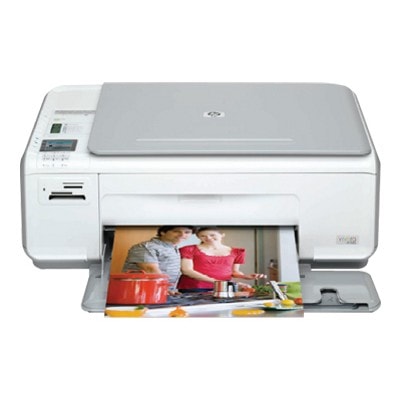
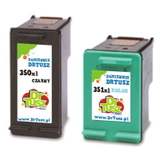
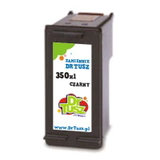
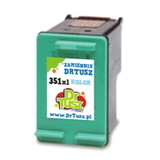
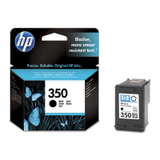
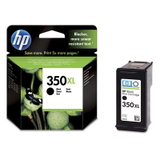
Ink for HP Photosmart C4343 – reliable printing at home and in the office The HP Photosmart C4343 (also searched as HP C4343 or HP Photosmart C4300 Series) is a compact all‑in‑one device designed for everyday printing, copying and scanning. It’s a popular choice for home users who want convenient photo printing and sharp text documents without complicated setup. To keep it working at its best, you need the right ink for HP Photosmart C4343—and that’s exactly what we offer in this category: both Original OEM and top‑quality compatible ink cartridges. Which cartridges does the HP Photosmart C4343 use? This printer works with the well-known HP cartridge set: black and tri‑color. In practice, when you’re looking for ink for printer HP Photosmart C4343, you’ll most often choose: - HP 350 – black cartridge (standard or XL yield)
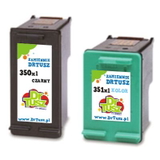
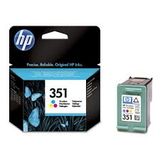
- HP 351 – color cartridge (standard or XL yield)
These symbols match the product codes in our offer, including: CB335EE, CB336EE, CB337EE, CB338EE. If you’re searching by the device series name (HP Photosmart C4300 Series) or even internal markings like CC271C or C4343, you’re in the right place—this category is dedicated specifically to these cartridges. What you can expect from ink for HP Photosmart C4343 Good ink for HP Photosmart C4343 should deliver crisp black text, smooth gradients and vivid colors in everyday documents and photos. Whether you print school assignments, invoices, recipes or family photos, the right ink cartridge helps you avoid issues such as streaks, faded prints or uneven color coverage. With the correct cartridge (black + tri‑color), you can count on: - clear, readable documents for daily use,
- natural color reproduction for photos and graphics,
- consistent printing from the first page to the last,
- easy installation and hassle‑free replacement.
Compatible and Original OEM cartridges – a wide, practical selection We know that different customers have different priorities, so we provide both Original OEM ink cartridges and carefully selected compatible ink cartridges for HP Photosmart C4343. Here are some popular choices from this category: - Original OEM Ink Cartridge HP 350 (CB335EE) (Black) – the classic OEM choice for dependable black text.
- Original OEM Ink Cartridge HP 351 (CB337EE) (Color) – great for color documents and photo printing.
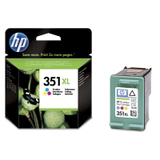
- Original OEM Ink Cartridge HP 350 XL (CB336EE) (Black) and Original OEM Ink Cartridge HP 351 XL (CB338EE) (Color) – for higher page yield and fewer replacements.
- Compatible Ink Cartridge 350 XL for HP (CB336EE) (Black) – a cost‑effective way to print more in black.
- Compatible Ink Cartridge 351 XL for HP (CB338EE) (Color) – strong everyday color performance at a better price.
- Compatible Ink Cartridges 350 XL + 351 XL for HP (DT-AH-350XL/K) (multi pack) – a convenient set for frequent printing.
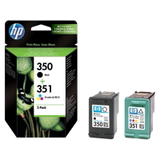
- Original OEM Ink Cartridges HP 350 + 351 (SD412EE) (multi pack) and compatible multipacks like SD412EE – perfect if you want to replace both cartridges at once.
Thanks to multipacks, many customers keep a spare set at home—so the printer is always ready when it matters. How to choose the best ink for printer HP Photosmart C4343 When selecting ink for HP Photosmart C4343, we recommend thinking about how you print: - Print occasionally? Standard yield (HP 350 / HP 351) may be enough.
- Print often or in larger batches? Choose XL versions (CB336EE, CB338EE) to reduce cost per page and replace cartridges less frequently.
- Want simplicity? Pick a multi pack (black + color) to cover everything in one purchase.
Original OEM vs compatible ink cartridges – what’s the difference? Original OEM cartridges are produced by HP and are a straightforward choice for customers who want to stick with the manufacturer’s solution. Compatible ink cartridges are a smart alternative if you want to lower printing costs without sacrificing quality. Our compatible cartridges from the DrTusz.pl offer are designed to match the printer’s requirements and deliver results that are as good as the originals—clear text, strong blacks and vibrant colors. If you print a lot, choosing a compatible cartridge (especially XL) can make a noticeable difference in your budget while keeping your HP Photosmart C4343 running smoothly. Common user issues with the HP Photosmart C4343 – and quick tips This model is easy to use, but like any inkjet printer it may sometimes need a little help. Customers looking for ink for HP C4343 often mention: - Faded colors or streaks – usually linked to low ink levels or dried nozzles after long breaks. Printing a test page and running the printer’s cleaning cycle can help.
- Printer not printing black or color – check whether the protective tape was removed from the new cartridge and reinstall it firmly.
- Frequent cartridge replacement – if you print regularly, switching to XL cartridges or a multipack can be more efficient.
If you’re unsure which cartridge you need (for example: CB335EE vs CB336EE, or CB337EE vs CB338EE), we’re here to help you choose the right ink cartridge quickly and confidently. Order today and keep your HP Photosmart C4343 ready to print We encourage you to explore our full selection of ink cartridges for HP Photosmart C4343—compatible and Original OEM versions, standard and XL, single cartridges and convenient multipacks. Choose the option that fits your printing style and enjoy reliable results page after page. CTA: Add the right ink for HP Photosmart C4343 to your cart now or contact us—together we’ll pick the best cartridge set for your needs. We provide fast shipping options and friendly support, so you can get back to printing without delay. |