Haven't found what you were looking for? Click here! ▼
Describe below exactly what you are looking for and we will see how we can help. You will receive a reply to your e-mail address by 09:15 at the latest
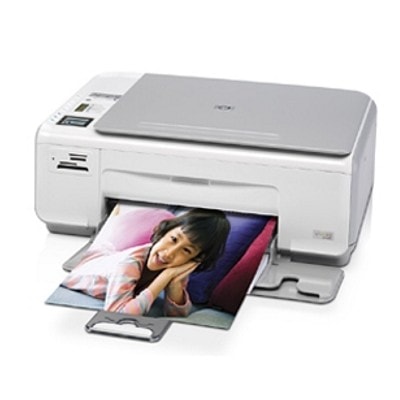
Ink cartridges for HP Photosmart C4293 - compatible and original OEM
Keep your HP Photosmart C4293 printing crisp text and vibrant color with the right inkjet supplies for the HP C4200 Series. In this category you’ll find ink cartridges for HP Photosmart C4293 in both Original OEM and Compatible options—made to fit and work smoothly with models searched as HP C4293, CC217C, and C4293.
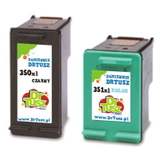
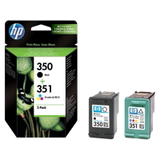
Choose from popular black and color cartridges like HP 350 (CB335EE) and HP 351 (CB337EE), plus high-yield XL versions HP 350 XL (CB336EE) and HP 351 XL (CB338EE). For better value and fewer replacements, grab convenient multipacks such as 350 XL + 351 XL (including SD412EE options), ideal for everyday home and photo printing.
Whether you prefer the guaranteed consistency of OEM or the budget-friendly benefits of compatible ink, every option here is selected for reliable compatibility with your printer and clean, dependable output. Stock up on compatible and original OEM ink cartridges for HP Photosmart C4293 today—pick your cartridge and print with confidence. Explore the full selection and find the best match for your printing needs.
Product Number: CC217C Other names: All-In-One Printer HP Photosmart C4293
HP Photosmart C4293 (also searched as HP C4293 or HP Photosmart C4200 Series) is a popular home all‑in‑one designed for everyday printing, copying and scanning. It’s valued for simple operation and good photo quality, but like any inkjet device it performs best only when you use the right ink cartridge for HP Photosmart C4293. In this category we gathered both Original OEM and compatible ink cartridges so you can choose exactly what fits your needs and budget.
Ink for HP Photosmart C4293 – what you need to know
This printer uses two cartridges: a black cartridge and a tri‑color cartridge. When you choose ink for HP Photosmart C4293, pay attention to the correct symbols:
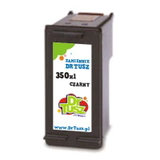
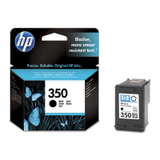
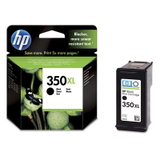
HP 350 – black (CB335EE) and high‑yield HP 350 XL (CB336EE)
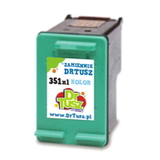
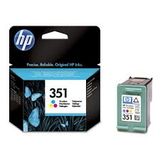
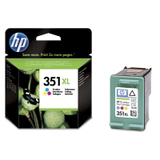
HP 351 – color (CB337EE) and high‑yield HP 351 XL (CB338EE)
Choosing XL versions is a smart option if you print often: they usually offer more pages per cartridge and reduce how frequently you need replacements. Whether you print school documents, invoices, or photos, the right ink for HP C4293 helps keep text crisp, colors vivid and prints resistant to smudging.
Compatible and Original OEM cartridges – wide choice in one place
We know different customers have different priorities, which is why we offer both proven alternatives and manufacturer originals. In this category you’ll find, among others:
Compatible Ink Cartridge 350 XL for HP (CB336EE) (Black) – a cost‑effective high‑yield choice for frequent black printing
Original OEM Ink Cartridge HP 350 (CB335EE) (Black) and Original OEM Ink Cartridge HP 350 XL (CB336EE) (Black) – for those who prefer manufacturer supplies
Original OEM Ink Cartridge HP 351 (CB337EE) (Color) and Original OEM Ink Cartridge HP 351 XL (CB338EE) (Color) – ideal for color documents and photo printing
Compatible Ink Cartridge 351 for HP (CB337EE) (Color) and Compatible Ink Cartridge 351 XL for HP (CB338EE) (Color) – excellent value for everyday color use
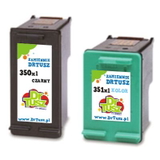
Multipacks: Compatible Ink Cartridges 350 XL + 351 XL for HP (DT-AH-350XL/K), Compatible Ink Cartridges 350 XL + 351 XL for HP (SD412EE), and Original OEM Ink Cartridges HP 350 + 351 (SD412EE) – convenient sets to replace both cartridges at once
Thanks to this selection, you can easily match the cartridge to your printing style—occasional use, high volume, or a balanced mix of text and color.
How to choose ink for the HP Photosmart C4293 (and avoid common issues)
If you’re unsure which ink cartridge for HP Photosmart C4293 to pick, we recommend:
Check your printing volume – if you print regularly, choose 350 XL / 351 XL to lower cost per page.
Decide between Original OEM and compatible – Original OEM cartridges are manufacturer-branded; our compatible ink for HP Photosmart C4293 from DrTusz.pl is designed to deliver print quality and reliability comparable to originals, while helping you save.
Consider a multipack – the black cartridge often runs out faster, but replacing both together can be convenient and reduces downtime.
Common user problems with the HP Photosmart C4293 include “cartridge not recognized”, faint prints, missing colors, or streaks. Most of the time, these are solved by:
running the printer’s cleaning/alignment utility after installing a new cartridge,
making sure protective tapes are removed,
printing at least once every 1–2 weeks to prevent ink from drying in the nozzles,
choosing a fresh, well‑matched cartridge (especially when switching to XL).
If you need help choosing the right ink for printer HP Photosmart C4293 (including codes like CC217C or the C4200 series naming), we’re here to advise you.
Order your ink today – fast, convenient, and supported by our team
We encourage you to explore our full range of ink cartridges for HP Photosmart C4293—both compatible and Original OEM. Add the right cartridge (or multipack) to your cart and get back to smooth printing without interruptions. If you have any questions about compatibility, XL capacity, or the best option for your needs, contact us—our team will help you choose quickly and confidently. Browse the offer now and order the ink that keeps your HP C4293 performing at its best.