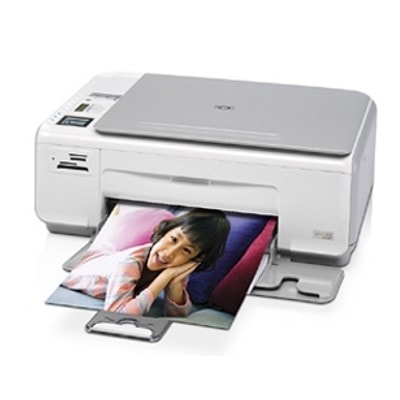
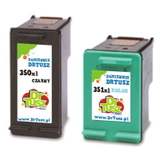
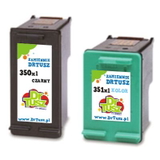
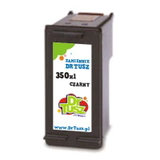
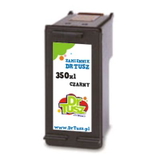
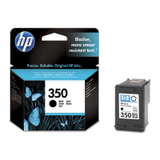
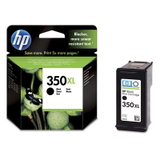
HP Photosmart C4283 – a versatile home all-in-one that deserves good ink The HP Photosmart C4283 (also found as HP C4283 or HP Photosmart C4200 Series) is a popular inkjet multifunction printer designed for everyday home printing: documents for school and work, occasional photos, and quick copies. To keep this model printing clean, sharp and reliably, it’s crucial to choose the right ink for HP Photosmart C4283—matched to the printer and to your real printing habits. In this category we offer both Original OEM and proven compatible ink cartridges, so you can choose exactly the balance of price, performance and page yield you need. What ink cartridges does the HP Photosmart C4283 use? The HP Photosmart C4283 uses two separate cartridges: one black and one tri-color. In practice, that means you can replace only the color you run out of, without changing everything at once. The standard references you’ll see most often are: - HP 350 / HP 350 XL (black) – codes: CB335EE, CB336EE
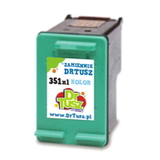
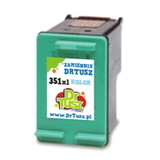
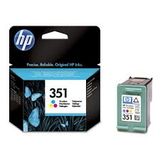
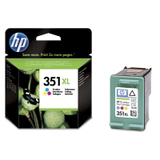
- HP 351 / HP 351 XL (color) – codes: CB337EE, CB338EE
Choosing the correct ink for HP C4283 helps maintain crisp text, consistent colors, and smooth printing without streaks. If you print often, we strongly recommend XL versions, because they typically reduce the cost per page and require fewer replacements. Everyday documents, photos, and school prints – what to expect from the right ink Good-quality ink for printer HP Photosmart C4283 should deliver: - Sharp black text for emails, invoices, forms and homework
- Balanced colors for charts, presentations and family photos
- Stable results even when the printer isn’t used every day (less risk of drying when handled properly)
This model is often used as a family printer, so many customers print a mix of black text and occasional color pages. That’s exactly why our selection includes both standard and XL capacities, as well as convenient multi packs. Popular choices in our range – Compatible and Original OEM We keep the offer wide so you can buy exactly what you need today—one cartridge, an XL upgrade, or a cost-effective set. Customers frequently choose: - Compatible Ink Cartridges 350 XL + 351 XL for HP (DT-AH-350XL/K) (multi pack) – a great option when you want high yield and a practical bundle
- Compatible Ink Cartridges 350 XL + 351 XL for HP (SD412EE) (multi pack) – another popular XL set for everyday printing
- Compatible Ink Cartridge 350 XL for HP (CB336EE) (Black) – for heavy black-text printing
- Original OEM Ink Cartridge HP 350 (CB335EE) (Black) and Original OEM Ink Cartridge HP 350 XL (CB336EE) (Black) – OEM reliability in standard or high-yield format
- Original OEM Ink Cartridge HP 351 (CB337EE) (Color) and Original OEM Ink Cartridge HP 351 XL (CB338EE) (Color) – for consistent, vivid color output
- Original OEM Ink Cartridges HP 350 + 351 (SD412EE) (multi pack) – the classic OEM set for full replacement
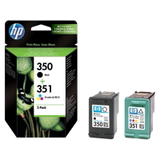
- Compatible Ink Cartridge 351 for HP (CB337EE) (Color) and Compatible Ink Cartridge 351 XL for HP (CB338EE) (Color) – flexible choices depending on how often you print in color
- Compatible Ink Cartridge 350 for HP (CB335EE) (Black) – a budget-friendly standard-yield alternative
Whether you’re looking for ink for HP Photosmart C4283 for occasional home use or regular day-to-day printing, you’ll find a matching cartridge here. How to choose: Original OEM vs compatible ink for HP Photosmart C4283 If you value the manufacturer’s specification and want to keep everything strictly OEM, original cartridges are a natural choice. But if you want to lower printing costs without sacrificing quality, our compatible cartridges are a smart solution. We select compatible replacements that print cleanly, fit properly and perform as well as originals—so you can choose with confidence. - Original OEM – manufacturer-grade consistency, ideal for users who prefer OEM-only supplies
- Compatible – excellent quality and strong value; our compatible cartridges are as good as the originals in everyday use, with attractive cost-per-page
- XL versions – best for frequent printing; fewer cartridge changes and better economy
- Multi pack – convenient when both black and color are running low
Not sure which one to pick? Tell us how many pages you print per month and whether you print more text or color—we’ll help you choose the best ink for HP C4283. Common user issues with HP Photosmart C4283 inks – and how to avoid them With the HP Photosmart C4283, the most common questions we hear are about streaks, faded color, or the printer not recognizing a cartridge. In many cases, the solution is simple: - Streaks or missing lines – run the printer’s built-in head cleaning/alignment and print a test page
- Cartridge not detected – remove and reseat the cartridge, and gently clean the contacts with a dry, lint-free cloth
- Ink drying out (especially color) – print a small color page periodically if the printer sits unused for long periods
- Fast color depletion – remember tri-color cartridges can run out when one color is empty; consider an HP 351 XL option if you print color often
Choosing the right ink for printer HP Photosmart C4283—especially XL for higher volume—often reduces these frustrations because you replace cartridges less frequently and maintain more stable output. Order your ink for HP Photosmart C4283 and start printing with confidence We encourage you to browse the full selection of ink cartridges for HP Photosmart C4283 available in this category—both compatible and Original OEM. Pick a single cartridge if you need a quick replacement, or choose an XL multi pack for the best everyday value. CTA: Add the right cartridge to your cart today, and if you have any doubts about compatibility (e.g., CC210C, C4283, or HP Photosmart C4200 Series naming), contact us—we’ll help you match the perfect ink for HP Photosmart C4283 and get your printer back to flawless printing with fast delivery options. |