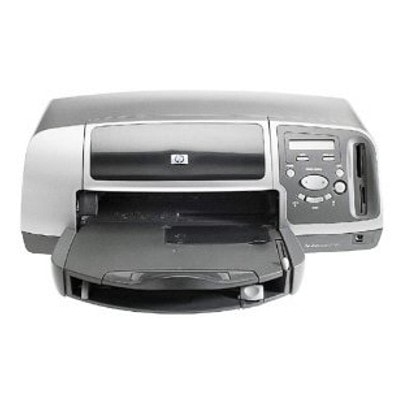
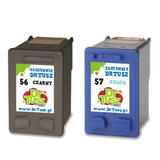
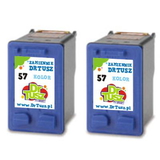
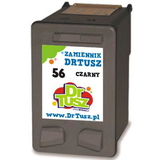
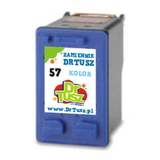
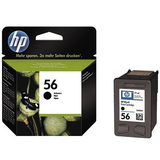
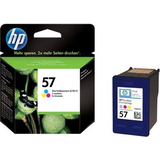
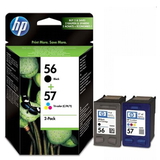
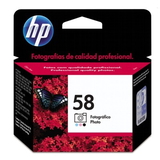
Reliable printing with the HP Photosmart 7459 (Q5715A) The HP Photosmart 7459 is a compact photo printer designed for people who expect vivid colors, smooth gradients, and durable prints—especially when printing photos at home. Whether you use your HP 7459 for family snapshots, greeting cards, or everyday color documents, the right ink for HP Photosmart 7459 makes a noticeable difference in quality and running costs. In this category we offer both Original OEM cartridges and carefully selected compatible ink cartridges, so you can choose what fits your needs and budget best. Ink cartridges for HP 7459 – what matters most This printer uses the well-known HP cartridge system based on HP 56 (black) and HP 57 (color), with an additional option for photo-focused printing using HP 58 (photo). Choosing the correct ink cartridge for HP Photosmart 7459 ensures consistent results and helps avoid common printing frustrations such as faded output, missing colors, or streaking. - HP 56 (C6656AE) – black ink for crisp text and clear monochrome graphics
- HP 57 (C6657AE) – tri-color ink for everyday color prints and photos
- HP 58 (C6658A) – photo ink for smoother tones and better photo depth
If you frequently print photos, combining color and photo cartridges can improve tonal transitions and overall image richness. For mixed home use, the classic black + tri-color set is usually the most practical and cost-effective. Compatible and Original OEM inks – a wide choice in one place We know that customers looking for ink for HP Photosmart 7459 often want two things: dependable quality and a fair price. That’s why we keep both options available. Original OEM ink cartridges are made by HP and are a great choice when you want the manufacturer’s solution. At the same time, our compatible ink cartridges for HP 7459 are a smart alternative—carefully tested and designed to deliver prints that are as good as originals, while helping you lower the cost per page. Popular picks in this category include: - Original OEM Ink Cartridge HP 56 (C6656AE) (Black) – a classic for sharp text
- Original OEM Ink Cartridge HP 57 (C6657AE) (Color) – reliable color for daily printing
- Original OEM Ink Cartridge HP 58 (C6658A) (Foto) – for photo lovers who want better tonal depth
- Original OEM Ink Cartridges HP 56 + 57 (SA342AE) (multi pack) – convenient OEM set
- Compatible Ink Cartridge 56 for HP (C6656AE) (Black) – cost-effective black printing
- Compatible Ink Cartridge 57 for HP (C6657AE) (Color) – vivid everyday color
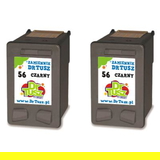
- Compatible Ink Cartridges 56 for HP (CC620A) (Black) (2-pack) – great if you print a lot of documents
- Compatible Ink Cartridges 57 for HP (C9334A) (Color) (2-pack) – practical for frequent color printing
- Compatible Ink Cartridges 56 + 57 for HP (CC629A) (multi pack) – balanced set for home users
- Compatible Ink Cartridges 2x 56 + 57 for HP (SD399AE) (multi pack) – a high-value option for heavy printing
How to choose the right ink for printer HP Photosmart 7459 When selecting an ink cartridge for HP 7459, start with your printing habits: - Mostly documents? Choose HP 56 black, and consider a 2-pack compatible set for better value.
- Documents + color graphics? A HP 56 + HP 57 multipack is the safest everyday combination.
- Mostly photos? Add HP 58 photo to improve photo quality and tonal transitions.
Many customers also ask about the difference between Original OEM and compatible ink cartridges. OEM cartridges are the manufacturer’s products. Compatible cartridges are alternatives designed to match the printer’s requirements. In our offer, compatible cartridges deliver quality comparable to OEM and are an excellent option if you want to reduce printing costs without sacrificing results. Common user issues with HP Photosmart 7459 inks – and quick tips With printers like the HP Photosmart 7459, the most common issues are usually ink-related rather than device-related. Here’s how to handle them: - Streaks or missing colors – run the printer’s cleaning cycle and make sure the cartridge is properly seated.
- Cartridge not recognized – remove and reinstall the cartridge; check that protective seals were fully removed.
- Faded photos – consider using a fresh color cartridge and, for photo printing, the HP 58 photo cartridge.
- Ink dries out – if you print rarely, a multipack can still be economical, but try to print a small test page periodically.
If you’re unsure which ink for HP Photosmart 7459 you need, tell us what you print most often—we’ll help you match the right cartridge type and set. Order ink for HP 7459 today – and print without interruptions We encourage you to explore our full selection of ink cartridges for HP Photosmart 7459 (Q5715A). Whether you prefer Original OEM cartridges or want to save with a high-quality compatible ink cartridge, we’ve prepared practical single packs, 2-packs, and multipacks so you can buy exactly what you need. Add the right cartridges to your cart and enjoy fast delivery options—if you have questions, contact us and we’ll guide you to the best choice for your HP 7459. |