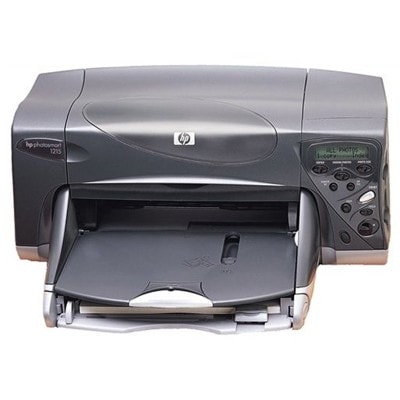
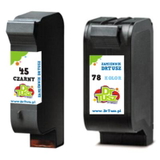
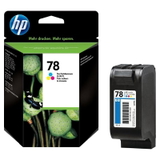
HP Photosmart 1215 – a classic photo printer that still delivers The HP Photosmart 1215 (also searched as HP 1215 or HP Photosmart 1200 Series) is a well-known inkjet photo printer designed for vivid color prints at home. It’s valued for reliable everyday printing and impressive photo output—provided you use the right ink for HP Photosmart 1215. In our store, we focus on cartridges that fit this model perfectly, so you can print confidently without guesswork. What ink cartridges for HP Photosmart 1215 you need This printer works with two main cartridge families: HP 45 for black and HP 78 for color. You may also see codes like 51645AE (black), C6578AE/C6578DE (color), or the multipack code SA308AE. Choosing the correct ink cartridge for HP Photosmart 1215 means better text sharpness, smoother gradients in photos, and fewer interruptions during printing. Whether you print documents, greeting cards, or family photos, a fresh and properly matched ink for HP Photosmart 1215 helps you achieve: - deep, readable blacks for text and outlines,
- natural colors and smooth transitions in photo prints,
- stable performance with fewer cleaning cycles,
- consistent results from the first page to the last.
Compatible and Original OEM – we offer both (and we help you choose) In this category you’ll find Original OEM cartridges and high-quality Compatible alternatives. Original OEM ink is made by the printer manufacturer and is a safe choice for customers who want brand-original supplies. At the same time, our compatible cartridges are carefully selected and tested—so you can expect print quality that is as good as original, with excellent value for money. When you’re looking for ink for printer HP Photosmart 1215, the best option depends on how you print: - Original OEM – for those who prefer manufacturer packaging and OEM labeling.
- Compatible – for frequent printing, cost-effective multipacks, and everyday reliability without compromising quality.
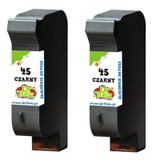
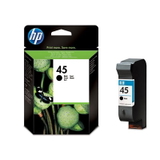
Popular cartridges in our range for HP Photosmart 1215 We keep the offer wide so you can buy exactly what you need—single cartridges or convenient bundles. Here are some customer favorites: - Compatible Ink Cartridge 45 for HP (51645AE) (Black) – a practical choice for crisp text and strong contrast.
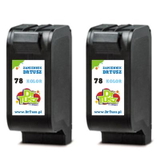
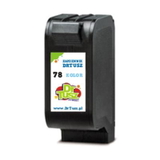
- Compatible Ink Cartridge 78 for HP (C6578AE) (Color) – great for photos and colorful documents.
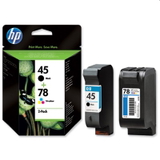
- Compatible Ink Cartridges 45 + 78 for HP (SA308AE) (multi pack) – a convenient set for balanced home printing.
- Compatible Ink Cartridges 78 for HP (C6578AE-2) (Color) (2-pack) – ideal if you print a lot of images and want a spare ready.
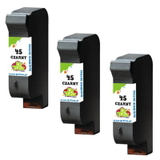
- Compatible Ink Cartridges 45 for HP (51645AE-3) (Black) (3-pack) or Compatible Ink Cartridges 45 for HP (SA294AE) (Black) (2-pack) – smart options for offices and heavy black printing.
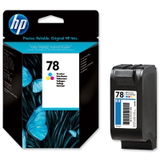
- Original OEM Ink Cartridge HP 45 (51645AE) (Black) and Original OEM Ink Cartridge HP 78 (C6578AE / C6578DE) (Color) – OEM solutions for customers who prefer original supplies.
- Original OEM Ink Cartridges HP 45 + 78 (SA308AE) (multi pack) – a straightforward way to refresh both black and color at once.
All products in this category are selected to match the needs of the HP Photosmart 1215, so you can shop faster and avoid compatibility confusion. How to choose the right ink for HP Photosmart 1215 (and avoid common issues) If you’re unsure which ink cartridge for HP Photosmart 1215 to pick, we recommend starting with how you use the printer: - Mainly text printing? Choose a black HP 45 (51645AE) and consider a 2-pack or 3-pack to lower cost per page.
- Photos and color documents? Add a color HP 78 (C6578AE/C6578DE). A 2-pack is perfect if you don’t want downtime.
- Mixed printing? Go for the multipack 45 + 78 (SA308AE equivalent) to keep both cartridges ready.
Users of the HP Photosmart 1215 most often report issues such as faded colors, streaks, or the printer not printing after a long break. In many cases, the solution is simple: replace an empty cartridge, run a standard cleaning cycle, and print a test page. Fresh, well-matched ink for HP Photosmart 1215 reduces the risk of uneven output and helps maintain stable print quality—especially if you print photos. And if you’re deciding between OEM and compatible: our compatible cartridges are designed to deliver results comparable to original supplies. If you want strong quality and better cost efficiency, compatible ink is often the best everyday choice. Order today and keep your HP Photosmart 1215 ready to print We encourage you to explore our full selection of ink cartridges for HP Photosmart 1215—compatible and Original OEM. Choose a single cartridge, a value multipack, or stock up with multi-packs for uninterrupted printing. If you need help matching the right code (like C8401A, 51645AE, C6578AE, C6578DE, or SA308AE) to your printer, contact us—our team will guide you quickly and clearly. CTA: Check the available ink for printer HP Photosmart 1215 in this category, pick the option that fits your printing style, and place your order now—so you can get back to clean text and vibrant photos without delay. |