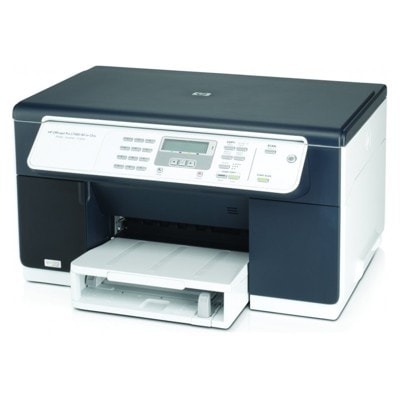
Reliable printing with the HP OfficeJet Pro L7480 (CB060A) If you use the HP OfficeJet Pro L7480 (also searched as HP L7480 or HP Officejet Pro L Series), you already know why this model is still appreciated in offices and home workspaces: fast business documents, sharp text, and efficient everyday color printing. To keep your device performing at its best, you need the right ink for printer HP OfficeJet Pro L7480—and that’s exactly what we offer in this category: both Original OEM and high-quality Compatible ink cartridges, plus dedicated printheads for the HP 88 system. HP 88 XL ink cartridges – what you should know The HP L7480 uses the HP 88 / HP 88 XL ink system, designed for cost-effective printing of black text and vivid color graphics. Choosing the correct ink for HP OfficeJet Pro L7480 is not only about color—it's also about yield, consistency, and avoiding interruptions. In this category you’ll find the most popular high-capacity versions, perfect for frequent printing and office workloads. With the right cartridge set, you can expect: - clear, professional black text for invoices, offers and reports,
- strong color output for charts, presentations and marketing materials,
- better cost control with XL capacity options,
- stable print quality when using properly matched ink cartridges and printheads.
Original OEM or Compatible ink for HP L7480 – choose the option that fits your needs We know customers search for both reliability and savings, so we stock a wide selection of ink for HP L7480 in two proven routes: - Original OEM ink cartridge – manufacturer cartridges, ideal if you want the “as designed by HP” choice.
- Compatible ink cartridge – our carefully selected alternatives from DrTusz.pl offer, built to deliver print quality and performance that are as good as the originals, while helping you reduce printing costs.
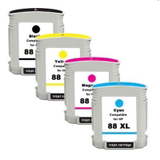
Both options are made for the same printer family and the same cartridge references, so you can easily match your purchase to the codes you already know (e.g. C9396AE, C9391AE, C9392AE, C9393AE). Popular products in this category (HP 88 XL CMYK + Black) To make your choice quicker, here are some of the most frequently selected items for ink for printer HP OfficeJet Pro L7480: - Compatible Ink Cartridges 88 XL CMYK for HP (DT-AH-88/K) (multi pack) – a practical set for customers who print in color and want one convenient purchase.
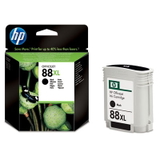
- Original OEM Ink Cartridge HP 88 XL (C9396AE) (Black) – a classic for high-volume text printing.
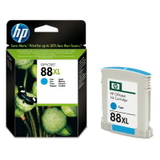
- Original OEM Ink Cartridge HP 88 XL (C9391AE) (Cyan) – for clean blues and balanced color graphics.
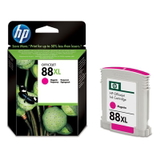
- Original OEM Ink Cartridge HP 88 XL (C9392AE) (Magenta) – supports rich reds and strong contrast in charts.
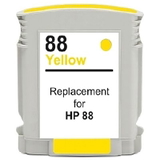
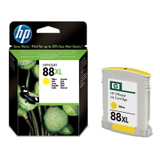
- Original OEM Ink Cartridge HP 88 XL (C9393AE) (Yellow) – bright highlights and accurate color accents.
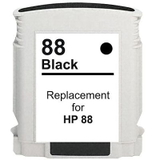
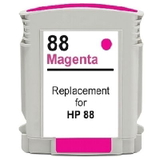
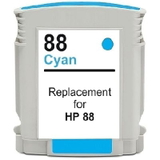
- Compatible Ink Cartridge 88 XL for HP (C9396AE) (Black), Compatible Ink Cartridge 88 XL for HP (C9391AE) (Cyan), Compatible Ink Cartridge 88 XL for HP (C9392AE) (Magenta), Compatible Ink Cartridge 88 XL for HP (C9393AE) (Yellow) – a cost-effective way to keep printing without compromising quality.
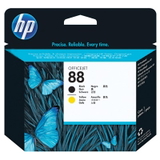
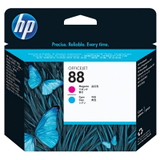
Printheads for HP OfficeJet Pro L7480 – when cartridges aren’t the only answer The HP OfficeJet Pro L7480 uses separate printheads, which means that in some cases print quality issues are caused not by the cartridge itself, but by a worn or clogged printhead. That’s why we also offer genuine replacements such as: - Original OEM Printhead HP 88 (C9381A)
- Original OEM Printhead HP 88 (C9382A)
If you’re seeing missing lines, inconsistent color, or repeated clogging even after cleaning cycles, replacing the printhead can restore the crisp output you expect from your HP OfficeJet Pro L7480. How to choose the right ink for HP Officejet Pro L Series When selecting ink for HP OfficeJet Pro L7480, we recommend a simple checklist: - Match the cartridge code: HP 88 XL (C9391AE/C9392AE/C9393AE/C9396AE).
- Choose XL if you print frequently—fewer replacements, smoother work.
- Pick Original OEM if you prefer manufacturer supplies; pick Compatible if you want excellent results with a better cost per page.
- Consider a multi pack (CMYK) if you print in color regularly—it’s convenient and keeps your office prepared.
Common user issues on the HP L7480 often include “cartridge not recognized”, uneven print, or fading colors. In many cases, the solution is straightforward: reseat the cartridge, run a cleaning cycle, and ensure the correct cartridge reference is installed. If print defects persist across multiple cartridges, it may be time to check the HP 88 printhead. Order your ink for HP OfficeJet Pro L7480 today We encourage you to explore our full range of ink cartridges for HP OfficeJet Pro L7480—Original OEM and Compatible—as well as dedicated printheads. If you’re not sure which option is best for your printing style, contact us and we’ll help you choose the right cartridge or printhead quickly and confidently. CTA: Add the right HP 88 XL cartridges to your cart now, or ask us for support—together we’ll keep your HP Officejet Pro L Series printing clean, fast, and cost-effective. |