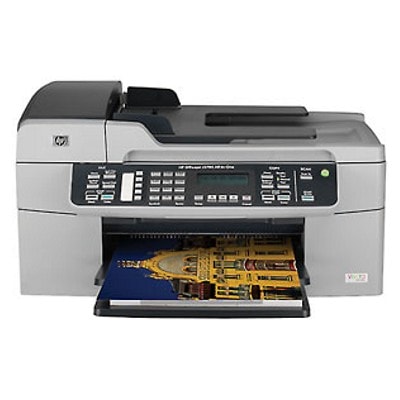
| If you use the HP OfficeJet J5790 (also searched as HP J5790, HP Officejet J5700 Series or model code Q8237B), you already know why this device is so popular: it’s a practical all-in-one printer for everyday documents, home office paperwork and occasional colour printing. To keep it working reliably, you need the right ink cartridges for HP OfficeJet J5790—and in this category we bring together both Original OEM and proven compatible ink cartridges in one place. Ink for HP OfficeJet J5790 – what matters in everyday printing Choosing the correct ink for HP OfficeJet J5790 is not only about “black or colour”. The right cartridge affects print sharpness, colour consistency, drying time and overall cost per page. For the J5790, the most common set includes black plus tri-colour cartridges, and for more demanding photo work you can also use a dedicated photo cartridge. In this category you’ll find cartridges designed for clear text, smooth graphics and dependable output for: - home and office documents (invoices, forms, notes),
- school and study materials,
- colour charts, presentations and marketing handouts,
- photos (with the dedicated photo cartridge option).
Compatible and Original OEM cartridges – one category, full freedom of choice We know customers have different priorities. Some prefer the manufacturer’s solution; others want maximum savings without sacrificing quality. That’s why our selection includes both Original OEM ink cartridges for HP OfficeJet J5790 and carefully selected compatible cartridges. Our compatible cartridges from DrTusz.pl are made to deliver results that are as good as originals—crisp black text, vibrant colours and stable performance—while helping you reduce printing costs. - Original OEM – manufacturer cartridges, ideal for users who want an OEM-standard solution.
- Compatible – excellent value and reliable printing; a smart pick for frequent printing at home and in the office.
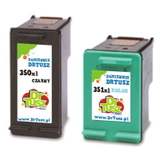
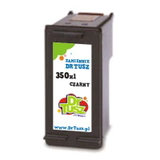
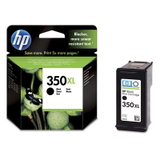
Popular ink cartridges for HP J5790 available in this category To make shopping easier, we’ve gathered the most commonly chosen cartridges for the J5790 and the broader HP Officejet J5700 Series. Here are a few highlights you’ll see in our offer: - Compatible Ink Cartridge 350 XL for HP (CB336EE) (Black) – high-yield black for heavy text printing.
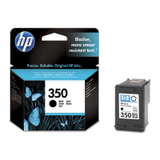
- Compatible Ink Cartridge 350 for HP (CB335EE) (Black) – a cost-effective option for lighter use.
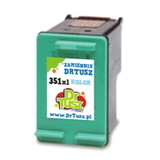
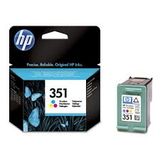
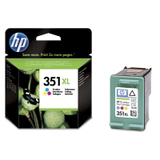
- Compatible Ink Cartridge 351 XL for HP (CB338EE) (Color) and Compatible Ink Cartridge 351 for HP (CB337EE) (Color) – for colourful documents and everyday graphics.
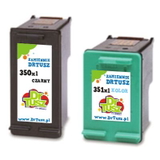
- Compatible Ink Cartridges 350 XL + 351 XL for HP (DT-AH-350XL/K) (multi pack) – a convenient set for regular printing.
- Compatible Ink Cartridges 350 XL + 351 XL for HP (SD412EE) (multi pack) – another popular multipack choice to keep both black and colour covered.
- Original OEM Ink Cartridge HP 350 (CB335EE) (Black) and Original OEM Ink Cartridge HP 350 XL (CB336EE) (Black) – OEM black in standard and XL yield.
- Original OEM Ink Cartridge HP 351 (CB337EE) (Color) and Original OEM Ink Cartridge HP 351 XL (CB338EE) (Color) – OEM colour in standard and XL yield.
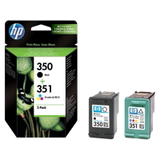
- Original OEM Ink Cartridges HP 350 + 351 (SD412EE) (multi pack) – OEM bundle for balanced black and colour printing.
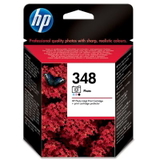
- Original OEM Ink Cartridge HP 348 (C9369EE) (Foto) – dedicated photo cartridge for richer photo output.
How to choose the best ink cartridge for HP OfficeJet J5790 When choosing ink for printer HP OfficeJet J5790, we recommend focusing on three practical points: - Match the cartridge code: the J5790 commonly uses HP 350 (black), HP 351 (colour) and optionally HP 348 (photo). You’ll see them listed as CB335EE, CB336EE, CB337EE, CB338EE and C9369EE.
- Choose Standard or XL: if you print often, an XL cartridge (e.g. 350 XL / 351 XL) usually offers better cost per page and fewer replacements.
- Consider multipacks: a black + colour multi pack is perfect if you want to avoid running out of one colour unexpectedly.
Original or compatible? In everyday use, the real difference is usually price and purchasing strategy. With our DrTusz.pl compatible cartridges, you can print confidently and economically—without giving up the quality you expect from your HP OfficeJet J5790. Common user issues with HP Officejet J5700 Series inks – and how we help Users of the HP Officejet J5700 Series sometimes report a few typical situations: the printer prompts “low ink” sooner than expected, prints appear faded after long periods of inactivity, or colours look uneven when a cartridge is near empty. The easiest way to prevent these problems is to keep a fresh cartridge on hand (especially black), choose an XL option if you print frequently, and replace colour cartridges before they are completely depleted. If you’re unsure which ink cartridge for HP J5790 you need, we’re here to help you select the right product quickly. Order ink for HP OfficeJet J5790 with confidence We encourage you to explore our full selection of ink cartridges for HP OfficeJet J5790—both compatible and Original OEM. Choose a single cartridge, an XL version for better efficiency, or a multipack to stay stocked for longer. Add your preferred cartridge to the basket and enjoy a smooth, hassle-free purchase, fast delivery options, and helpful customer support if you want a recommendation. CTA: Browse the available cartridges for HP OfficeJet J5790 now, pick the best option for your printing style, or contact us—together we’ll choose the perfect ink for your printer. |