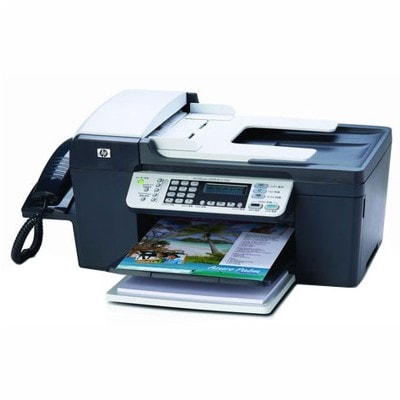
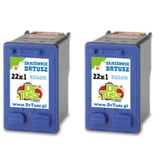
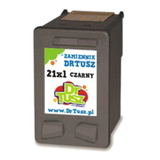
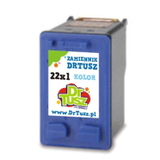
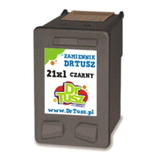
| The HP OfficeJet J5500 (also known as HP J5500 and HP Officejet J5500 Series) is a dependable all‑in‑one printer designed for everyday office and home-office work. It’s valued for fast document printing, convenient copying and scanning, and consistent output for invoices, forms, letters and school materials. To keep your device running at its best, you simply need the right ink for HP OfficeJet J5500—and that’s exactly what we offer in this category: both Original OEM and high-quality Compatible ink cartridges. Ink for HP OfficeJet J5500 – what matters in daily printing Choosing the correct ink cartridges for HP OfficeJet J5500 affects not only print quality, but also reliability and cost per page. This printer uses a classic setup: a black cartridge for crisp text and a color cartridge for graphics and photos. With the right cartridge, you can expect: - sharp black text for documents, contracts and invoices,
- clear colors for charts, presentations and simple marketing prints,
- stable performance without unnecessary interruptions,
- better efficiency when you choose XL variants for frequent printing.
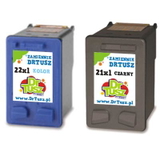
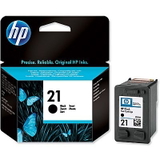
In this category you’ll find ink for J5500 in both standard and XL capacity, so you can match the cartridge to your workload—whether you print occasionally or every day. Original OEM and Compatible cartridges – a wide, practical selection We stock the most popular and proven options for ink for printer HP OfficeJet J5500, including single cartridges and convenient multipacks. Customers often choose these products: - Original OEM Ink Cartridge HP 21 (C9351AE) (Black) – a classic choice for office text printing.
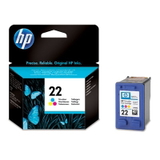
- Original OEM Ink Cartridge HP 22 (C9352AE) (Color) – great for color documents and everyday graphics.
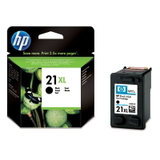
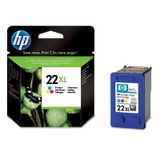
- Original OEM Ink Cartridge HP 21 XL (C9351CE) (Black) and Original OEM Ink Cartridge HP 22 XL (C9352CE) (Color) – XL capacity for higher volume and fewer replacements.
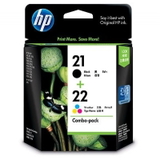
- Original OEM Ink Cartridges HP 21 XL + 22 XL (SD367AE) (multi pack) – a convenient set for balanced black and color printing.
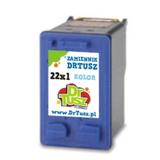
- Compatible Ink Cartridge 21 XL for HP (C9351CE) (Black) and Compatible Ink Cartridge 22 XL for HP (C9352CE) (Color) – popular for cost-effective everyday use.
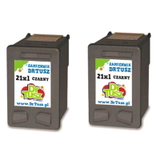
- Compatible Ink Cartridges 21 XL for HP (CC627AE) (Black) (2-pack) and Compatible Ink Cartridges 22 XL for HP (C9352AE-2) (Color) (2-pack) – smart options when you want a spare ready to go.
- Compatible Ink Cartridges 21 XL + 22 XL for HP (SD367AE) (multi pack) – a best-seller for users who want the full set at a great value.
- Compatible Ink Cartridge 21 for HP (C9351AE) (Black), Compatible Ink Cartridge 22 for HP (C9352AE) (Color) and a Compatible Ink Cartridge 21 for HP (C9351AE-S) (Black) (starter) – practical solutions for lighter printing or testing.
Thanks to this variety, you can easily pick the right ink for HP Officejet J5500 Series whether you prioritize the lowest running costs, maximum convenience, or sticking strictly to OEM supplies. How to choose the right cartridge: HP 21 / 22 and XL explained For the HP OfficeJet J5500, the key is selecting the correct model number: - HP 21 – black cartridge (standard capacity),
- HP 21 XL – black cartridge (higher capacity),
- HP 22 – color cartridge (standard capacity),
- HP 22 XL – color cartridge (higher capacity).
If you print frequently (e.g., a few dozen pages a week or more), we generally recommend XL—an XL ink for HP J5500 reduces replacement frequency and is usually more cost-efficient per page. If you print occasionally, a standard cartridge can be a sensible choice, especially if you want to avoid ink sitting unused for long periods. Original vs Compatible ink for HP OfficeJet J5500 – what’s the difference? Original OEM ink cartridges for HP OfficeJet J5500 are produced by the printer manufacturer and are a straightforward choice if you want to keep everything fully OEM. Compatible ink for HP OfficeJet J5500, on the other hand, is a budget-friendly alternative designed to match the printer’s requirements. At DrTusz.pl we focus on compatibility and consistency—our compatible cartridges for HP OfficeJet J5500 are made to deliver results that are as good as originals in everyday use: clear text, solid fills and reliable performance. If you want to reduce printing costs without sacrificing quality, compatible cartridges are a very popular and proven option. Common user issues with HP OfficeJet J5500 – and how the right ink helps Many users searching for ink for printer HP OfficeJet J5500 do so because of typical, easy-to-solve problems. The right cartridge and a few good habits can help prevent: - faded print or missing colors – often caused by low ink levels or a cartridge nearing the end of its life; replacing with a fresh HP 21/22 (or XL) usually fixes it quickly,
- streaks or uneven text – can happen after long breaks between printing; regular use and a quality cartridge help maintain stable output,
- frequent replacements – if you print a lot, switching to HP 21 XL / HP 22 XL can significantly reduce interruptions,
- running out of ink at the wrong time – multipacks and 2-packs are an easy way to keep a backup ready.
If you’re unsure which ink cartridge for HP OfficeJet J5500 will fit your exact device (J5500 / J5500 Series), we’re here to help—just contact us and we’ll guide you to the right option. Order ink for HP OfficeJet J5500 with confidence We encourage you to explore our full range of ink cartridges for HP OfficeJet J5500—Original OEM and Compatible, standard and XL, singles, 2-packs and multipacks. Choose what fits your printing style and budget, add it to your cart, and let us take care of the rest. We offer fast delivery options and helpful customer support if you have any questions. Check the available ink for HP OfficeJet J5500 now and keep your printer ready for work whenever you need it. |