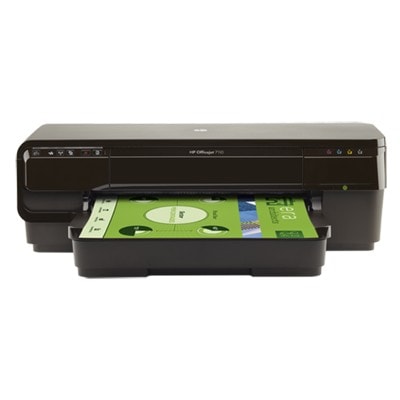
HP OfficeJet 7110 – wide-format printing that still makes sense The HP OfficeJet 7110 (also known as HP Officejet 7110 Wide Format ePrinter series - H812, CR768A, or simply HP 7110) is a popular inkjet printer designed for everyday office work and larger-format projects. It’s valued for affordable color printing, the ability to handle A3/wide-format documents, and reliable results for presentations, spreadsheets, marketing materials, and photos for business use. To keep this printer performing at its best, choosing the right ink for HP OfficeJet 7110 is essential. Color ink for HP 7110: what you print, how it looks, how much it costs In this category you’ll find color ink cartridges for your device: black plus the CMY set (cyan, magenta, yellow). The HP OfficeJet 7110 works with the well-known cartridge family HP 932 / HP 933 (including high-capacity XL versions). With the right cartridge set, your prints stay crisp and consistent—whether you print occasional invoices or large batches of colorful charts. When you select ink for printer HP OfficeJet 7110, pay attention to: - Capacity: standard vs XL for better cost-per-page on frequent printing.
- Color matching: true cyan/magenta/yellow helps keep gradients and brand colors consistent.
- Print stability: good ink reduces streaks, fading and “washed-out” areas on graphics.
- Daily usability: well-made cartridges help avoid leaks and repeated cleaning cycles.
Compatible and Original OEM cartridges – one printer, two smart choices We offer both Original OEM cartridges and carefully selected Compatible cartridges for HP 7110. Original OEM ink is the manufacturer’s solution—ideal if you want to stick strictly to brand cartridges. At the same time, our compatible cartridges from DrTusz.pl are designed to be as good as the originals in everyday printing: strong color, clean text, and dependable operation—while helping you significantly reduce printing costs. So which is better? It depends on your priorities: - Original OEM ink for HP OfficeJet 7110: maximum brand consistency, great for strict corporate procurement policies.
- Compatible ink for HP OfficeJet 7110: excellent quality for everyday office and home-office printing, with a very attractive price-to-performance ratio.
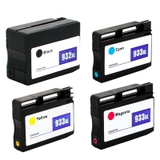
Popular picks for HP OfficeJet 7110 (932/933) – fast and easy shopping To make selection simple, we stock the most frequently chosen products for this model. If you print a lot, multipacks and XL versions are usually the best value. In this category you’ll find, among others: - Compatible Ink Cartridges 932 XL BK + 933 XL CMY for HP (C2P42AE) (multi pack) – a high-yield set for frequent color printing.
- Original OEM Ink Cartridges HP 932 XL BK + 933 XL CMY (C2P42AE) (multi pack) – the OEM multipack for those who prefer original solutions.
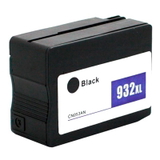
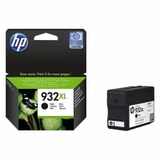
- Compatible Ink Cartridge 932 XL for HP (CN053AE) (Black) and Original OEM Ink Cartridge HP 932 XL (CN053AE) (Black) – the go-to choice for sharp text and business documents.
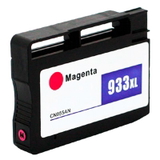
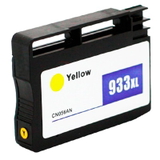
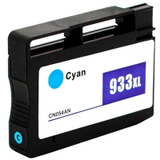
- Compatible Ink Cartridge 933 XL for HP (CN054AE) (Cyan), (CN055AE) (Magenta), (CN056AE) (Yellow) – strong color output for graphics and charts.
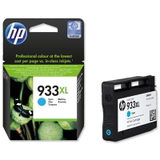
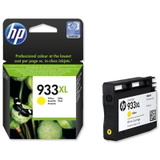
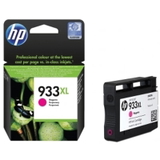
- Original OEM Ink Cartridge HP 933 XL in Cyan (CN054AE), Magenta (CN055AE), Yellow (CN056AE) – OEM color cartridges for consistent brand printing.
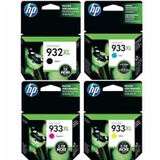
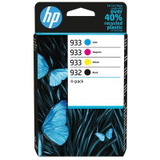
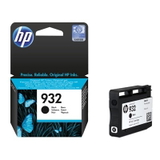
- Original OEM Ink Cartridge HP 932 (CN057AE) (Black) and Original OEM Ink Cartridges HP 932 BK + 933 CMY (6ZC71AE) (multi pack) – standard-capacity options for lighter usage.
And if you’re looking to replace the device or equip an additional workstation, the category also includes the Printer HP OfficeJet 7110. How to choose the right ink for printer HP OfficeJet 7110 Dear Customer, the safest way to choose the correct ink for HP 7110 is to match the cartridge code. This printer uses: - HP 932 (Black) – standard or XL (e.g., CN053AE for 932XL, CN057AE for 932 standard).
- HP 933 (Cyan/Magenta/Yellow) – standard or XL (e.g., CN054AE cyan, CN055AE magenta, CN056AE yellow).
If you print often (especially in color or in A3), we usually recommend the XL cartridges or a multipack—less frequent replacements and more predictable printing costs. Common HP OfficeJet 7110 ink-related issues and practical fixes Over time, many users of the HP OfficeJet 7110 report similar challenges—most of them are easy to prevent with the right cartridges and habits: - Faded colors or streaks: often caused by long breaks between prints. Printing a small color page regularly helps keep ink flowing.
- One color missing: usually the printer detects an empty cartridge or the nozzle needs a cleaning cycle. Replacing the specific HP 933 color (C/M/Y) typically solves it.
- Frequent cartridge replacement: switching to XL versions reduces downtime and improves cost-per-page.
- Mismatch confusion (932 vs 933): 932 is black, 933 is color—choosing by code (CN053AE/CN057AE for black; CN054AE/CN055AE/CN056AE for color) prevents mistakes.
And if you’re unsure which option fits your printing style—office documents, graphics, wide-format, or mixed use—we’re here to help you choose the best ink for HP OfficeJet 7110 for your needs. Choose your cartridges and start printing with confidence We encourage you to explore our full range of ink cartridges for HP OfficeJet 7110—both Compatible and Original OEM. Whether you want maximum OEM continuity or cost-efficient printing with our high-quality compatible cartridges, you can select a solution that matches your workload and budget. Call to action: add your selected multipack or individual colors to the cart and keep your HP 7110 ready for every deadline. If you have questions about cartridge codes, XL capacity, or choosing between OEM and compatible ink—contact us, and we’ll guide you quickly. We also offer convenient delivery options so you can refill your office supplies without interruption. |