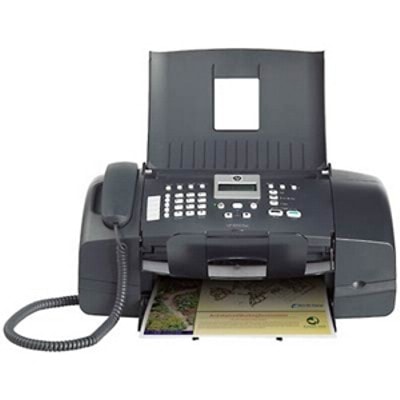
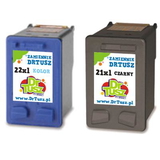
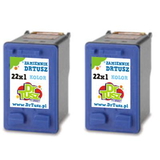
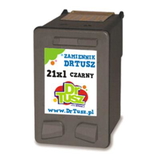
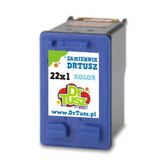
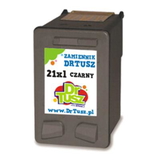
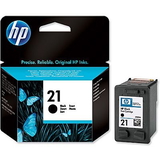
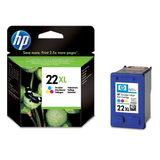
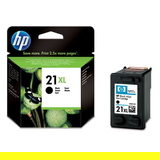
Ink cartridges for HP FAX 1250 – keep your fax and prints sharp every day The HP FAX 1250 (also searched as HP 1250 or HP Fax 1250 Series) is a reliable, classic inkjet fax machine designed for everyday communication: sending and receiving faxes, printing documents, and handling home or small-office tasks where clarity and dependability matter. To keep this device working smoothly, you need the right ink for HP FAX 1250—and in our category you’ll find both Original OEM and carefully selected compatible ink cartridges, ready to ship when you need them. Which ink cartridge fits HP FAX 1250? (HP 21 / HP 22 and XL versions) This model uses the well-known HP ink system based on two cartridges: one black and one tri-color. In practice, that means you’ll be looking for: - HP 21 (C9351AE) – black ink cartridge for HP FAX 1250
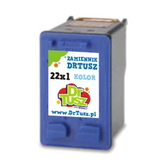
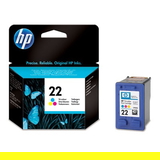
- HP 22 (C9352AE) – color ink cartridge for HP FAX 1250
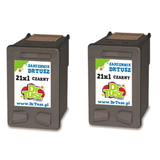
- HP 21 XL (C9351CE) – high-yield black ink for HP 1250
- HP 22 XL (C9352CE) – high-yield color ink for HP Fax 1250 Series
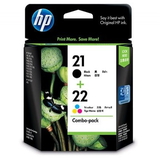
- SD367AE / Q8096A – multipack sets (often searched by code), convenient for replacing both cartridges at once
If you print frequently or fax a lot of pages, choosing the XL version can be a practical way to reduce cartridge changes and keep your workflow uninterrupted. What you can expect from ink for HP FAX 1250 Good-quality ink for printer HP FAX 1250 should deliver readable text, stable black density, and consistent color output for charts, logos, or highlighted documents. Whether you choose an Original OEM cartridge or a compatible option from our offer, you can count on: - clear, crisp text for contracts, forms, and fax confirmations,
- reliable page-to-page consistency (important when printing multi-page documents),
- smooth operation with the printer’s cartridge recognition and alignment routines,
- easy replacement—swap cartridges quickly and get back to work.
Popular choices in our range (Original OEM and Compatible) We keep the selection wide so you can match your budget and printing style. Customers often choose these best-known options: - Original OEM Ink Cartridge HP 21 (C9351AE) (Black) – a safe, manufacturer-grade choice for everyday black printing.
- Original OEM Ink Cartridge HP 22 (C9352AE) (Color) – great for documents that need color highlights or simple graphics.
- Original OEM Ink Cartridge HP 21 XL (C9351CE) (Black) and Original OEM Ink Cartridge HP 22 XL (C9352CE) (Color) – higher yield for frequent printing.
- Original OEM Ink Cartridges HP 21 XL + 22 XL (SD367AE) (multi pack) – a convenient set when you want both cartridges replaced together.
- Compatible Ink Cartridge 21 XL for HP (C9351CE) (Black) – popular for cost-effective, high-volume black printing.
- Compatible Ink Cartridge 22 XL for HP (C9352CE) (Color) – a smart choice when you need color without overspending.
- Compatible Ink Cartridges 21 XL + 22 XL for HP (SD367AE) (multi pack) – an economical bundle for the HP FAX 1250.
- Compatible Ink Cartridges 21 XL for HP (CC627AE) (Black) (2-pack) and Compatible Ink Cartridges 22 XL for HP (C9352AE-2) (Color) (2-pack) – ideal for offices that want a spare ready at all times.
- Compatible Ink Cartridge 21 for HP (C9351AE-S) (Black) (starter) – a practical option for light printing or as a backup.
No matter which route you choose, we make it easy to find the right ink cartridge for HP FAX 1250 by model name and by code (including Q8096A and SD367AE). How to choose: Original OEM vs compatible ink cartridges We know customers often ask: “Should we pick an Original OEM cartridge or a compatible one?” Here’s a clear way to decide: - Original OEM – best if you want the manufacturer’s cartridge, maximum predictability, and you simply prefer OEM supplies.
- Compatible – best if you want to lower your printing costs while maintaining strong print quality. Our compatible cartridges are designed to be fully functional alternatives and, in everyday use, they are as good as the originals—a great solution for routine office documents and frequent printing.
If you print mostly text and fax pages, many customers choose a compatible HP 21 XL to reduce cost per page. If you print a mix of text and occasional color elements, a multipack (like SD367AE) is often the most convenient choice. Common HP FAX 1250 cartridge issues—and simple fixes Even a dependable device like the HP Fax 1250 Series can occasionally prompt questions. Here are typical situations and what usually helps: - Printer says “cartridge problem” or doesn’t detect the cartridge – remove the cartridge, gently clean the contacts, reinsert firmly, and restart the device.
- Streaks, faded text, or missing colors – run the printer’s cleaning/alignment function; if the cartridge is near empty, replacing it (often with an XL) is the fastest fix.
- Color looks off after replacement – perform alignment and print a test page; it typically stabilizes quickly.
- Ink runs out too fast – consider switching to HP 21 XL / HP 22 XL to reduce replacement frequency and improve cost efficiency.
And if you’re unsure whether you need C9351AE, C9352AE, or the XL versions (C9351CE, C9352CE), we’re here to help you choose the best ink for HP FAX 1250 for your real usage. Order ink for HP FAX 1250 with confidence We encourage you to explore our full selection of ink cartridges for HP FAX 1250—Original OEM and compatible options, singles, XL cartridges, and money-saving multipacks. Choose the set that fits your printing habits, add it to your cart, and keep your fax and prints running without interruptions. CTA: Browse the cartridges above and pick your ideal ink for printer HP FAX 1250 today. If you have any questions about codes like Q8096A, SD367AE, or compatibility within the HP Fax 1250 Series, contact us—we’ll guide you quickly. We also offer fast delivery options so you can get back to printing and faxing as soon as possible. |