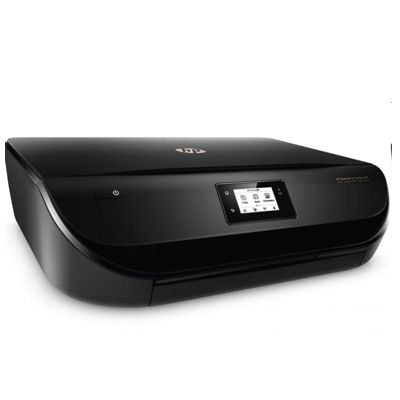
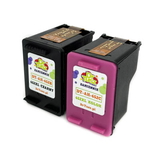
HP DeskJet Ink Advantage 4535 All-in-One – everyday printing made simple The HP DeskJet Ink Advantage 4535 All-in-One (also searched as HP 4535, F0V64C or the HP Deskjet Ink Advantage 4000 Printer series) is a popular home and home-office device designed for convenient printing, copying and scanning. It’s appreciated for wireless printing, compact size and very good results in everyday documents and colorful school or family projects. To keep it working smoothly, the key is choosing the right ink for HP DeskJet Ink Advantage 4535 All-in-One—especially reliable color cartridges that deliver consistent, vivid output. Color ink for HP 4535: what you can expect from the right cartridge In this category we focus on Ink Cartridges, Color compatible with the 4535 model—perfect for photos, graphics, charts, presentations and any prints where color accuracy matters. The printer uses the HP 652 cartridge family, including HP 652 (F6V24AE) Color and HP 652 (F6V25AE) Black—often purchased as a convenient multipack. When you choose a well-matched ink for printer HP DeskJet Ink Advantage 4535 All-in-One, you get: - clean, saturated colors for everyday graphics and images,
- stable print quality from the first page to the last,
- better protection against streaks and uneven coverage,
- smooth cooperation with the printer’s built-in maintenance functions.
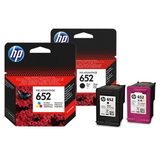
Original OEM and compatible HP 652 cartridges – one place, many options We know that different customers have different priorities: some want strictly manufacturer-branded supplies, others want the best value. That’s why we offer both Original OEM and Compatible options for ink for HP DeskJet Ink Advantage 4535 All-in-One, plus the printer itself if you’re completing a home setup. Popular choices in this category include: - Original OEM Ink Cartridges HP 652 (F6V25AE, F6V24AE) (multi pack) – a practical set for users who print frequently in both black and color,
- Compatible Ink Cartridges 652 for HP (F6V25AE, F6V24AE) (multi pack) – excellent value when you want more savings without giving up quality,
- Original OEM Ink Cartridge HP 652 (F6V24AE) (Color) – ideal for those who prefer OEM color accuracy and predictability,
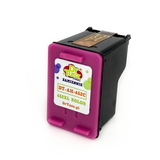
- Compatible Ink Cartridge 652 for HP (F6V24AE) (Color) – a smart choice for vivid everyday printing at a lower cost,
- All-In-One Printer HP DeskJet Ink Advantage 4535 All-in-One – if you’re looking for a proven, versatile device.
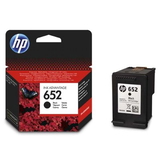
How to choose the best ink for HP DeskJet Ink Advantage 4535 All-in-One To pick the right ink for HP 4535, we recommend starting with the cartridge code printed on the old cartridge or shown in the printer software. For this model, the most important identifiers are HP 652, F6V24AE (Color) and F6V25AE (Black). If you print both text and color, a multipack is usually the most convenient solution. Many customers ask about the differences between Original OEM and Compatible cartridges: - Original OEM ink for HP DeskJet Ink Advantage 4535 All-in-One – manufacturer-branded cartridges designed for predictable results and plug-and-play convenience.
- Compatible ink for HP DeskJet Ink Advantage 4535 All-in-One – an alternative that can significantly reduce cost per page. The compatible cartridges in our DrTusz.pl offer are as good as the originals in everyday use: they provide strong color, reliable performance and consistent prints when installed and used correctly.
Common printing issues with HP 4535 and simple ways to avoid them Most problems blamed on the printer are actually caused by depleted cartridges, dried nozzles or irregular use. With ink for HP DeskJet Ink Advantage 4535 All-in-One, these practical tips help keep color printing stable: - Streaks or missing colors: run the printer’s head cleaning/alignment and make sure the color cartridge isn’t empty.
- Faded color prints: select the correct paper type and print quality; draft mode can noticeably reduce saturation.
- Cartridge not detected: re-seat the cartridge, check protective tape removal (for new cartridges) and keep contacts clean and dry.
- Ink drying out: if you print rarely, print a small color page once every 1–2 weeks to keep nozzles clear.
If you’re unsure which ink for printer HP DeskJet Ink Advantage 4535 All-in-One will be best for your needs—OEM reliability, compatible savings, or a multipack for convenience—tell us how you print and we’ll help you choose. Pick your HP 652 color cartridge and start printing today We encourage you to browse our selection of HP 652 cartridges for the HP DeskJet Ink Advantage 4535 All-in-One and choose the option that fits your printing style and budget. Add the right color ink for HP 4535 to your cart, or contact us if you want quick confirmation of compatibility. We provide fast order processing and friendly support—so you can get back to crisp documents and vibrant color prints without delay. CTA: Explore the available Original OEM and Compatible HP 652 cartridges now, or message us for help selecting the best ink for your HP DeskJet Ink Advantage 4535 All-in-One. |