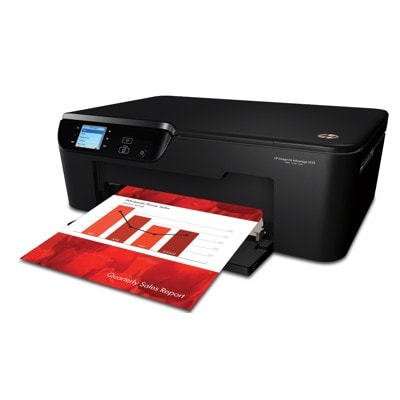
Ink for HP DeskJet Ink Advantage 3525 e-All-in-One – everyday printing made easy The HP DeskJet Ink Advantage 3525 e-All-in-One (also found as HP 3525, HP Deskjet Ink Advantage 3000 Printer series or device code CZ275A) is a versatile home-and-small-office printer designed for comfortable everyday use. It combines printing, scanning and copying in one compact device, offers convenient wireless printing, and is often chosen for documents, homework, invoices and occasional colour graphics. To keep it running smoothly and to maintain crisp text and vibrant colours, you need reliable ink cartridges for HP DeskJet Ink Advantage 3525 e-All-in-One—and that’s exactly what we offer in both Original OEM and Compatible versions. What you can expect from HP 655 ink cartridges for HP 3525 This category is dedicated to HP 655 ink cartridges—perfectly matched to the needs of your printer. A good ink for HP DeskJet Ink Advantage 3525 e-All-in-One should deliver consistent results from the first page to the last: sharp black text, clean lines, and well-balanced colour in photos and presentations. With the right ink for HP 3525, you gain: - Clear black printing for contracts, schoolwork and everyday documents
- Accurate colour reproduction (Cyan, Magenta, Yellow) for charts, graphics and photos
- Reliable page-to-page consistency to avoid fading, streaks or uneven fills
- Easy installation and trouble-free recognition in the printer when the cartridge is correctly selected
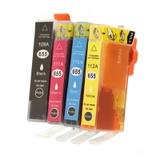
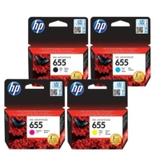
In this section you’ll find both single colours and convenient multipacks, so you can choose the most economical option for your printing habits. Compatible and Original OEM – one place, a full choice We know that customers expect flexibility. That’s why we stock both Original OEM ink cartridge HP 655 options and high-quality compatible ink cartridges 655 for HP. If you print occasionally and want the manufacturer’s solution, Original OEM is a safe, straightforward choice. If you print more and want to reduce costs without sacrificing quality, our compatible cartridges are a smart alternative. Importantly: our compatible ink for HP DeskJet Ink Advantage 3525 e-All-in-One from DrTusz.pl is designed to be as good as the original in everyday use—clean prints, stable performance and great value. Popular products in this category (HP 655) To make shopping easier, we offer the most frequently chosen configurations for ink for HP 3525: - Original OEM Ink Cartridges HP 655 CMYK (CZ112A, CZ111A, CZ110A, CZ109A) (multi pack) – a complete set for users who want OEM convenience and a ready-to-go colour range.
- Compatible Ink Cartridges 655 CMYK for HP (DT-AH-655/K) (multi pack) – a cost-effective multipack for frequent printing, great for home and small office needs.
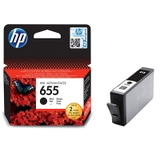
- Original OEM Ink Cartridge HP 655 (CZ109AE) (Black) and Compatible Ink Cartridge 655 for HP (CZ109AE) (Black) – ideal if you mostly print documents and need black ink most often.
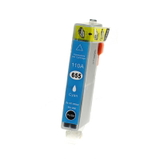
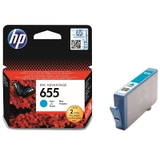
- Original OEM Ink Cartridge HP 655 (CZ110AE) (Cyan) / Compatible Ink Cartridge 655 for HP (CZ110AE) (Cyan) – for clear blues and smooth gradients in colour prints.
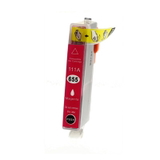
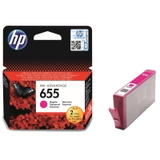
- Original OEM Ink Cartridge HP 655 (CZ111AE) (Magenta) / Compatible Ink Cartridge 655 for HP (CZ111AE) (Magenta) – for vivid reds and balanced tones in photos and graphics.
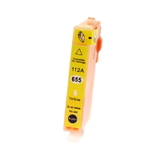
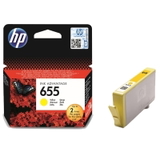
- Original OEM Ink Cartridge HP 655 (CZ112AE) (Yellow) / Compatible Ink Cartridge 655 for HP (CZ112AE) (Yellow) – for bright highlights and natural colour warmth.
Whether you prefer a multipack or a single cartridge, you’ll find the right ink cartridge for HP DeskJet Ink Advantage 3525 e-All-in-One here. How to choose the right ink for HP DeskJet Ink Advantage 3525 e-All-in-One When selecting ink for printer HP DeskJet Ink Advantage 3525 e-All-in-One, keep three things in mind: your printing volume, the type of content, and your budget. - Mostly text documents? Choose Black more often, and consider keeping a spare HP 655 Black on hand.
- Colour charts, school projects, photos? A CMYK multipack is usually the most practical and cost-friendly option.
- Need maximum predictability and manufacturer branding? Go with Original OEM ink cartridge HP 655.
- Want lower cost per page with excellent everyday quality? Choose our compatible ink cartridges 655 for HP—they’re made to deliver results comparable to OEM.
If you are unsure which cartridge you need, check the markings on the old cartridge (e.g. CZ109AE, CZ110AE, CZ111AE, CZ112AE) or search by printer name: HP 3525 / CZ275A. Common printing issues with HP 3525 and how the right cartridge helps Many problems reported by users of the HP DeskJet Ink Advantage 3525 e-All-in-One are ink-related and can be solved quickly with the correct cartridge choice and a few good habits: - Faded prints or missing colours – often caused by an empty cartridge or long breaks between prints. Replacing the cartridge and printing a test page typically restores colour balance.
- Streaks or uneven lines – can appear when ink is running low or the printer needs a basic cleaning cycle. A fresh ink cartridge for HP 3525 helps stabilize output.
- Printer says “cartridge problem” – make sure the cartridge model matches HP 655, it’s seated properly, and protective elements are removed (on new cartridges). If you need help, we’re here to guide you.
- Ink runs out too quickly – multipacks and matching the cartridge to your real printing needs can significantly reduce running costs.
We focus on offering proven products, so you can print confidently—whether you choose OEM or compatible. Order your HP 655 ink today – we’re here to help We encourage you to explore our full selection of ink cartridges for HP DeskJet Ink Advantage 3525 e-All-in-One and choose the option that best fits your needs—Original OEM for classic manufacturer solutions or our compatible ink for HP 3525 for excellent value with great quality. CTA: Add the right HP 655 cartridge (or a convenient CMYK multipack) to your basket and keep your printer ready for work at any time. If you have questions about compatibility with HP Deskjet Ink Advantage 3000 Printer series, codes like CZ275A, or choosing between compatible and OEM—contact us. We’ll help you pick the best ink quickly, and we’ll make sure your order is packed securely and delivered fast. |