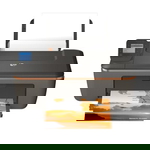
HP DeskJet Ink Advantage 3500 e-All-in-One – everyday printing made easy The HP DeskJet Ink Advantage 3500 e-All-in-One (also searched as HP 3500 or the HP Deskjet Ink Advantage 3000 Printer series) is a compact all-in-one designed for home and small office tasks. It’s appreciated for convenient wireless printing, simple operation, and reliable performance in daily use—whether you’re printing school materials, invoices, emails, or colorful graphics. To keep this printer working at its best, choosing the right ink for HP DeskJet Ink Advantage 3500 e-All-in-One is essential. What ink cartridges does the HP 3500 use? This model works with the popular HP 650 ink cartridge series: black for crisp text and tri-color for vivid images. When you choose ink for printer HP DeskJet Ink Advantage 3500 e-All-in-One, you’re investing in print quality, trouble-free operation, and predictable page yield. A fresh cartridge helps maintain sharp fonts, smooth gradients, and stable color reproduction—especially important for documents with logos, charts, or photos. In our category you’ll find both Original OEM and Compatible options, so you can match the cartridge to your printing style and budget without compromising your expectations. Original OEM and Compatible ink – two smart ways to print We offer two product classes, both tailored to the needs of users looking for ink for HP 3500: - Original OEM ink cartridges – manufacturer cartridges designed for consistent results and hassle-free installation, ideal if you want to stick to the original HP solution.
- Compatible ink cartridges – a cost-effective alternative. Our compatibles from DrTusz.pl are as good as the originals in everyday use: they provide clear text, strong blacks, and lively color prints, while helping you control printing costs.
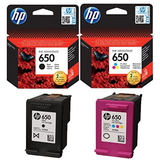
Whichever route you choose, you’ll find the right ink for HP DeskJet Ink Advantage 3500 e-All-in-One here—quickly and without guesswork. Popular cartridges in this category (Black, Color and convenient Multi Packs) To make shopping simple, we’ve included the most frequently chosen configurations for this printer: - Original OEM Ink Cartridges HP 650 BK + 650 C (CZ101AE, CZ102AE) (multi pack) – a practical choice when you want a full set ready to go.
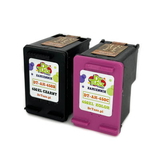
- Compatible Ink Cartridges 650 BK + 650 C for HP (DT-AH-650/K) (multi pack) – an economical bundle for frequent printing, with performance comparable to OEM in typical home/office tasks.
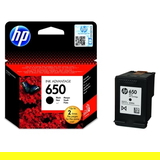
- Original OEM Ink Cartridge HP 650 (CZ101AE) (Black) – for clean, readable documents and strong black text.
- Compatible Ink Cartridge 650 for HP (CZ101AE) (Black) – a smart alternative for everyday pages and regular document printing.
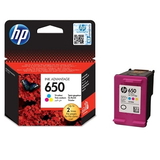
- Original OEM Ink Cartridge HP 650 (CZ102AE) (Color) – for color documents, graphics, and photos with stable color output.
- Compatible Ink Cartridge 650 for HP (CZ102AE) (Color) – great for frequent color printing while keeping costs under control.
Thanks to this range, you can easily choose exactly what you need: a single black cartridge, a single tri-color cartridge, or a convenient set to cover both. How to choose the right ink for HP DeskJet Ink Advantage 3500 e-All-in-One When selecting ink for HP DeskJet Ink Advantage 3500 e-All-in-One, we recommend thinking about your printing habits: - Mostly documents and text? Choose the black cartridge (CZ101AE / compatible equivalent). Consider a multi pack if you also print occasional color.
- School projects, graphics, mixed content? The color cartridge (CZ102AE / compatible equivalent) will be essential—many users replace it more often than expected when printing charts and images.
- Print regularly and want fewer interruptions? Multi packs (black + color) help you avoid running out at the worst moment.
Common issues with the HP 3500 series – and how the right cartridge helps Users of the HP DeskJet Ink Advantage 3500 e-All-in-One sometimes report typical inkjet challenges. The good news: most are easy to prevent with the right habits and a well-matched cartridge: - Faded print or missing lines – often caused by low ink levels or dried nozzles. Printing a small page regularly and replacing the cartridge on time helps maintain quality.
- Printer doesn’t recognize the cartridge – reinstalling the cartridge and ensuring protective tapes are removed usually solves the issue. If you need guidance, we’re here to help.
- Color looks different than expected – check print settings (draft vs. normal) and replace the tri-color cartridge if it’s near empty; low color levels can affect balance.
Whether you choose OEM or compatible, selecting the correct HP 650 ink cartridge for your printer model is the key step to reliable printing. Order ink today and keep your HP DeskJet Ink Advantage 3500 ready for anything We encourage you to browse our full selection of ink for HP DeskJet Ink Advantage 3500 e-All-in-One—both Original OEM and Compatible. We focus on clear product descriptions, a wide choice of options, and fast, convenient ordering. If you’re not sure which cartridge is best for your needs, contact us—together we’ll pick the right ink for HP 3500 so you can print with confidence. Choose your HP 650 black, color, or multi pack now and enjoy smooth printing without delays—add the right cartridge to your cart and order in just a moment. |