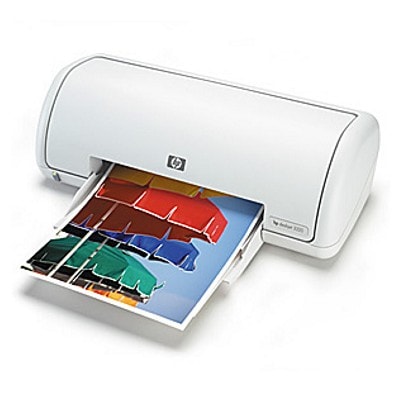
Reliable printing with HP DeskJet 3300 Series If you use an HP DeskJet 3300 (also searched as HP 3300 or HP Deskjet 3300 Series), you probably value a printer that is simple, practical and ready for everyday tasks. This model is a popular choice for home use: school assignments, forms, occasional photos, and documents that need to look clean and readable. To keep it working at its best, the key is choosing the right ink cartridge for HP DeskJet 3300—black for crisp text and color for vivid graphics. Ink for HP DeskJet 3300: what matters most In this category you’ll find ink cartridges for HP DeskJet 3300 designed for consistent results: sharp black text, balanced colors, and smooth operation from the first page to the last. Whether you print once a week or every day, a well-matched ink for HP DeskJet 3300 helps avoid common annoyances like streaks, pale output, or uneven color fills. These cartridges are perfect for: - everyday home and office documents (letters, invoices, forms),
- school materials and handouts,
- color graphics, charts, and simple photo prints,
- printing that needs to look neat without complicated setup.
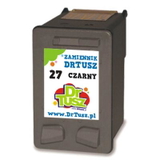
Compatible and Original OEM cartridges—choose your best fit We offer both Original OEM and Compatible options, so you can match your purchase to your budget and printing habits. Original cartridges are produced by the printer manufacturer and are a safe, familiar choice for users who want the classic OEM solution. At the same time, our compatible ink cartridge for HP DeskJet 3300 is a smart alternative for customers who print more and want to control costs—without compromising quality. The compatible cartridges available in our range are designed to deliver print results that are as good as originals, with reliable performance and strong everyday usability. Popular products in this category To make shopping easier, we’ve gathered the most frequently chosen cartridges for the 3300 series in one place. You can quickly select a single cartridge or a value multipack: - Compatible Ink Cartridge 27 for HP (C8727AE) (Black) – great for everyday text printing.
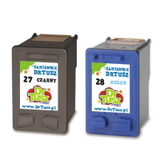
- Compatible Ink Cartridges 27 + 28 for HP (CC628AE) (multi pack) – a convenient set when you print both documents and color graphics.
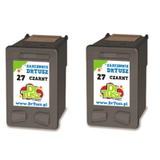
- Compatible Ink Cartridges 27 for HP (C8727AE-2) (Black) (2-pack) – a practical choice for frequent black printing and fewer reorders.
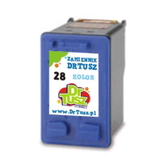
- Compatible Ink Cartridge 28 for HP (C8728AE) (Color) – for color documents, charts and photos.
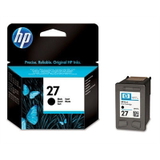
- Original OEM Ink Cartridge HP 27 (C8727AE) (Black) – the classic manufacturer option for sharp black text.
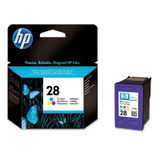
- Original OEM Ink Cartridge HP 28 (C8728AE) (Color) – OEM color cartridge for consistent color output.
Thanks to this selection, you can easily build the setup that fits your needs: black only, color only, or a complete black + color combination for the full potential of your HP DeskJet 3300. How to choose the right ink cartridge for HP 3300 When picking ink for HP DeskJet 3300, we recommend focusing on two things: what you print most often and how frequently you print. - Mostly text and documents: choose the HP 27 (C8727AE) black cartridge (compatible or Original OEM).
- Color graphics and occasional photos: add the HP 28 (C8728AE) color cartridge.
- Convenience and better value: consider the 27 + 28 multipack to keep both black and color ready.
- Frequent printing: a 2-pack of black cartridges helps you avoid downtime.
Original vs compatible: practical differences (and what you’ll notice) Customers often ask us whether to choose Original OEM or compatible. Here’s the simple, real-world view: - Original OEM ink cartridge for HP DeskJet 3300: manufacturer solution, predictable choice, ideal if you want to stay strictly with OEM.
- Compatible ink cartridge for HP DeskJet 3300: excellent print quality and reliability, typically better value—our compatible cartridges are designed to perform as well as the originals in everyday printing.
If you want strong results and sensible costs, compatible cartridges are often the most practical choice—especially when printing school materials, forms, and regular documents. Common user issues with HP Deskjet 3300 Series—and quick tips Even with a good printer, ink-related problems can happen. Here are the most common situations and what usually helps: - Faded or streaky prints: it often means the cartridge is running low or the printhead needs a cleaning cycle in the printer settings.
- Color looks “off”: replace the color cartridge or run alignment—especially after installing a new cartridge.
- Printer doesn’t recognize the cartridge: remove and reinstall it, check protective tape is fully removed, and gently clean the contacts with a dry, lint-free cloth.
- Infrequent printing causes dry ink: print a small test page periodically to keep ink flowing smoothly.
If you’re not sure which ink cartridge for HP 3300 you need, we’re here to help—just tell us the printer series name and what you print most often. Choose your ink for HP DeskJet 3300 and start printing We encourage you to explore our full selection of ink cartridges for HP DeskJet 3300—both Compatible and Original OEM. Order the cartridge you need today and keep your printer ready for every task, from quick documents to colorful projects. If you have questions about compatibility, choosing a multipack, or solving print quality issues, contact us—we’ll help you pick the best ink for HP DeskJet 3300 Series and get back to comfortable, hassle-free printing. |