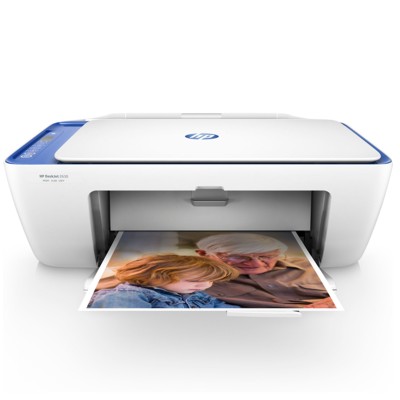
Everyday printing with the HP DeskJet 2630 All-in-One The HP DeskJet 2630 All-in-One (also searched as HP 2630, HP DeskJet 2600 All-in-One Series, V1N03B or simply 2630) is a popular home printer designed for the tasks we all do most often: printing school materials, work documents, forms, tickets and colourful graphics. As an All-in-One device, it combines printing, copying and scanning in one compact unit—perfect for everyday use where you want simple operation and reliable results. Ink for HP DeskJet 2630 All-in-One – what matters most To get the best from this device, it’s worth choosing the right ink for printer HP DeskJet 2630 All-in-One. This model works with the HP 304 family of cartridges, available in standard and high-yield versions (XL). In this category you’ll find both Original OEM and Compatible solutions—so you can match your printing style and budget without compromising quality. Whether you print crisp black text or bright colour pages, our ink for HP 2630 is selected to deliver: - clear, readable documents for home and office use,
- vivid colour output for presentations, worksheets and graphics,
- smooth performance for frequent printing and copying,
- easy installation and dependable operation.
Original OEM and Compatible cartridges – one printer, two smart choices We know customers shopping for ink for HP DeskJet 2630 All-in-One often ask: “Should I choose Original OEM or Compatible?” Both options can be a great decision—depending on what you expect. - Original OEM ink cartridges are produced by the printer manufacturer and are ideal if you want the classic “manufacturer standard” and full brand consistency.
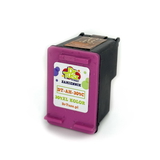
- Compatible ink cartridges are a cost-effective alternative. Importantly, the compatible cartridges from the DrTusz.pl offer are as good as the originals—providing excellent print quality, strong page performance and reliable day-to-day use.
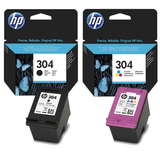
If you print a lot, you’ll also appreciate the XL versions. A high-yield ink cartridge for HP 2630 means fewer replacements and a lower cost per page—especially useful for families, students and home offices. Popular products in this category (HP 304 / HP 304 XL) We keep this category focused and practical—so you can quickly find the right ink for HP Deskjet 2600 All-in-One Series without guessing. Here are some of the most chosen items: - Original OEM Ink Cartridges HP 304 (3JB05AE) (multi pack) – a convenient set for balanced black-and-colour printing.
- Compatible Ink Cartridges 304 for HP (3JB05AE) (multi pack) – a great-value multipack for everyday documents and colour pages.
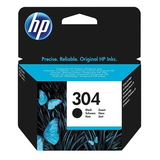
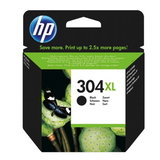
- Original OEM Ink Cartridge HP 304 (N9K06AE) (Black) – for sharp text and clean business-style printing.
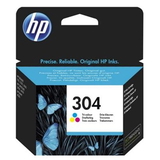
- Original OEM Ink Cartridge HP 304 (N9K05AE) (Color) – for colourful homework, charts and graphics.
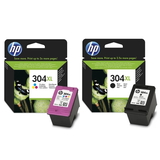
- Original OEM Ink Cartridges HP 304 XL (N9K08AE, N9K07AE) (multi pack) – higher yield for customers who print more often.
- Original OEM Ink Cartridge HP 304 XL (N9K08AE) (Black) – a strong choice for frequent black text printing.
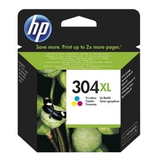
- Original OEM Ink Cartridge HP 304 XL (N9K07AE) (Color) – ideal for more colour output with fewer cartridge changes.
- Compatible Ink Cartridge 304 XL for HP (N9K08AE) (Black) – high-yield black printing at an excellent cost per page.
- Compatible Ink Cartridge 304 XL for HP (N9K07AE) (Color) – high-yield colour printing for busy households.
- All-In-One Printer HP DeskJet 2630 All-in-One – if you’re building a complete setup or replacing your device.
How to choose the right ink cartridge for HP 2630 When selecting an ink cartridge for HP DeskJet 2630 All-in-One, we recommend focusing on three simple points: - Colour needs: choose Black, Color, or a multi pack if you want both ready to go.
- Yield: standard HP 304 for occasional printing, or HP 304 XL for frequent printing and better value over time.
- Type: Original OEM for manufacturer branding, or Compatible for smart savings—without giving up quality (our compatibles are designed to perform like originals).
Common user issues with the HP DeskJet 2630 – and quick tips The HP DeskJet 2630 All-in-One is easy to use, but a few typical situations can appear during everyday printing. Here’s what often helps: - Faded prints or streaks: run the printer’s cleaning cycle and make sure the cartridge is properly installed.
- “Cartridge not recognized” message: reseat the cartridge and check if all protective elements have been removed before installation.
- Printing stops too soon: if you print regularly, switching to HP 304 XL can reduce interruptions and keep your workflow smoother.
- Colour looks dull: confirm you’re using the Color cartridge and choose appropriate print settings for graphics vs. draft text.
If you’re ever unsure which ink for HP DeskJet 2630 All-in-One is the right match, we’re here to help—just tell us the model name (HP 2630 / V1N03B / DeskJet 2600 series) and what you print most often. Choose your ink today and keep your HP DeskJet 2630 ready We encourage you to explore our full selection of ink cartridges for HP DeskJet 2630 All-in-One—Compatible and Original OEM, standard and XL, black and colour, plus convenient multipacks. Add your chosen cartridges to the basket and enjoy fast, hassle-free ordering. If you’d like support before buying, contact us—together we’ll pick the best ink for HP 2630 for your printing needs. |