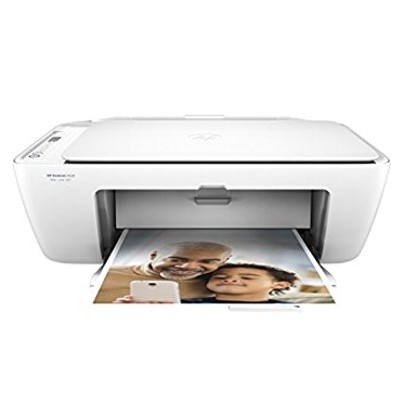
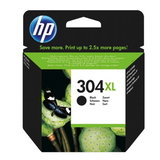
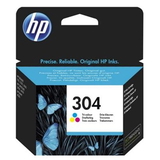
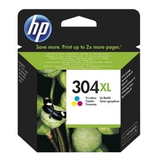
Everyday printing with the HP DeskJet 2620 All-in-One HP DeskJet 2620 All-in-One (also searched as HP 2620, HP DeskJet 2600 All-in-One Series or V1N01B) is a compact, home-friendly device designed for daily tasks: printing, scanning and copying. It’s a popular choice for families, students and home offices because it’s simple to use, supports wireless printing, and handles both documents and colorful school or photo projects. To keep this printer performing at its best, you need reliable color ink cartridges for HP DeskJet 2620 All-in-One—and that’s exactly what we specialize in. Color ink cartridges for HP 2620 – what they do and why it matters The right ink for HP DeskJet 2620 All-in-One affects more than just color intensity. It influences text sharpness, drying time, smudge resistance and how consistently the printer works over weeks of use. In this category you’ll find ink cartridges for HP DeskJet 2620 All-in-One in both Original OEM and high-quality Compatible options, including standard and high-yield (XL) versions. These cartridges are ideal for: - home and school printing (worksheets, notes, presentations),
- color graphics (charts, infographics, simple marketing materials),
- everyday photos and creative projects,
- copying and scanning workflows where consistent printouts matter.
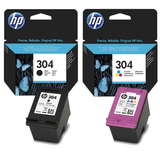
If you print occasionally, a standard cartridge can be enough. If you print often or dislike frequent replacements, 304 XL ink for HP 2620 is usually the most economical choice. Compatible and Original OEM – choose what fits your needs We offer both Original OEM ink cartridges and Compatible ink cartridges for this printer, so you can decide what’s best for your budget and printing style. Original OEM cartridges are produced by HP and are a great pick if you want to stay with the manufacturer’s solution. At the same time, our compatible ink for HP DeskJet 2620 All-in-One from DrTusz.pl is designed to deliver printing results that are as good as the originals—while offering excellent value. Many customers choose compatible cartridges for frequent printing, family use and all those “we need it now” school prints. Popular products in this category (HP 304 / HP 304 XL) HP DeskJet 2620 All-in-One uses the HP 304 family (standard and XL). To make shopping quick and safe, we list products clearly by code and color. Here are some of the most chosen items: - Original OEM Ink Cartridges HP 304 (3JB05AE) (multi pack) – a convenient set for balanced black + color printing.
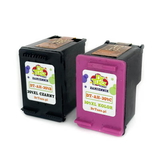
- Compatible Ink Cartridges 304 for HP (3JB05AE) (multi pack) – a cost-effective multipack for everyday home printing.
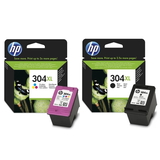
- Original OEM Ink Cartridges HP 304 XL (N9K08AE, N9K07AE) (multi pack) – higher yield for frequent users.
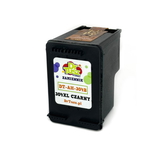
- Compatible Ink Cartridge 304 XL for HP (N9K08AE) (Black) – ideal if you print lots of text and want fewer replacements.
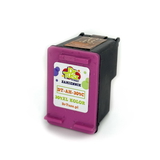
- Compatible Ink Cartridge 304 XL for HP (N9K07AE) (Color) – great for color projects, graphics and mixed printing.
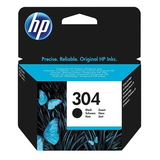
- Original OEM Ink Cartridge HP 304 (N9K06AE) (Black) and Original OEM Ink Cartridge HP 304 (N9K05AE) (Color) – standard capacity for lighter use.
- Original OEM Ink Cartridge HP 304 XL (N9K08AE) (Black) and Original OEM Ink Cartridge HP 304 XL (N9K07AE) (Color) – XL options for better cost per page.
- All-In-One Printer HP DeskJet 2620 All-in-One – the device itself if you’re setting up a new home printing station.
Whether you search by “ink for HP 2620”, “ink for HP DeskJet 2620 All-in-One” or “HP Deskjet 2600 All-in-One Series cartridge”, you’ll find the correct matches here. How to pick the right cartridge (and avoid common issues) Choosing the best ink cartridge for HP DeskJet 2620 All-in-One is simple when you focus on three things: the cartridge family, the capacity, and your printing habits. - Check the symbol: for this model, look for HP 304 or HP 304 XL (black and color variants).
- Decide on capacity: choose XL if you print frequently or want fewer cartridge changes.
- Match to your usage: black XL is perfect for documents; color XL is best if your home prints lots of colorful pages.
Common user challenges with HP DeskJet 2620 All-in-One often include: - Ink drying out after longer breaks: if you print rarely, run a small color test page occasionally to keep nozzles active.
- Streaks or faded colors: a cleaning cycle can help; also make sure you’re using the correct cartridge (304 vs 304 XL) and that it’s seated properly.
- “Cartridge not recognized” messages: reinstalling the cartridge and restarting the printer often solves it; ensure all protective seals were removed before installation.
- Fast ink consumption: draft mode for everyday documents and XL cartridges can reduce your cost per page.
If you’re unsure which color ink for HP DeskJet 2620 All-in-One to choose, we’re here to help—tell us what you print and how often, and we’ll recommend the most practical option. Order your HP DeskJet 2620 ink with confidence In our store we focus on a broad, clearly described selection: Original OEM and Compatible ink cartridges, standard and XL capacity, plus the All-in-One device itself. We make it easy to find the right ink for HP 2620 by product codes and names, so you can order without guesswork. CTA: We encourage you to browse the products in this category, choose the best ink cartridges for HP DeskJet 2620 All-in-One, and place your order today. If you have any questions about compatibility, XL vs standard yield, or the best set for your needs—contact us and we’ll help you pick quickly and accurately. Fast delivery options are available so you can get back to printing without unnecessary downtime. |